
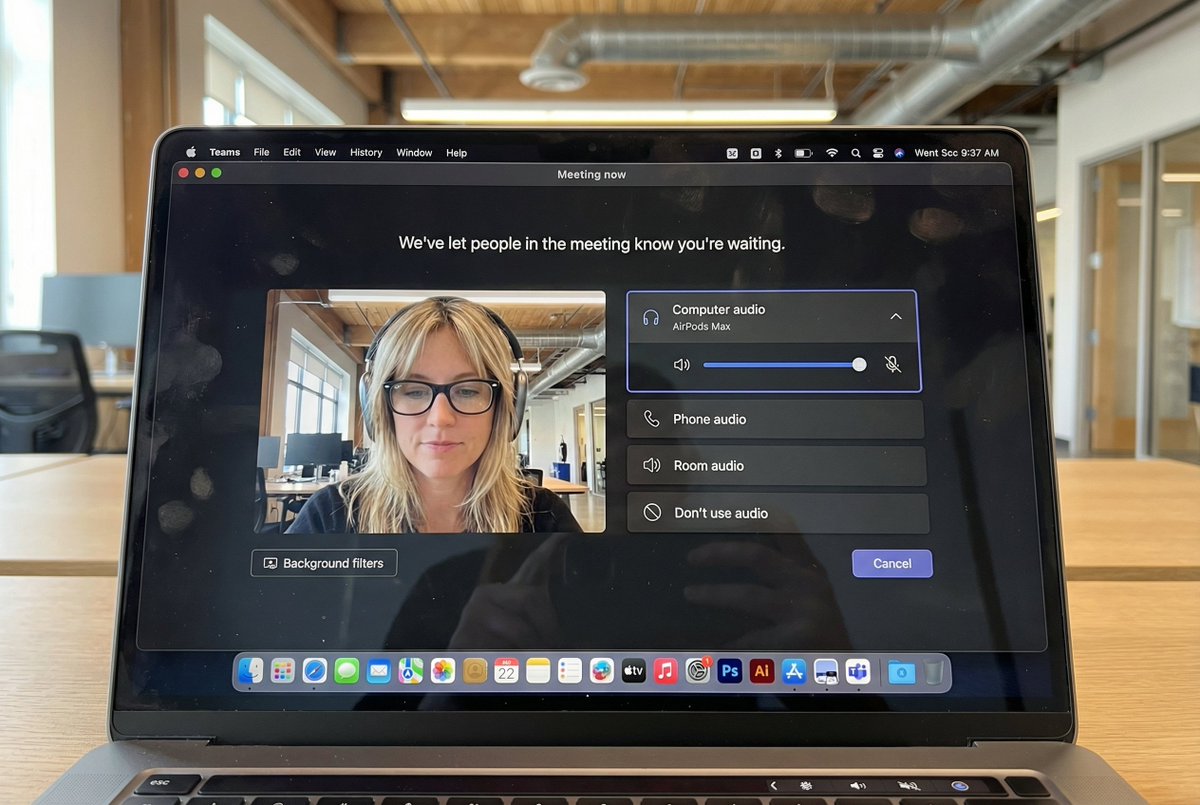
Bibliothèque de Prompts / Hyper-Realistic MacBook Screen Photography: Microsoft Teams Waiting Room UI
Hyper-Realistic MacBook Screen Photography: Microsoft Teams Waiting Room UI

Hyper-Realistic MacBook Screen Photography: Microsoft Teams Waiting Room UI

124700
Texte-vers-image
nano banana
nano banana pro
qwen image edit
z-image-turbo
{ "task": "hyper_realistic_macbook_screen_photography", "reference_logic": "exact_microsoft_teams_waiting_room_ui_macos", "output": { "type": "single_image", "resolution": "ultra_high_resolution_8k", "realism": "indistinguishable_from_real_laptop_photo", "capture_style": "iphone_photo_of_macbook_screen", "post_processing": "none" }, "scene": { "application": "Microsoft Teams", "platform": "macOS", "ui_state": "meeting_waiting_room", "top_status_text": "Meeting now", "center_message": "We've let people in the meeting know you're waiting.", "background": "pure_black_dark_mode" }, "ui_layout": { "left_panel": { "video_preview": { "position": "bottom_left", "aspect_ratio": "landscape", "camera_toggle": "on", "background_filters_button": "visible_below_preview" } }, "right_panel": { "audio_section": { "title": "Computer audio", "selected_device": "AirPods Max", "volume_slider": "horizontal_blue_indicator", "mute_toggle": "off" }, "audio_options": [ "Phone audio", "Room audio", "Don't use audio" ], "cancel_button": { "label": "Cancel", "position": "bottom_right", "style": "rounded_rectangle" } } }, "subject": { "gender": "female", "hair": { "color": "natural_blonde", "style": "soft_bangs_with_loose_layers", "texture": "individual_strands_visible" }, "face": { "skin": "true_human_skin_texture", "details": "visible_pores_micro_imperfections", "retouching": "none" }, "eyewear": { "brand": "Ray-Ban", "model": "Wayfarer", "type": "prescription_glasses", "frame_color": "black", "lens_reflection": "subtle_real_world_glare" }, "headphones": { "model": "AirPods Max", "color": "space_gray", "fit": "natural_over_ear_position" }, "clothing": { "top": "neutral_crop_top", "style": "casual_minimal" }, "expression": "calm_focused_waiting", "gaze": "slightly_downward" }, "environment": { "background": "modern_open_office", "ceiling": "exposed_industrial_ducts", "lighting": { "type": "soft_natural_daylight", "mixed_with": "indoor_office_lighting", "temperature": "5200K" } }, "screen_reflection": { "enabled": true, "source": "same_subject_as_video_preview", "reflection_type": "soft_glass_reflection", "intensity": "very_subtle", "opacity": 0.05, "sharpness": "low", "distortion": "slight_glass_warp", "positioning": "offset_not_centered", "visibility_rules": { "ui_text": "fully_readable", "icons": "unobstructed", "reflection_never_overpowers_ui": true }, "realism_notes": [ "not_mirror_like", "not_double_face", "no_symmetry", "appears_only_on_dark_areas" ] }, "macos_elements": { "dock": { "visible": true, "style": "macos_default_big_sur_or_later", "reflection": "subtle", "indicator_dot": "visible_under_active_apps", "icons": [ "Finder", "Mail", "Calendar", "Microsoft Teams", "Adobe Illustrator", "Adobe InDesign", "Adobe After Effects", "Adobe Lightroom", "Adobe Photoshop", "Adobe Premiere Pro", "App Store", "System Settings" ] }, "menu_bar": { "visibility": "partial_top_edge", "elements": [ "WiFi", "Battery", "Time", "macOS_control_icons" ] } }, "camera": { "device": "iPhone", "angle": "slightly_off_axis", "handheld": true, "screen_artifacts": [ "soft_glass_reflection", "minor_glare", "fingerprint_smudges", "dust_particles", "moire_pattern" ] }, "color_profile": { "contrast": "natural_display_contrast", "saturation": "neutral_realistic", "white_balance": "accurate_screen_calibrated" }, "negative_prompt": [ "generic_video_call_ui", "zoom_interface", "google_meet_ui", "fake_buttons", "wrong_fonts", "misaligned_panels", "ai_generated_ui", "blurred_text", "plastic_skin", "over_sharpening", "mirror_reflection", "double_face", "incorrect_dock_icons" ] }

Description

z-image generates hyper-realistic MacBook screen photography showing Microsoft Teams waiting room UI with macOS dark mode background. Features left-side video preview and right-side audio controls. The subject is a natural blonde female wearing Ray-Ban glasses and AirPods Max headphones, with a calm focused expression. Set in a modern open office with soft natural daylight. Subtle screen reflections and visible macOS Dock icons. Shot with an iPhone, the image captures realistic details and natural colors.
Étiquettes
# hyperrealistic
# office environment
# dark mode
# UI design
# Microsoft Teams
# MacBook screen

Prompts similaires

Hyper Realistic MacBook Screen Photography
Hyper Realistic MacBook Screen Photography

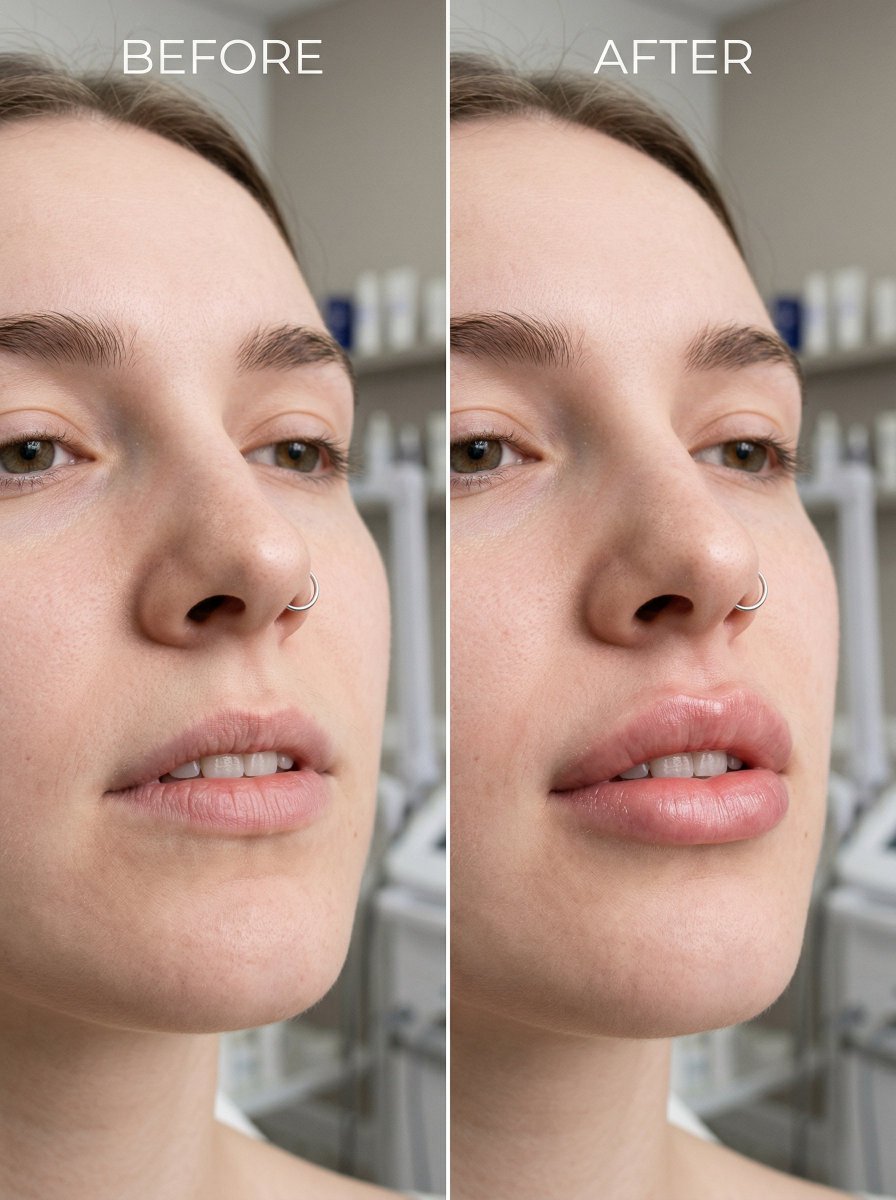
Before and After Lip Filler Comparison

Before and After Lip Filler Comparison

Hyperrealistic Portrait with 3D Cartoon Miniature

Hyperrealistic Portrait with 3D Cartoon Miniature

Ultra Realistic Cinematic Street Fashion of a Confident Female Walking

Ultra Realistic Cinematic Street Fashion of a Confident Female Walking

Hyper-Realistic Underwater Macro Portrait

Hyper-Realistic Underwater Macro Portrait

Minimalist Still Life in High-End Product Photography Style

Minimalist Still Life in High-End Product Photography Style