
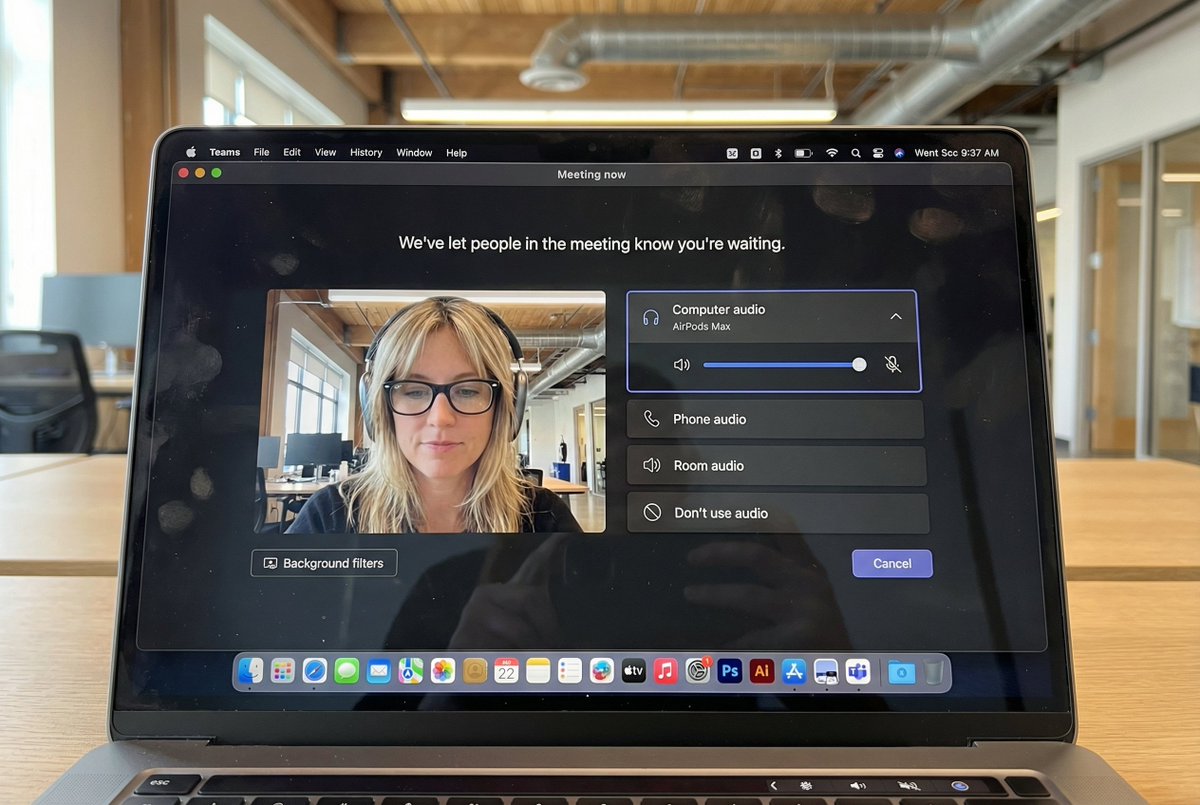
Biblioteca de Prompts / Hyper-Realistic MacBook Screen Photography: Microsoft Teams Waiting Room UI
Hyper-Realistic MacBook Screen Photography: Microsoft Teams Waiting Room UI

Hyper-Realistic MacBook Screen Photography: Microsoft Teams Waiting Room UI

124700
Texto-a-Imagen
nano banana
nano banana pro
qwen image edit
z-image-turbo
{ "task": "hyper_realistic_macbook_screen_photography", "reference_logic": "exact_microsoft_teams_waiting_room_ui_macos", "output": { "type": "single_image", "resolution": "ultra_high_resolution_8k", "realism": "indistinguishable_from_real_laptop_photo", "capture_style": "iphone_photo_of_macbook_screen", "post_processing": "none" }, "scene": { "application": "Microsoft Teams", "platform": "macOS", "ui_state": "meeting_waiting_room", "top_status_text": "Meeting now", "center_message": "We've let people in the meeting know you're waiting.", "background": "pure_black_dark_mode" }, "ui_layout": { "left_panel": { "video_preview": { "position": "bottom_left", "aspect_ratio": "landscape", "camera_toggle": "on", "background_filters_button": "visible_below_preview" } }, "right_panel": { "audio_section": { "title": "Computer audio", "selected_device": "AirPods Max", "volume_slider": "horizontal_blue_indicator", "mute_toggle": "off" }, "audio_options": [ "Phone audio", "Room audio", "Don't use audio" ], "cancel_button": { "label": "Cancel", "position": "bottom_right", "style": "rounded_rectangle" } } }, "subject": { "gender": "female", "hair": { "color": "natural_blonde", "style": "soft_bangs_with_loose_layers", "texture": "individual_strands_visible" }, "face": { "skin": "true_human_skin_texture", "details": "visible_pores_micro_imperfections", "retouching": "none" }, "eyewear": { "brand": "Ray-Ban", "model": "Wayfarer", "type": "prescription_glasses", "frame_color": "black", "lens_reflection": "subtle_real_world_glare" }, "headphones": { "model": "AirPods Max", "color": "space_gray", "fit": "natural_over_ear_position" }, "clothing": { "top": "neutral_crop_top", "style": "casual_minimal" }, "expression": "calm_focused_waiting", "gaze": "slightly_downward" }, "environment": { "background": "modern_open_office", "ceiling": "exposed_industrial_ducts", "lighting": { "type": "soft_natural_daylight", "mixed_with": "indoor_office_lighting", "temperature": "5200K" } }, "screen_reflection": { "enabled": true, "source": "same_subject_as_video_preview", "reflection_type": "soft_glass_reflection", "intensity": "very_subtle", "opacity": 0.05, "sharpness": "low", "distortion": "slight_glass_warp", "positioning": "offset_not_centered", "visibility_rules": { "ui_text": "fully_readable", "icons": "unobstructed", "reflection_never_overpowers_ui": true }, "realism_notes": [ "not_mirror_like", "not_double_face", "no_symmetry", "appears_only_on_dark_areas" ] }, "macos_elements": { "dock": { "visible": true, "style": "macos_default_big_sur_or_later", "reflection": "subtle", "indicator_dot": "visible_under_active_apps", "icons": [ "Finder", "Mail", "Calendar", "Microsoft Teams", "Adobe Illustrator", "Adobe InDesign", "Adobe After Effects", "Adobe Lightroom", "Adobe Photoshop", "Adobe Premiere Pro", "App Store", "System Settings" ] }, "menu_bar": { "visibility": "partial_top_edge", "elements": [ "WiFi", "Battery", "Time", "macOS_control_icons" ] } }, "camera": { "device": "iPhone", "angle": "slightly_off_axis", "handheld": true, "screen_artifacts": [ "soft_glass_reflection", "minor_glare", "fingerprint_smudges", "dust_particles", "moire_pattern" ] }, "color_profile": { "contrast": "natural_display_contrast", "saturation": "neutral_realistic", "white_balance": "accurate_screen_calibrated" }, "negative_prompt": [ "generic_video_call_ui", "zoom_interface", "google_meet_ui", "fake_buttons", "wrong_fonts", "misaligned_panels", "ai_generated_ui", "blurred_text", "plastic_skin", "over_sharpening", "mirror_reflection", "double_face", "incorrect_dock_icons" ] }

Descripción

z-image generates hyper-realistic MacBook screen photography showing Microsoft Teams waiting room UI with macOS dark mode background. Features left-side video preview and right-side audio controls. The subject is a natural blonde female wearing Ray-Ban glasses and AirPods Max headphones, with a calm focused expression. Set in a modern open office with soft natural daylight. Subtle screen reflections and visible macOS Dock icons. Shot with an iPhone, the image captures realistic details and natural colors.
Etiquetas
# hyperrealistic
# office environment
# dark mode
# UI design
# Microsoft Teams
# MacBook screen

Mensajes relacionados

Hyper Realistic MacBook Screen Photography
Hyper Realistic MacBook Screen Photography

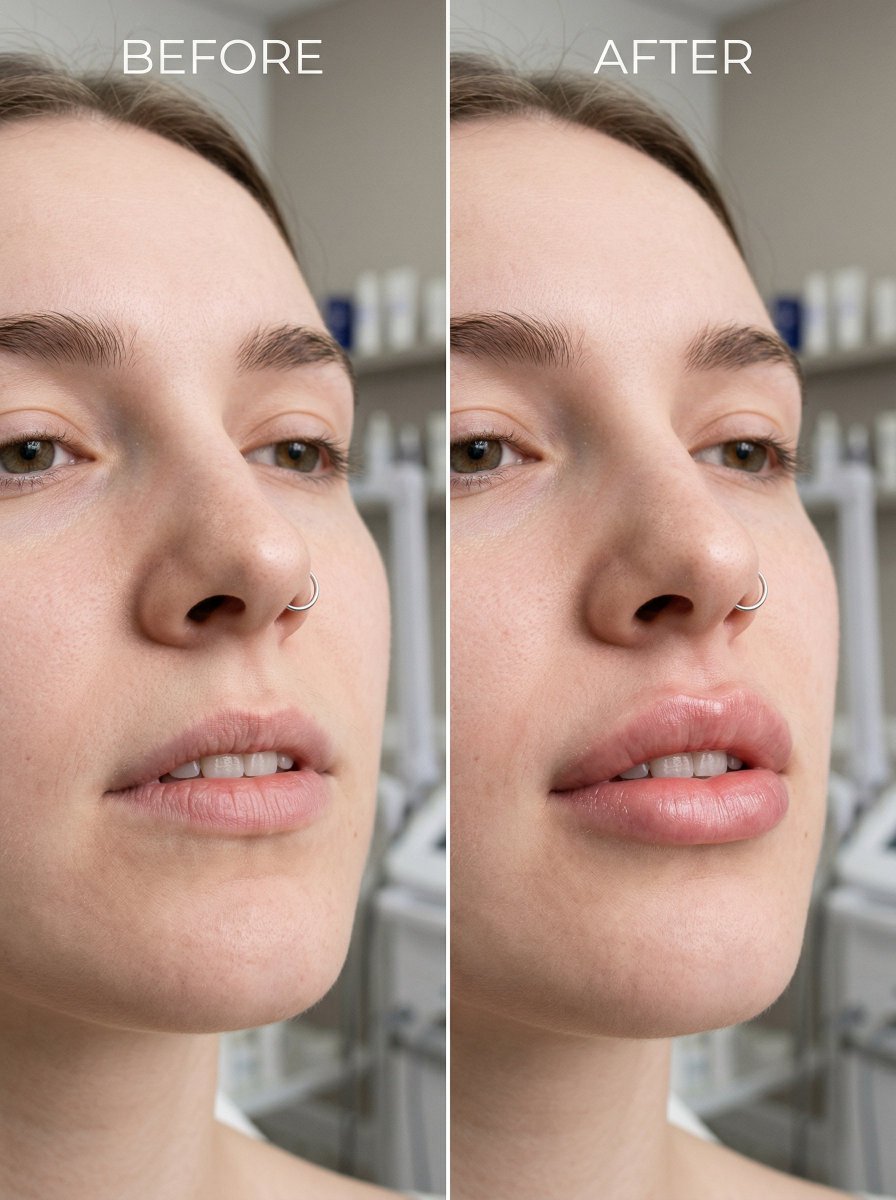
Before and After Lip Filler Comparison

Before and After Lip Filler Comparison

Hyperrealistic Portrait with 3D Cartoon Miniature

Hyperrealistic Portrait with 3D Cartoon Miniature

Ultra Realistic Cinematic Street Fashion of a Confident Female Walking
Ultra Realistic Cinematic Street Fashion of a Confident Female Walking

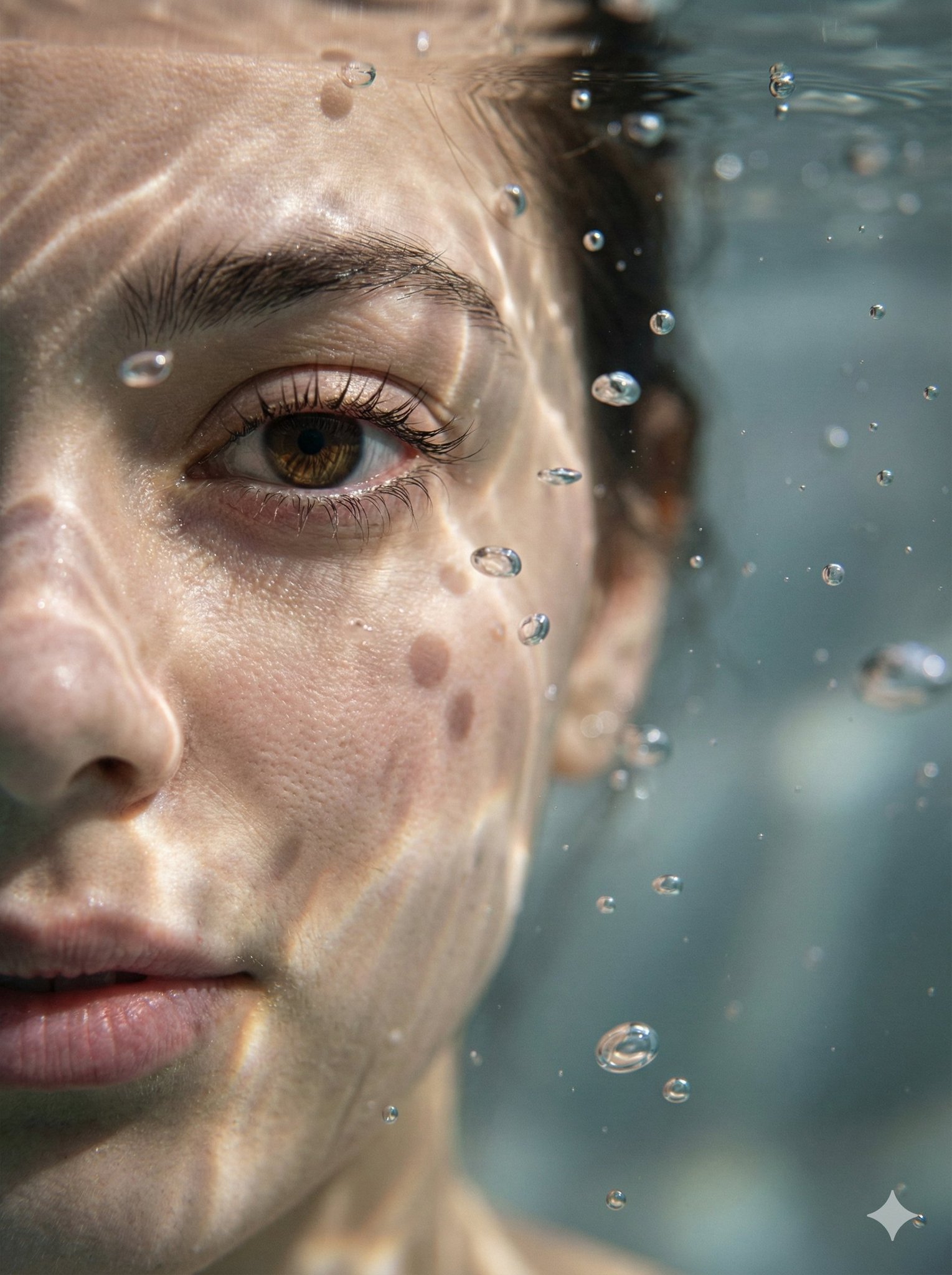
Hyper-Realistic Underwater Macro Portrait

Hyper-Realistic Underwater Macro Portrait

Minimalist Still Life in High-End Product Photography Style

Minimalist Still Life in High-End Product Photography Style

Herramientas populares

Explore nuestras herramientas creativas más populares

Z-Image Edit

Cargue una imagen, transfórmela con una frase

Pruébalo ahora

Motor Creativo

Una frase, la IA proporciona creatividad infinita para sus mensajes.

Pruébalo ahora

Image Parse

Cargue una imagen, obtenga el mensaje al instante.

Pruébalo ahora

Z-Image LoRA

Combina múltiples modelos LoRA para crear obras de arte de IA únicas

Pruébalo ahora

Z-Video

Generate creative videos from text or images with AI.

Pruébalo ahora

Generador de imágenes por IA

Convierta su texto en imágenes impresionantes al instante.

Pruébalo ahora

Biblioteca de Estilos

Explora estilos artísticos seleccionados para tus creaciones.

Pruébalo ahora

Quitar fondo

Elimina fondos de imágenes al instante con precisión de IA.

Pruébalo ahora

Escalador de imágenes

Mejora la resolución de la imagen hasta 4K/8K.

Pruébalo ahora

Reencuadre de imagen

Expande imágenes a cualquier relación de aspecto con outpainting.

Pruébalo ahora

Camera Angle

Create a new view with continuous 3D camera control.

Pruébalo ahora

Image Layers

Split an image into editable transparent layers.

Pruébalo ahora

Image Parallax

Turn one image into interactive parallax animation.

Pruébalo ahora

Imagen a ASCII

Convierte imágenes en arte ASCII personalizable directamente en el navegador.

Pruébalo ahora

GIF a ASCII

Convierte GIF animados en animaciones ASCII descargables.

Pruébalo ahora

Vídeo a ASCII

Convierte vídeos MP4, WebM o MOV en vídeos ASCII descargables.

Pruébalo ahora

Vídeo a profundidad

Crea un vídeo de mapa de profundidad privado y local en el navegador.

Pruébalo ahora