Библиотека промптов / Hyper-Realistic MacBook Screen Photography: Microsoft Teams Waiting Room UI
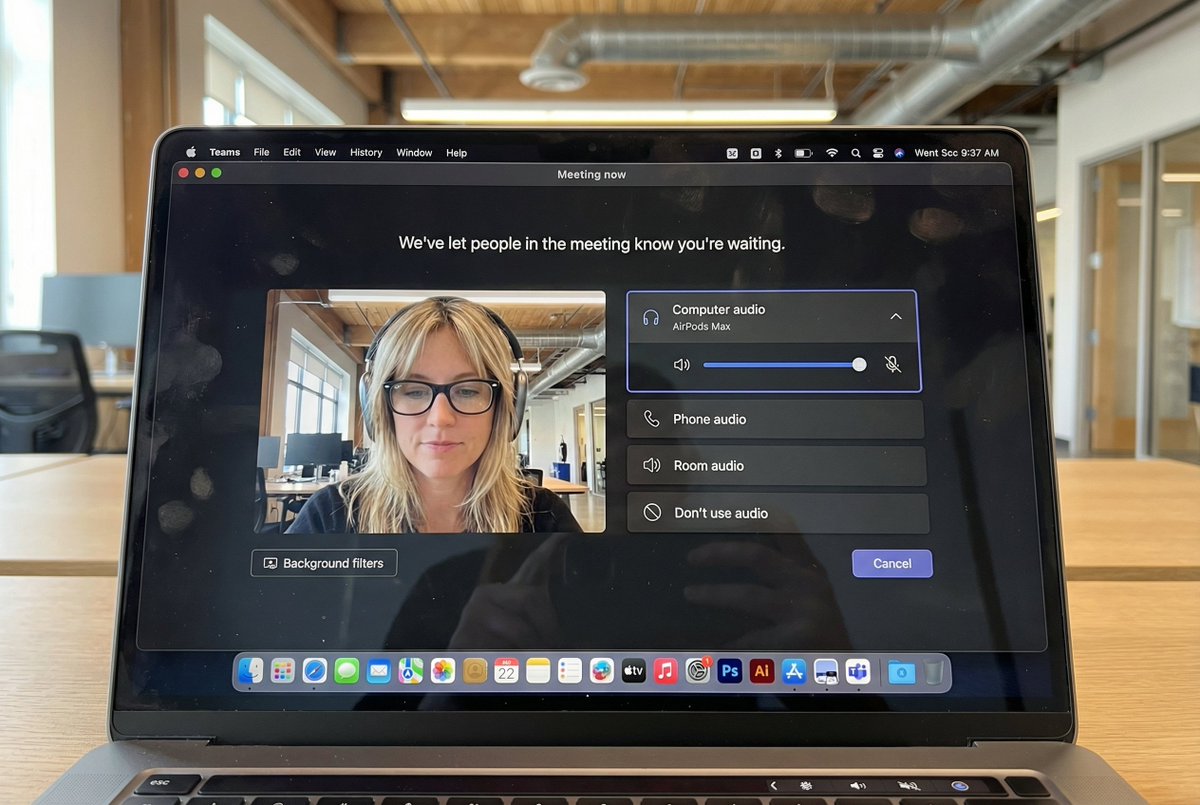
Hyper-Realistic MacBook Screen Photography: Microsoft Teams Waiting Room UI

Hyper-Realistic MacBook Screen Photography: Microsoft Teams Waiting Room UI

Автор:@egeberkina
44700
Текст-в-Изображение
nano banana
nano banana pro
qwen image edit
z-image-turbo
{ "task": "hyper_realistic_macbook_screen_photography", "reference_logic": "exact_microsoft_teams_waiting_room_ui_macos", "output": { "type": "single_image", "resolution": "ultra_high_resolution_8k", "realism": "indistinguishable_from_real_laptop_photo", "capture_style": "iphone_photo_of_macbook_screen", "post_processing": "none" }, "scene": { "application": "Microsoft Teams", "platform": "macOS", "ui_state": "meeting_waiting_room", "top_status_text": "Meeting now", "center_message": "We've let people in the meeting know you're waiting.", "background": "pure_black_dark_mode" }, "ui_layout": { "left_panel": { "video_preview": { "position": "bottom_left", "aspect_ratio": "landscape", "camera_toggle": "on", "background_filters_button": "visible_below_preview" } }, "right_panel": { "audio_section": { "title": "Computer audio", "selected_device": "AirPods Max", "volume_slider": "horizontal_blue_indicator", "mute_toggle": "off" }, "audio_options": [ "Phone audio", "Room audio", "Don't use audio" ], "cancel_button": { "label": "Cancel", "position": "bottom_right", "style": "rounded_rectangle" } } }, "subject": { "gender": "female", "hair": { "color": "natural_blonde", "style": "soft_bangs_with_loose_layers", "texture": "individual_strands_visible" }, "face": { "skin": "true_human_skin_texture", "details": "visible_pores_micro_imperfections", "retouching": "none" }, "eyewear": { "brand": "Ray-Ban", "model": "Wayfarer", "type": "prescription_glasses", "frame_color": "black", "lens_reflection": "subtle_real_world_glare" }, "headphones": { "model": "AirPods Max", "color": "space_gray", "fit": "natural_over_ear_position" }, "clothing": { "top": "neutral_crop_top", "style": "casual_minimal" }, "expression": "calm_focused_waiting", "gaze": "slightly_downward" }, "environment": { "background": "modern_open_office", "ceiling": "exposed_industrial_ducts", "lighting": { "type": "soft_natural_daylight", "mixed_with": "indoor_office_lighting", "temperature": "5200K" } }, "screen_reflection": { "enabled": true, "source": "same_subject_as_video_preview", "reflection_type": "soft_glass_reflection", "intensity": "very_subtle", "opacity": 0.05, "sharpness": "low", "distortion": "slight_glass_warp", "positioning": "offset_not_centered", "visibility_rules": { "ui_text": "fully_readable", "icons": "unobstructed", "reflection_never_overpowers_ui": true }, "realism_notes": [ "not_mirror_like", "not_double_face", "no_symmetry", "appears_only_on_dark_areas" ] }, "macos_elements": { "dock": { "visible": true, "style": "macos_default_big_sur_or_later", "reflection": "subtle", "indicator_dot": "visible_under_active_apps", "icons": [ "Finder", "Mail", "Calendar", "Microsoft Teams", "Adobe Illustrator", "Adobe InDesign", "Adobe After Effects", "Adobe Lightroom", "Adobe Photoshop", "Adobe Premiere Pro", "App Store", "System Settings" ] }, "menu_bar": { "visibility": "partial_top_edge", "elements": [ "WiFi", "Battery", "Time", "macOS_control_icons" ] } }, "camera": { "device": "iPhone", "angle": "slightly_off_axis", "handheld": true, "screen_artifacts": [ "soft_glass_reflection", "minor_glare", "fingerprint_smudges", "dust_particles", "moire_pattern" ] }, "color_profile": { "contrast": "natural_display_contrast", "saturation": "neutral_realistic", "white_balance": "accurate_screen_calibrated" }, "negative_prompt": [ "generic_video_call_ui", "zoom_interface", "google_meet_ui", "fake_buttons", "wrong_fonts", "misaligned_panels", "ai_generated_ui", "blurred_text", "plastic_skin", "over_sharpening", "mirror_reflection", "double_face", "incorrect_dock_icons" ] }

Описание

z-image generates hyper-realistic MacBook screen photography showing Microsoft Teams waiting room UI with macOS dark mode background. Features left-side video preview and right-side audio controls. The subject is a natural blonde female wearing Ray-Ban glasses and AirPods Max headphones, with a calm focused expression. Set in a modern open office with soft natural daylight. Subtle screen reflections and visible macOS Dock icons. Shot with an iPhone, the image captures realistic details and natural colors.
Теги
# hyperrealistic
# office environment
# dark mode
# UI design
# Microsoft Teams
# MacBook screen

Похожие промпты

Vertical Product Photography with Technical Specs

Vertical Product Photography with Technical Specs

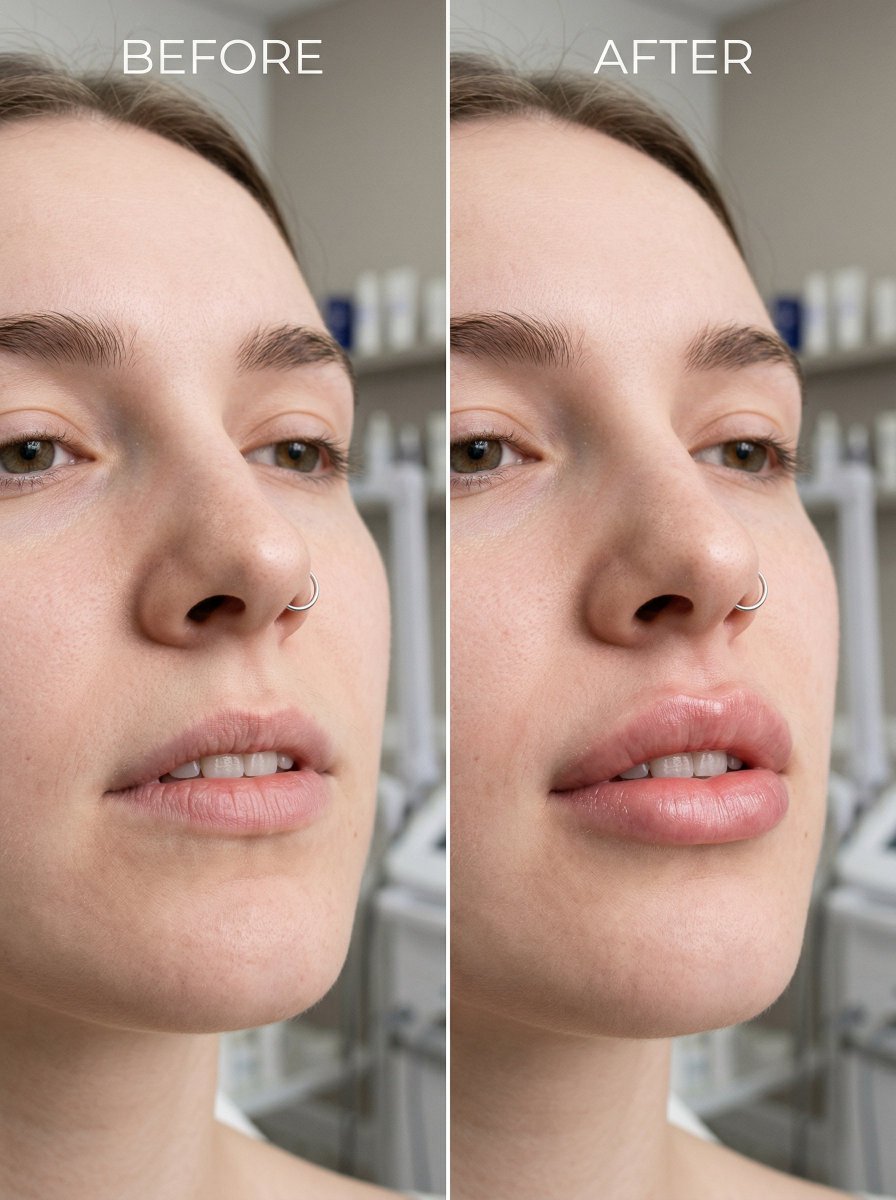
Before and After Lip Filler Comparison
Before and After Lip Filler Comparison

Высокодетализированное фотоазиатской женщины в облегающем латексном костюме

Высокодетализированное фотоазиатской женщины в облегающем латексном костюме

Portrait and Figure Generation Based on Reference Image

Portrait and Figure Generation Based on Reference Image

Реалистичное селфи с зеркала смартфона в спальне

Реалистичное селфи с зеркала смартфона в спальне

Guidelines for Ancient Garden Night Scene Portrait Photography

Guidelines for Ancient Garden Night Scene Portrait Photography

Популярные инструменты

Исследуйте наши самые популярные творческие инструменты

Z-Image Редактор

Загрузите изображение, трансформируйте одной фразой

Попробовать сейчас

Творческий Движок

Одно предложение, ИИ обеспечивает бесконечное творчество подсказок.

Попробовать сейчас

Анализ изображений

Загрузите изображение, получите промпт мгновенно.

Попробовать сейчас

Z-Image LoRA

Комбинируйте несколько моделей LoRA для создания уникальных произведений искусства ИИ

Попробовать сейчас

Z-Video

Generate creative videos from text or images with AI.

Попробовать сейчас

Генератор изображений ИИ

Мгновенно превращайте текст в потрясающие изображения.

Попробовать сейчас

Библиотека стилей

Исследуйте кураторские художественные стили для вашего творчества.

Попробовать сейчас

Удалить фон

Мгновенно удаляйте фон с изображений с помощью ИИ.

Попробовать сейчас

Увеличение изображений

Улучшите разрешение изображений до 4K/8K.

Попробовать сейчас

Рефрейминг изображений

Расширяйте изображения до любого формата с помощью ИИ.

Попробовать сейчас