
GGUF-Org Z-Image GGUF Models
Official GGUF quantized versions of Z-Image Turbo models for low-VRAM deployment (6GB+), optimized for ComfyUI with multiple quantization levels
Overview
GGUF-Org provides officially converted GGUF quantized versions of Z-Image Turbo, enabling deployment on consumer-grade GPUs with as low as 6GB VRAM. Supports multiple quantization levels including Q3_K_S, IQ4_NL, and IQ4_XS for different VRAM/quality trade-offs.
Features
- Multiple quantization levels: Q3_K_S (6GB), IQ4_NL/IQ4_XS (8GB)
- Compatible with ComfyUI via GGUF-Connector or ComfyUI-GGUF extension
- Supports various Qwen3 text encoder variants
- Memory-mapped file format for efficient loading
- Maintains image quality while reducing VRAM requirements by up to 70%
- Includes VAE and text encoder models
Images
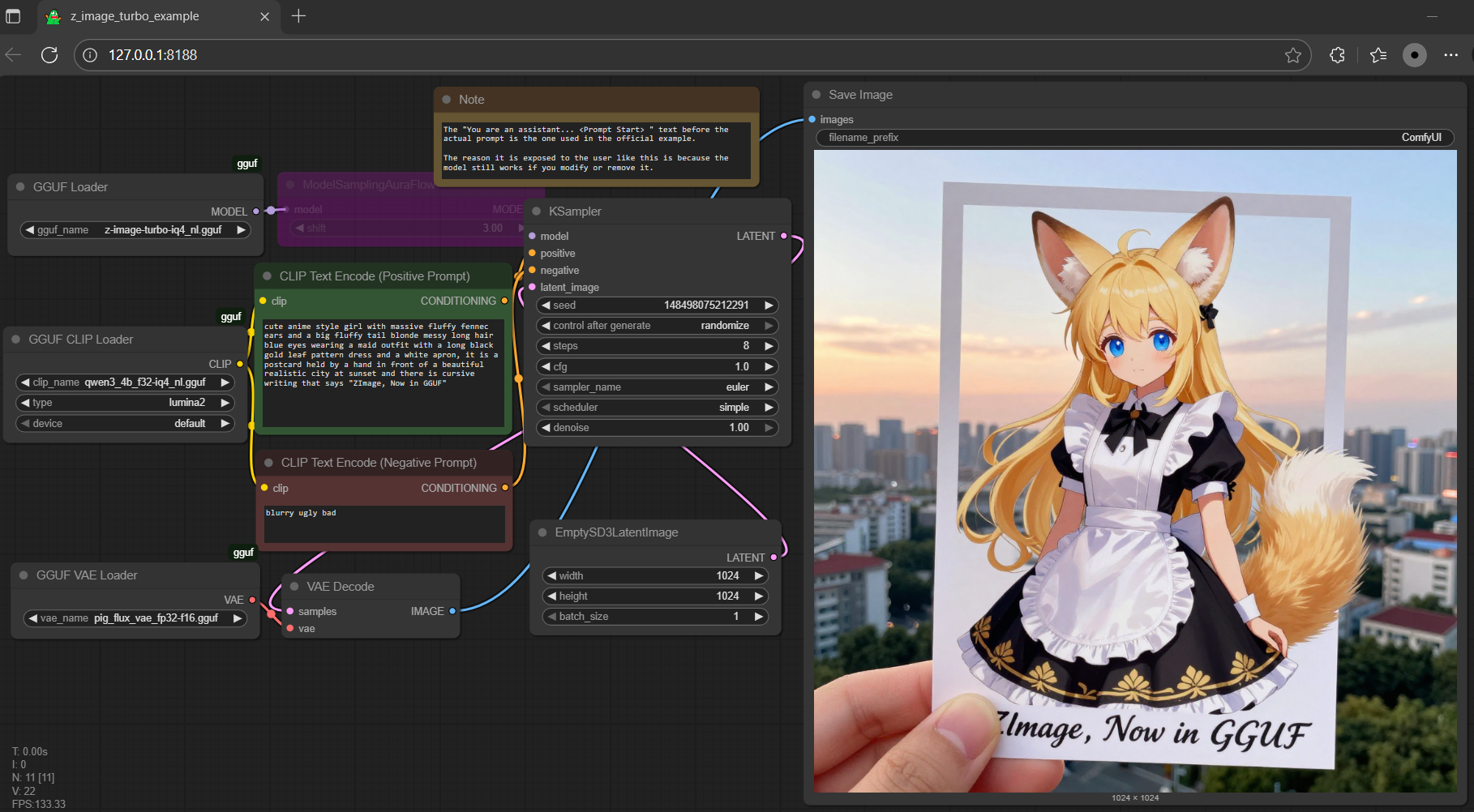
Installation
Download GGUF files and place in ComfyUI directories:
- Z-Image model → ./ComfyUI/models/diffusion_models
- Qwen3-4B encoder → ./ComfyUI/models/text_encoders
- VAE → ./ComfyUI/models/vae
Usage
Use with ComfyUI GGUF extension or gguf-connector CLI tool. Run 'ggc z1' to select and interact with GGUF models.
Requirements
- 6GB+ VRAM (RTX 2060 or equivalent)
- 16GB+ system RAM
- ComfyUI with GGUF extension
- SSD storage (not HDD)
Related Links
Popular Tools
Explore our most popular creative tools
Z-Image Edit
Upload image, transform with one sentence
Creative Engine
One sentence, AI provides infinite prompt creativity.
Image Parse
Upload image, retrieve prompt instantly.
Prompt Library
Discover thousands of high-quality AI prompts.
Z-Image LoRA
Combine multiple LoRA models to create unique AI artwork
Z-Video
Generate creative videos from text or images with AI.
AI Image Generator
Turn your text into stunning images instantly.
Style Library
Explore curated artistic styles for your creations.
Remove Background
Instantly remove backgrounds from images with precision.
Image Upscaler
Enhance image resolution up to 4K/8K.
Image Reframe
Expand images to any aspect ratio with outpainting.