
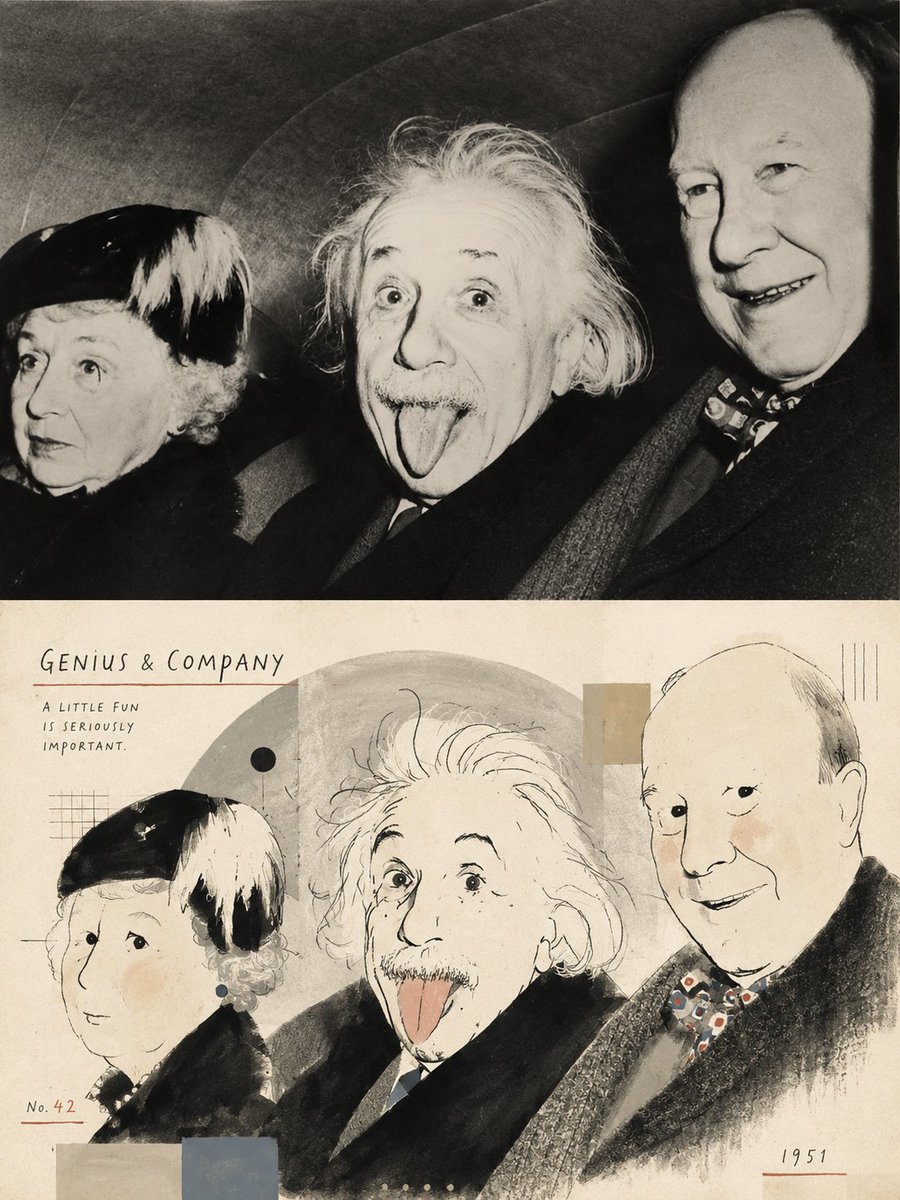
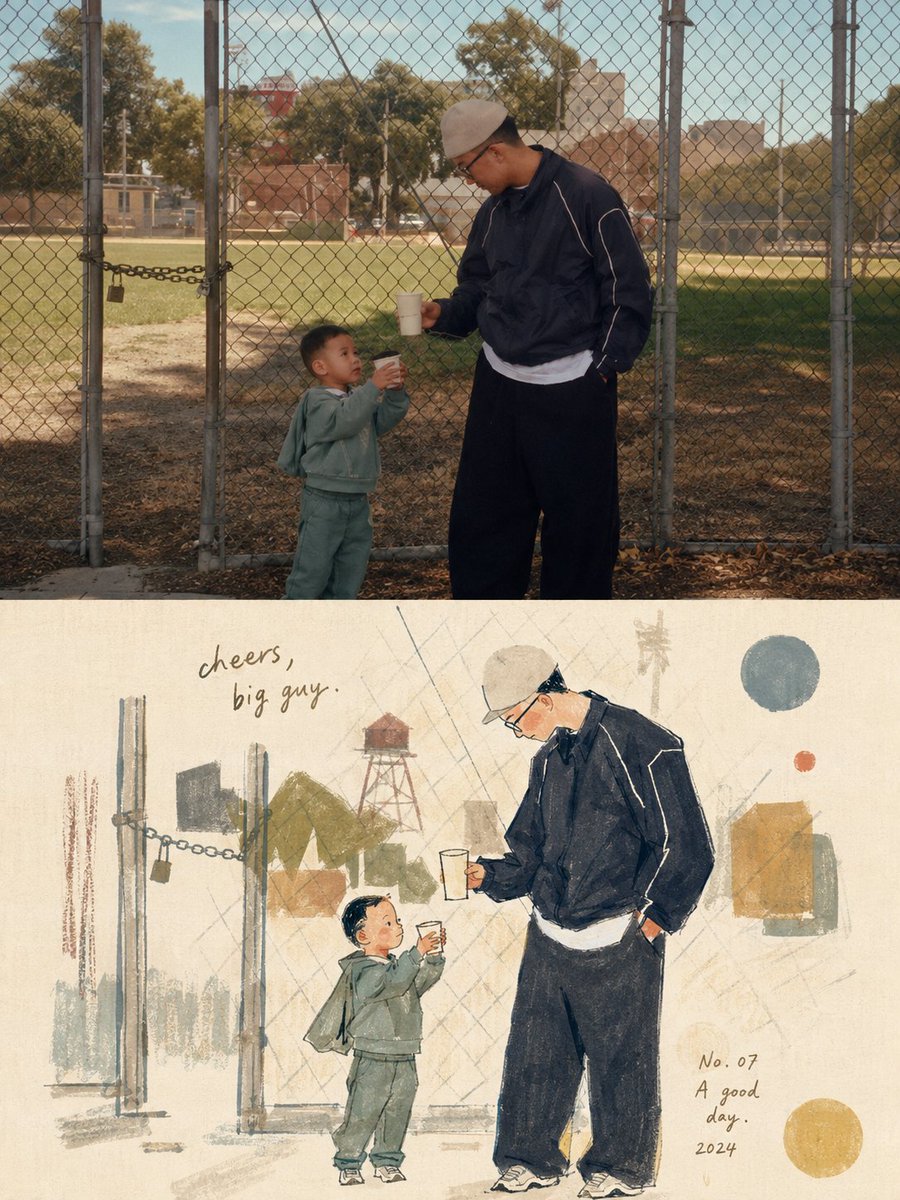
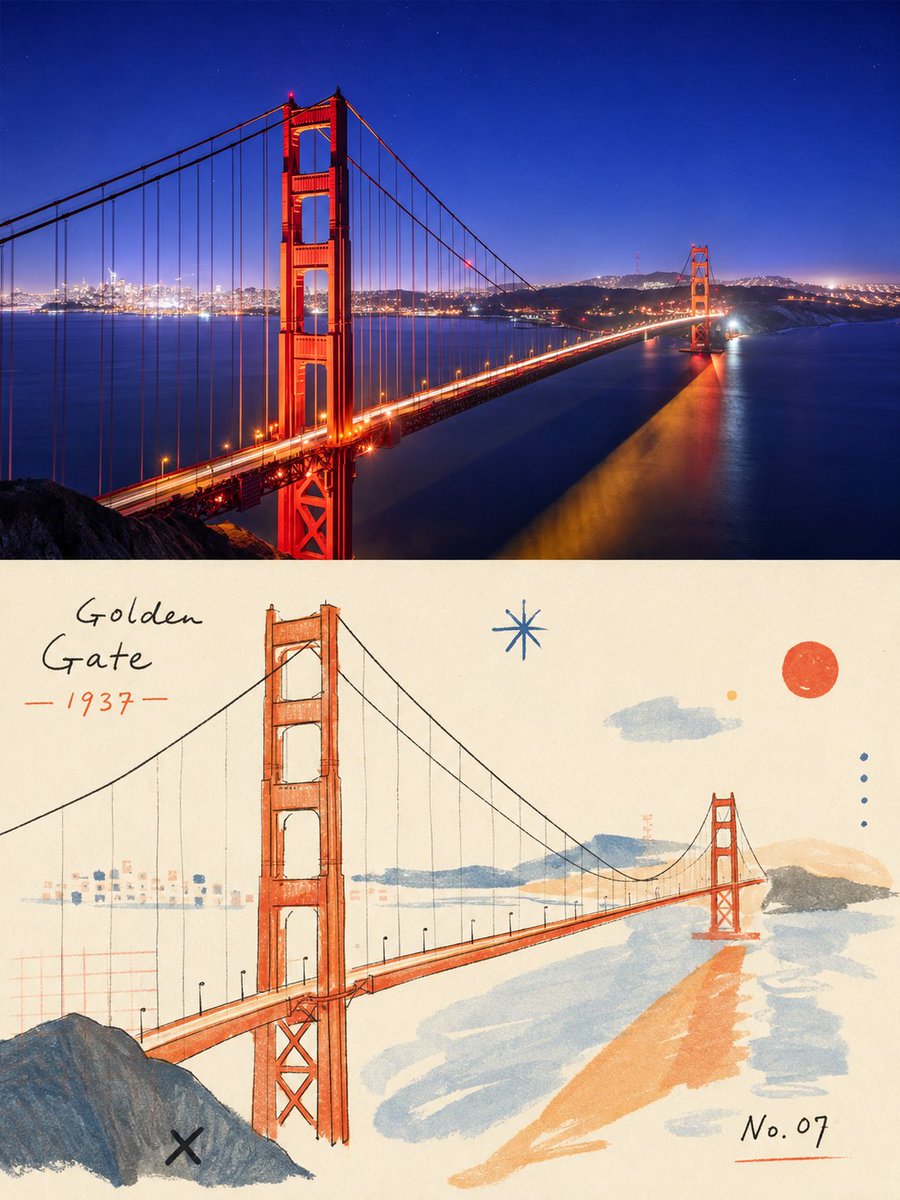
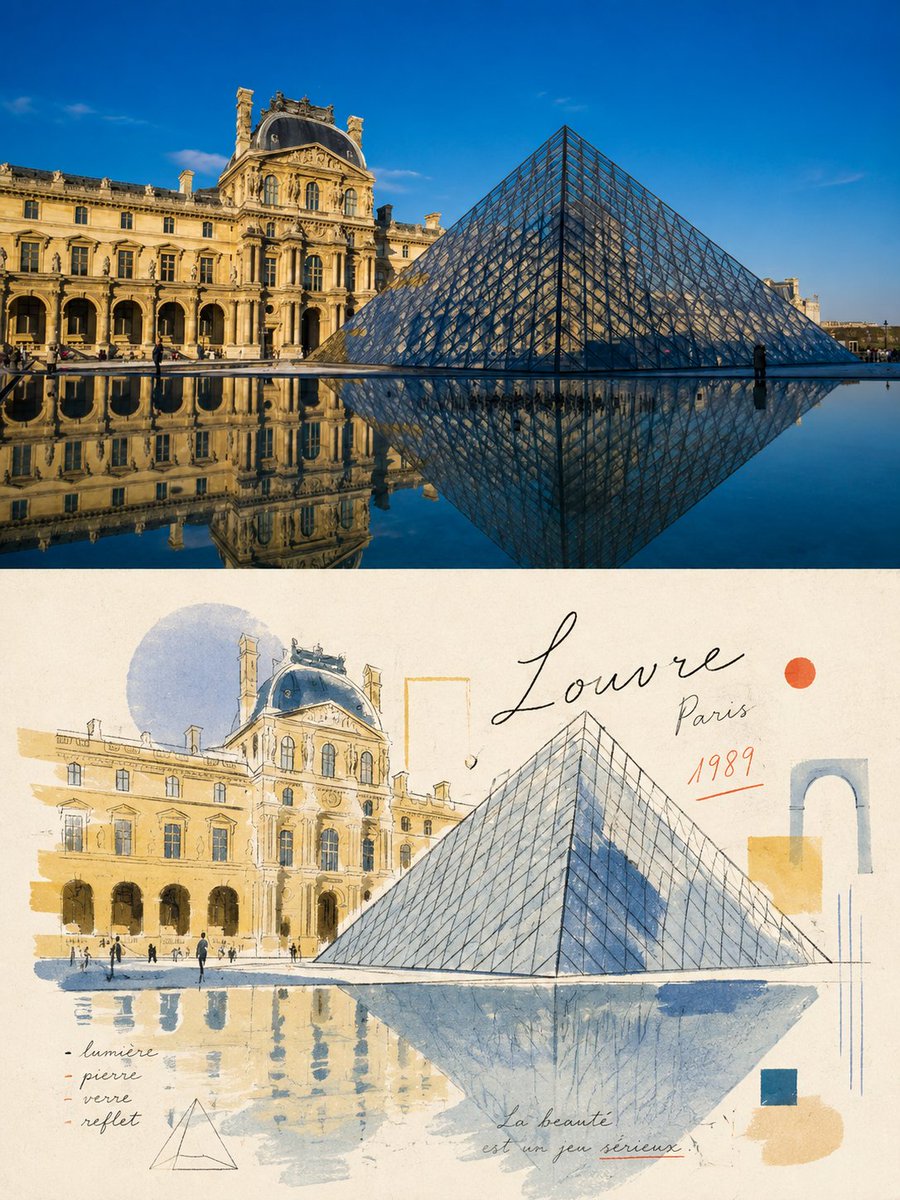
Biblioteca de Comandos / Infographic / Edu Visual - Retro Editorial Illustration Split Poster
Infographic / Edu Visual - Retro Editorial Illustration Split Poster

Infographic / Edu Visual - Retro Editorial Illustration Split Poster

Autor:小小东
000
Texto para Imagem
gpt-image-2
Please turn each photo I upload into a separate, high-end design poster. Do not combine multiple photos into a collage; output one poster per photo. Use an overall {argument name="composition ratio" default="3:4 vertical composition"}, strictly divided into two equal sections, with the top and bottom each occupying exactly 50% of the canvas height. For the top half, preserve the original photograph, maintaining the subject’s structure, realistic texture, natural lighting, and original color atmosphere. Apply only subtle, refined photographic color grading to give it the quality of editorial magazine photography and fine-art exhibition imagery. For the bottom half, extract the most recognizable subject, silhouette, pose, and narrative relationships from the photograph, then reinterpret them as a light, naïve, retro hand-drawn editorial illustration. Do not mechanically trace or reproduce every detail. Instead, reinterpret the subject through simplified forms, slightly exaggerated proportions, symbolic features, and humorous visual metaphors. Blend the aesthetics of modernist editorial illustration, Bauhaus composition, children’s picture books, and fashion sketching. Keep the forms concise and the lines thin, delicate, and slightly imperfect by hand. Derive the color palette from the photograph above, using a limited palette with high lightness and low-to-medium saturation. Leave generous areas of off-white or pale negative space. Use a mixed-media texture inspired by watercolor, gouache, colored pencil, oil pastel, and dry-brush techniques. Preserve visible paper grain, rough edges, and slight misregistration. Keep the overall composition balanced, airy, and spacious.

Descrição

A sophisticated prompt that transforms an uploaded photo into a 50/50 split design: the top half is a refined version of the photo, and the bottom half is a hand-drawn editorial illustration.
Tags
# YouMind
# gpt-image-2
# image prompt

Ferramentas Populares

Explore nossas ferramentas criativas mais populares

Z-Image Edit

Faça upload da imagem, transforme com uma frase

Experimente agora

Motor Criativo

Uma frase, a IA fornece criatividade infinita de comandos.

Experimente agora

Análise de Imagem

Faça upload da imagem, obtenha o comando instantaneamente.

Experimente agora

Z-Image LoRA

Combine vários modelos LoRA para criar obras de arte de IA exclusivas

Experimente agora

Z-Video

Generate creative videos from text or images with AI.

Experimente agora

Gerador de Imagens por IA

Transforme seu texto em imagens impressionantes instantaneamente.

Experimente agora

Biblioteca de Estilos

Explore estilos artísticos curados para suas criações.

Experimente agora

Remover fundo

Remova fundos de imagens instantaneamente com precisão de IA.

Experimente agora

Aumentador de imagem

Melhore a resolução da imagem para até 4K/8K.

Experimente agora

Reenquadre de imagem

Estenda imagens para qualquer proporção com outpainting.

Experimente agora

Camera Angle

Create a new view with continuous 3D camera control.

Experimente agora

Image Layers

Split an image into editable transparent layers.

Experimente agora

Image Parallax

Turn one image into interactive parallax animation.

Experimente agora

Imagem para ASCII

Converta imagens em arte ASCII personalizável diretamente no navegador.

Experimente agora

GIF para ASCII

Transforme GIFs animados em animações ASCII para baixar.

Experimente agora

Vídeo para ASCII

Converta vídeos MP4, WebM ou MOV em vídeos ASCII para baixar.

Experimente agora

Vídeo para profundidade

Crie localmente um vídeo privado de mapa de profundidade no navegador.

Experimente agora