
프롬프트 라이브러리 / Infographic / Edu Visual - Retro Editorial Illustration Split Poster
Infographic / Edu Visual - Retro Editorial Illustration Split Poster
작성자:小小东
000
텍스트-이미지
gpt-image-2
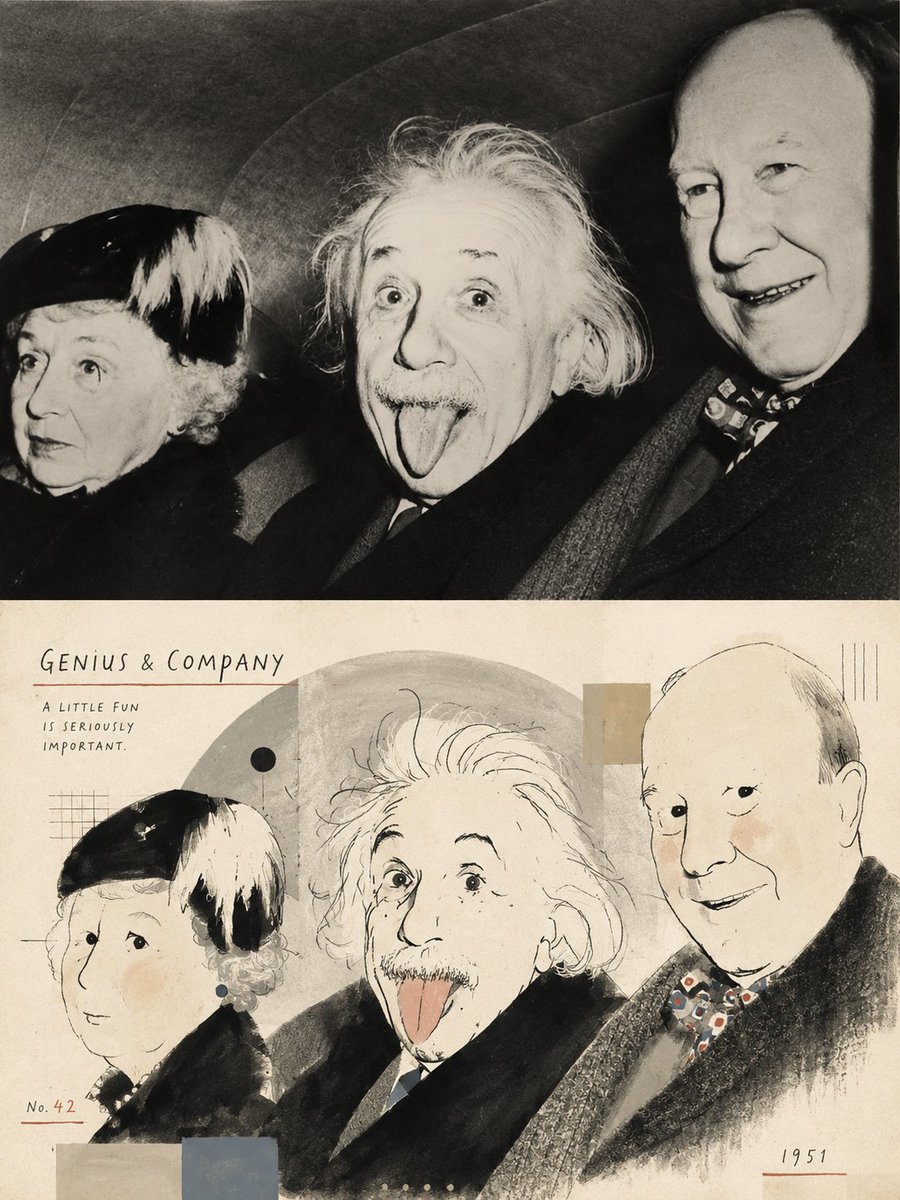
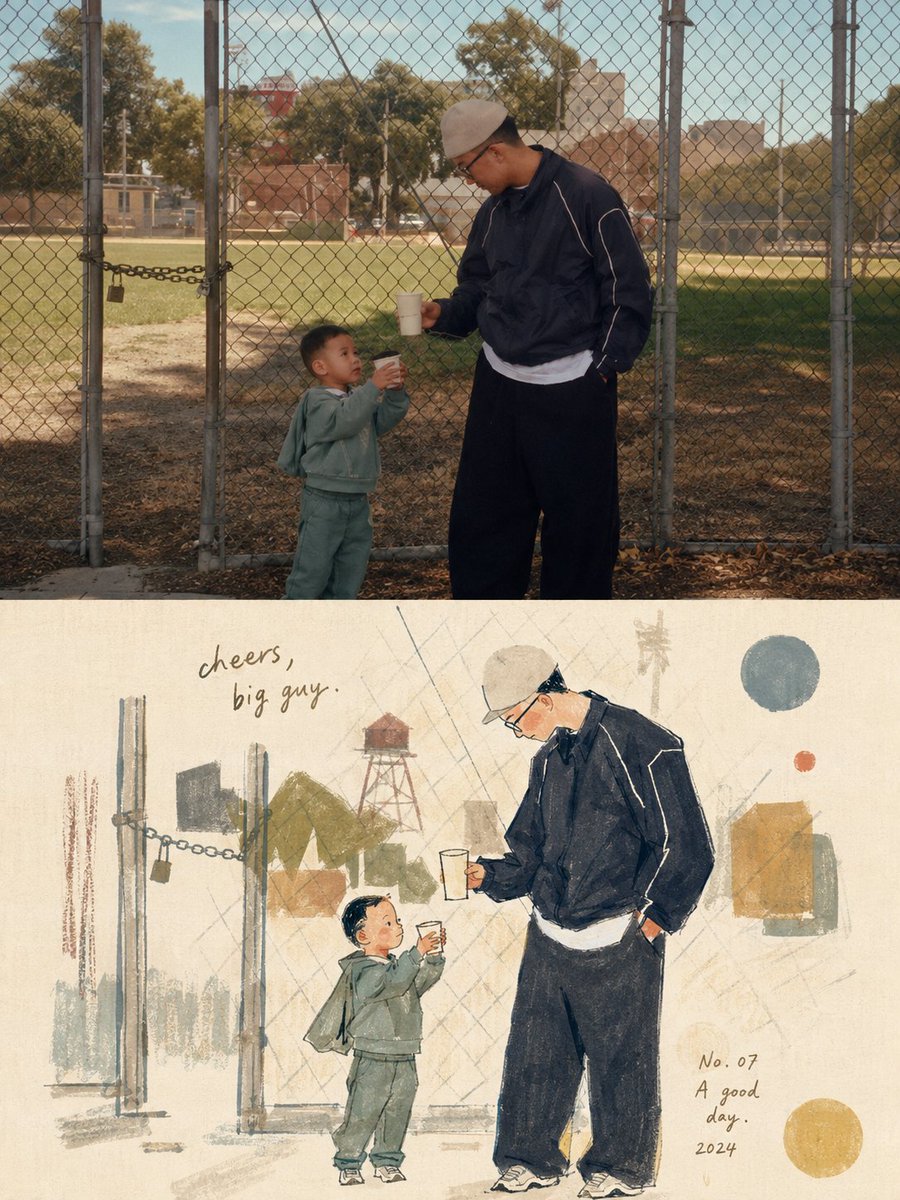
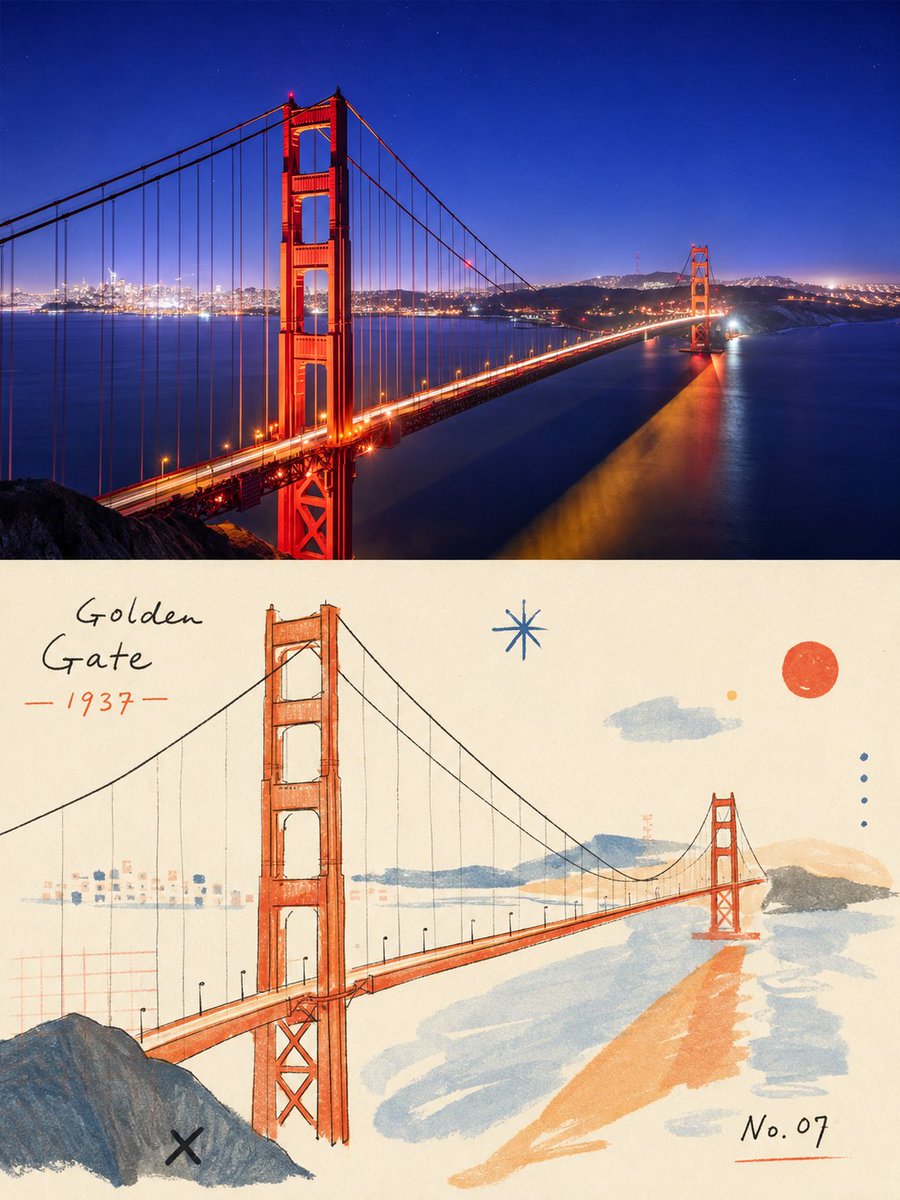
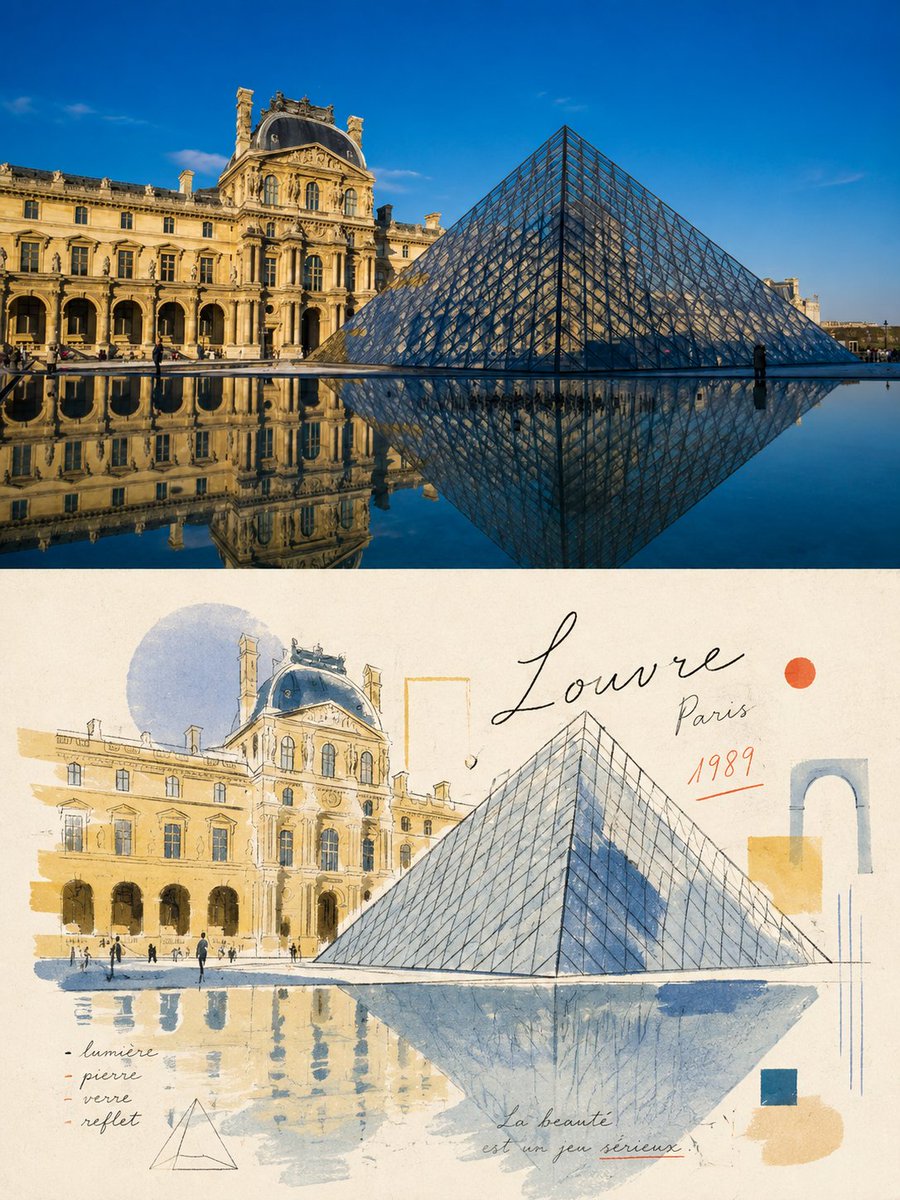
Please turn each photo I upload into a separate, high-end design poster. Do not combine multiple photos into a collage; output one poster per photo. Use an overall {argument name="composition ratio" default="3:4 vertical composition"}, strictly divided into two equal sections, with the top and bottom each occupying exactly 50% of the canvas height.
For the top half, preserve the original photograph, maintaining the subject’s structure, realistic texture, natural lighting, and original color atmosphere. Apply only subtle, refined photographic color grading to give it the quality of editorial magazine photography and fine-art exhibition imagery.
For the bottom half, extract the most recognizable subject, silhouette, pose, and narrative relationships from the photograph, then reinterpret them as a light, naïve, retro hand-drawn editorial illustration. Do not mechanically trace or reproduce every detail. Instead, reinterpret the subject through simplified forms, slightly exaggerated proportions, symbolic features, and humorous visual metaphors. Blend the aesthetics of modernist editorial illustration, Bauhaus composition, children’s picture books, and fashion sketching. Keep the forms concise and the lines thin, delicate, and slightly imperfect by hand.
Derive the color palette from the photograph above, using a limited palette with high lightness and low-to-medium saturation. Leave generous areas of off-white or pale negative space. Use a mixed-media texture inspired by watercolor, gouache, colored pencil, oil pastel, and dry-brush techniques. Preserve visible paper grain, rough edges, and slight misregistration. Keep the overall composition balanced, airy, and spacious.
설명
A sophisticated prompt that transforms an uploaded photo into a 50/50 split design: the top half is a refined version of the photo, and the bottom half is a hand-drawn editorial illustration.
태그
# YouMind
# gpt-image-2
# image prompt
인기 도구
가장 인기 있는 크리에이티브 도구 살펴보기
Z-Image 편집
이미지를 업로드하고 한 문장으로 변화를 주세요.
지금 시도하기
크리에이티브 엔진
한 문장으로 AI가 무한한 프롬프트 창의성을 제공합니다.
지금 시도하기
이미지 파싱
이미지를 업로드하고 즉시 프롬프트를 받으세요.
지금 시도하기
Z-Image LoRA
여러 LoRA 모델을 결합하여 고유한 AI 예술 작품을 만듭니다
지금 시도하기
Z-Video
Generate creative videos from text or images with AI.
지금 시도하기
AI 이미지 생성기
텍스트를 즉시 멋진 이미지로 변환하세요.
지금 시도하기
스타일 라이브러리
창작물을 위해 엄선된 예술적 스타일을 탐색하세요.
지금 시도하기
배경 제거
AI를 사용하여 배경을 즉시 제거하고 정밀한 누끼 작업을 수행합니다.
지금 시도하기
화질 개선
이미지를 4K/8K로 업스케일링하여 선명한 디테일을 복원합니다.
지금 시도하기
리프레임
AI 아웃페인팅 기술을 사용하여 이미지를 모든 비율로 확장합니다.
지금 시도하기
Camera Angle
Create a new view with continuous 3D camera control.
지금 시도하기
Image Layers
Split an image into editable transparent layers.
지금 시도하기
Image Parallax
Turn one image into interactive parallax animation.
지금 시도하기
이미지 ASCII 변환
브라우저에서 이미지를 사용자 지정 ASCII 아트로 변환하세요.
지금 시도하기
GIF ASCII 변환
움직이는 GIF를 다운로드 가능한 ASCII 애니메이션으로 변환하세요.
지금 시도하기
비디오를 ASCII로
MP4, WebM 또는 MOV 영상을 다운로드 가능한 ASCII 비디오로 변환합니다.
지금 시도하기
비디오 깊이 맵 변환
브라우저에서 비공개 깊이 맵 비디오를 로컬로 만드세요.
지금 시도하기