
Bibliothèque de Prompts / Split-Style Digital Art Creation Guide
Split-Style Digital Art Creation Guide

Split-Style Digital Art Creation Guide

166820
Texte-vers-image
nano banana
nano banana pro
qwen image edit
z-image-turbo
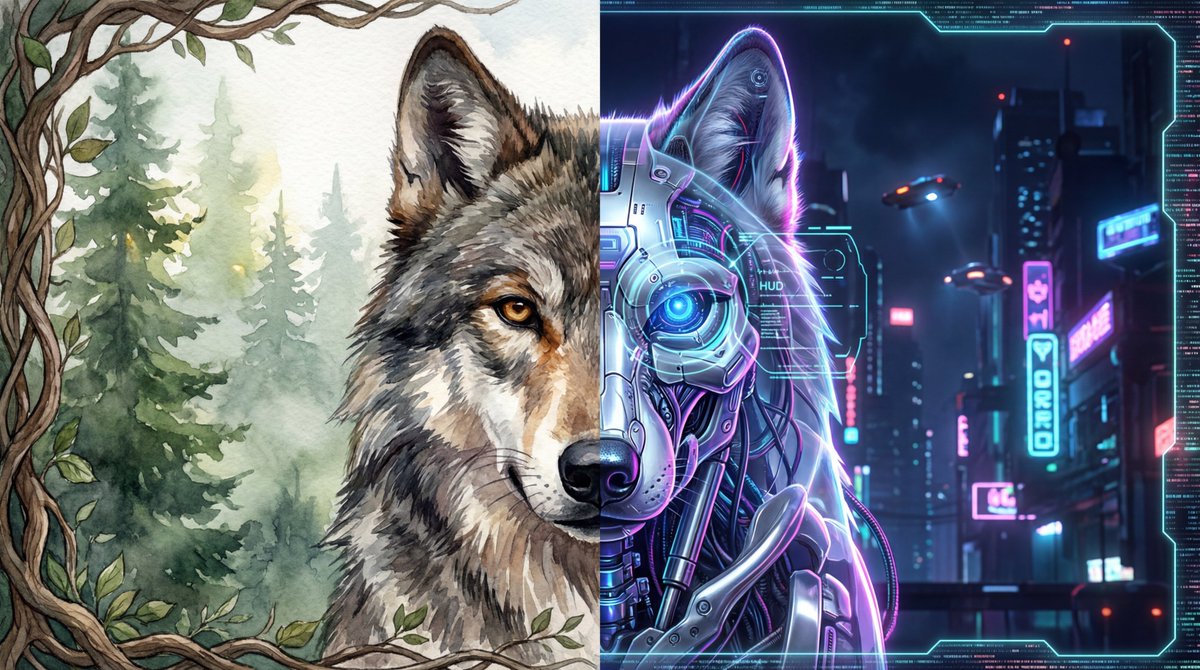
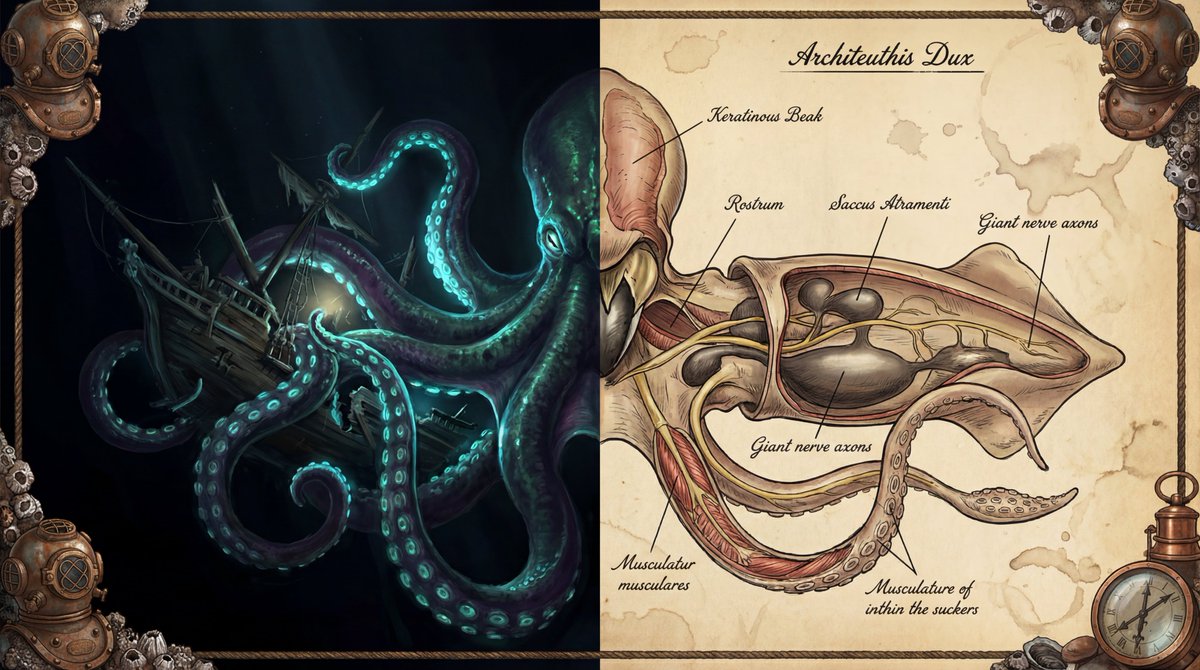
Create a digital artwork in split-style illustration depicting [core subject, e.g., the head of a cyberpunk wolf / a medieval knight / a spaceship]. On the left half of the image: render the [core subject] in [left art style, e.g., classic fantasy illustration / cyberpunk digital rendering / impressionist oil painting] style. Emphasize its [left visual feature 1, e.g., bright ruby scales], [left visual feature 2, e.g., leather texture], [left visual feature 3, e.g., fierce gaze] and [left dynamic element, e.g., smoke puffing from the nostrils]. The left background should be [left background description, e.g., dramatic, cloudy mountain peaks with jagged rocks and warm sunlight]. On the right half of the image: present the [core subject]’s [right form of presentation, e.g., scientific anatomical cross-section / internal mechanical structure perspective / blueprint design], in [right art style, e.g., vintage biological study / industrial design sketch] style. Reveal its detailed [right internal detail 1, e.g., skeletal structure], [right internal detail 2, e.g., powerful muscle tissue], [right internal detail 3, e.g., complex internal glands / mechanical parts]. All parts should carry [annotation style, e.g., handwritten Latin terminology and leader-line labels / technical parameter notes]. The right background should be [right background material & atmosphere description, e.g., aged parchment with faint scientific sketches and deep ochre hues / engineering blueprint paper with grid lines]. Overall composition & details: frame the entire image with a decorative border resembling [border material & theme, e.g., aged leather and brass scientific instruments / rusted metal with glowing wires]. The artwork must feature highly contrasting lighting: on the left ([left style] side) use [left lighting description, e.g., dramatic, fantastical] lighting; on the right ([right style] side) use [right lighting description, e.g., even, clinical studio / bright engineering lamps] to clearly show details. High resolution, high-contrast style: [left style summary] versus [right style summary].

Description

z-image split-style digital art creation guide, with left side in fantasy style and right side in anatomical or mechanical style, featuring detailed annotations and high-contrast lighting.
Étiquettes
# high contrast
# digital art
# split style
# fantasy science

Prompts similaires

Modern Digital Anime Style Transformation

Modern Digital Anime Style Transformation

Neon Wireframe Visualization

Neon Wireframe Visualization

Holographic Rainbow Gradient Effect
Holographic Rainbow Gradient Effect

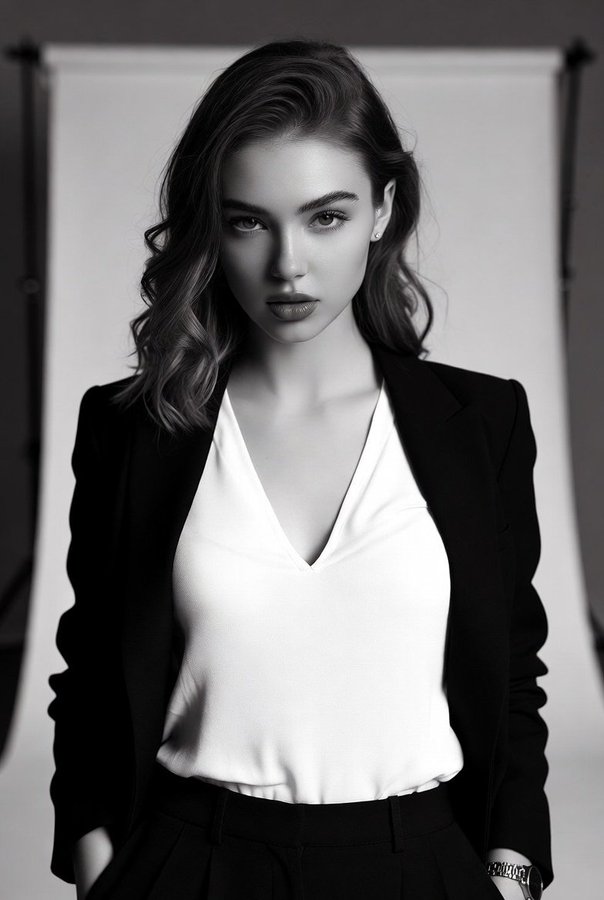
High-Contrast Black-and-White Fashion Portrait of a Stylish Young Woman

High-Contrast Black-and-White Fashion Portrait of a Stylish Young Woman

Full-body portrait with simulated mobile browser interface overlay

Full-body portrait with simulated mobile browser interface overlay

Broad Panoramic Digital Artwork in Abstract Fantasy Style

Broad Panoramic Digital Artwork in Abstract Fantasy Style

Outils Populaires

Explorez nos outils créatifs les plus populaires

Z-Image Édition

Téléchargez une image et changez-la avec une seule phrase.

Essayer maintenant

Moteur Créatif

Une phrase, l'IA fournit une créativité de prompt infinie.

Essayer maintenant

Analyse d'Image

Téléchargez une image, obtenez le prompt instantanément.

Essayer maintenant

Z-Image LoRA

Combinez plusieurs modèles LoRA pour créer des œuvres d'art IA uniques

Essayer maintenant

Z-Video

Generate creative videos from text or images with AI.

Essayer maintenant

Générateur d'Image IA

Transformez votre texte en images époustouflantes instantanément.

Essayer maintenant

Bibliothèque de Styles

Explorez des styles artistiques sélectionnés pour vos créations.

Essayer maintenant

Supprimer le fond

Supprimez instantanément les arrière-plans avec la précision de l'IA.

Essayer maintenant

Agrandisseur d'image

Améliorez la résolution des images jusqu'à 4K/8K.

Essayer maintenant

Recadrage d'image

Étendez les images à n'importe quel ratio avec l'outpainting.

Essayer maintenant

Camera Angle

Create a new view with continuous 3D camera control.

Essayer maintenant

Image Layers

Split an image into editable transparent layers.

Essayer maintenant

Image Parallax

Turn one image into interactive parallax animation.

Essayer maintenant

Image en ASCII

Convertissez vos images en art ASCII personnalisable dans votre navigateur.

Essayer maintenant

GIF en ASCII

Transformez les GIF animés en animations ASCII téléchargeables.

Essayer maintenant

Vidéo en ASCII

Convertissez les vidéos MP4, WebM ou MOV en vidéos ASCII téléchargeables.

Essayer maintenant

Vidéo en profondeur

Créez localement une vidéo de profondeur privée dans le navigateur.

Essayer maintenant