
프롬프트 라이브러리 / Split-Style Digital Art Creation Guide
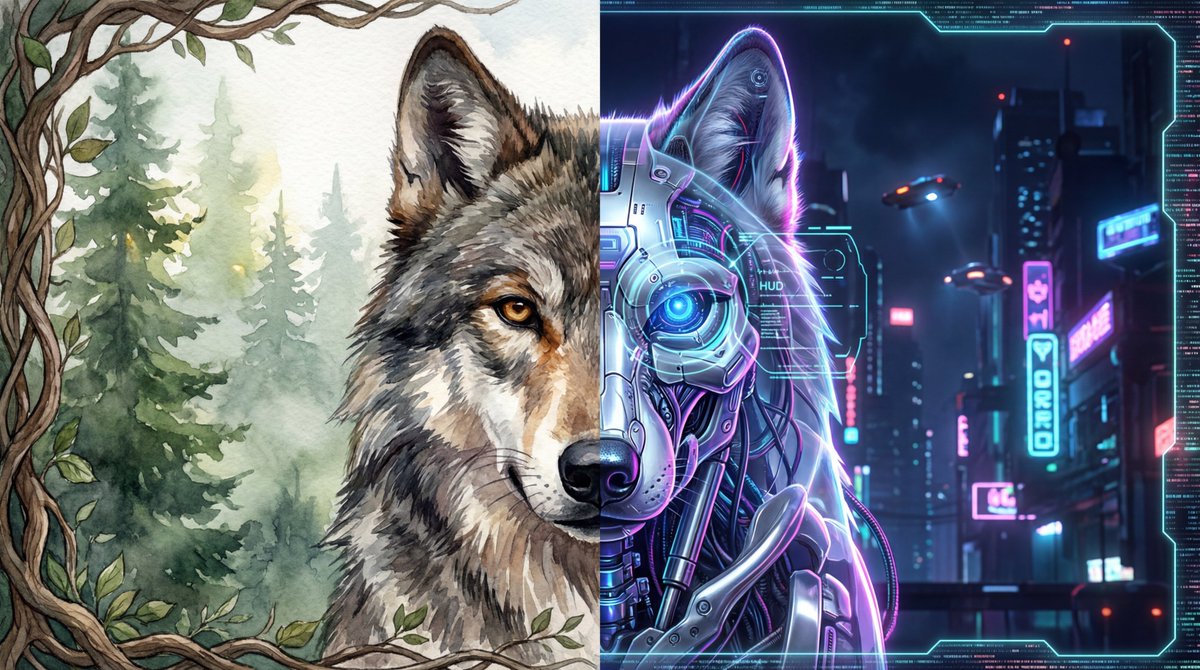
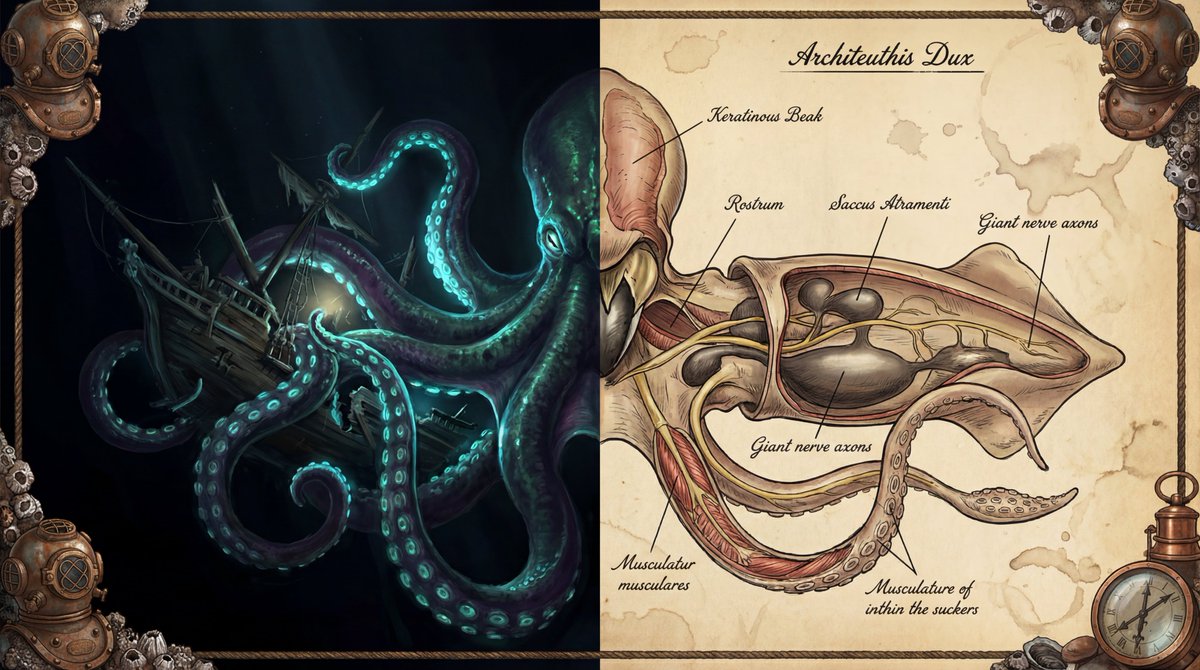
Split-Style Digital Art Creation Guide
작성자:@yanhua1010
166820
텍스트-이미지
nano banana
nano banana pro
qwen image edit
z-image-turbo
Create a digital artwork in split-style illustration depicting [core subject, e.g., the head of a cyberpunk wolf / a medieval knight / a spaceship].
On the left half of the image: render the [core subject] in [left art style, e.g., classic fantasy illustration / cyberpunk digital rendering / impressionist oil painting] style. Emphasize its [left visual feature 1, e.g., bright ruby scales], [left visual feature 2, e.g., leather texture], [left visual feature 3, e.g., fierce gaze] and [left dynamic element, e.g., smoke puffing from the nostrils]. The left background should be [left background description, e.g., dramatic, cloudy mountain peaks with jagged rocks and warm sunlight].
On the right half of the image: present the [core subject]’s [right form of presentation, e.g., scientific anatomical cross-section / internal mechanical structure perspective / blueprint design], in [right art style, e.g., vintage biological study / industrial design sketch] style. Reveal its detailed [right internal detail 1, e.g., skeletal structure], [right internal detail 2, e.g., powerful muscle tissue], [right internal detail 3, e.g., complex internal glands / mechanical parts]. All parts should carry [annotation style, e.g., handwritten Latin terminology and leader-line labels / technical parameter notes]. The right background should be [right background material & atmosphere description, e.g., aged parchment with faint scientific sketches and deep ochre hues / engineering blueprint paper with grid lines].
Overall composition & details: frame the entire image with a decorative border resembling [border material & theme, e.g., aged leather and brass scientific instruments / rusted metal with glowing wires]. The artwork must feature highly contrasting lighting: on the left ([left style] side) use [left lighting description, e.g., dramatic, fantastical] lighting; on the right ([right style] side) use [right lighting description, e.g., even, clinical studio / bright engineering lamps] to clearly show details. High resolution, high-contrast style: [left style summary] versus [right style summary].
설명
z-image split-style digital art creation guide, with left side in fantasy style and right side in anatomical or mechanical style, featuring detailed annotations and high-contrast lighting.
태그
# high contrast
# digital art
# split style
# fantasy science
관련 프롬프트

Neon Wireframe Visualization

Holographic Rainbow Gradient Effect
High-Contrast Black-and-White Fashion Portrait of a Stylish Young Woman

Full-body portrait with simulated mobile browser interface overlay

Broad Panoramic Digital Artwork in Abstract Fantasy Style

Character sheet sketch with multiple angles and expressive faces
인기 도구
가장 인기 있는 크리에이티브 도구 살펴보기
Z-Image 편집
이미지를 업로드하고 한 문장으로 변화를 주세요.
지금 시도하기
크리에이티브 엔진
한 문장으로 AI가 무한한 프롬프트 창의성을 제공합니다.
지금 시도하기
이미지 파싱
이미지를 업로드하고 즉시 프롬프트를 받으세요.
지금 시도하기
Z-Image LoRA
여러 LoRA 모델을 결합하여 고유한 AI 예술 작품을 만듭니다
지금 시도하기
Z-Video
Generate creative videos from text or images with AI.
지금 시도하기
AI 이미지 생성기
텍스트를 즉시 멋진 이미지로 변환하세요.
지금 시도하기
스타일 라이브러리
창작물을 위해 엄선된 예술적 스타일을 탐색하세요.
지금 시도하기
배경 제거
AI를 사용하여 배경을 즉시 제거하고 정밀한 누끼 작업을 수행합니다.
지금 시도하기
화질 개선
이미지를 4K/8K로 업스케일링하여 선명한 디테일을 복원합니다.
지금 시도하기
리프레임
AI 아웃페인팅 기술을 사용하여 이미지를 모든 비율로 확장합니다.
지금 시도하기
Camera Angle
Create a new view with continuous 3D camera control.
지금 시도하기
Image Layers
Split an image into editable transparent layers.
지금 시도하기
Image Parallax
Turn one image into interactive parallax animation.
지금 시도하기
이미지 ASCII 변환
브라우저에서 이미지를 사용자 지정 ASCII 아트로 변환하세요.
지금 시도하기
GIF ASCII 변환
움직이는 GIF를 다운로드 가능한 ASCII 애니메이션으로 변환하세요.
지금 시도하기
비디오를 ASCII로
MP4, WebM 또는 MOV 영상을 다운로드 가능한 ASCII 비디오로 변환합니다.
지금 시도하기
비디오 깊이 맵 변환
브라우저에서 비공개 깊이 맵 비디오를 로컬로 만드세요.
지금 시도하기