
提示詞庫 / Infographic / Edu Visual - Solar Terms Editorial Visual
Infographic / Edu Visual - Solar Terms Editorial Visual
作者:小小东
000
文生圖
gpt-image-2
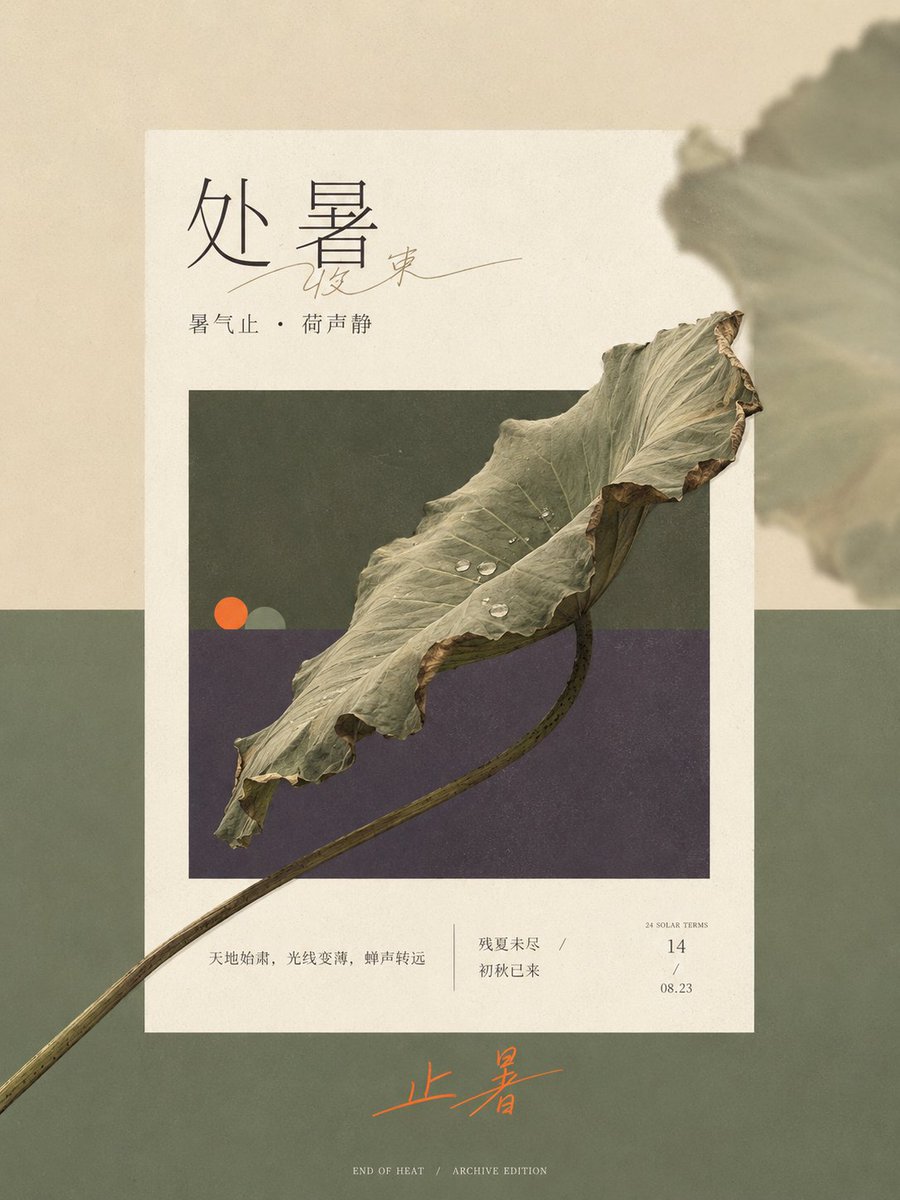
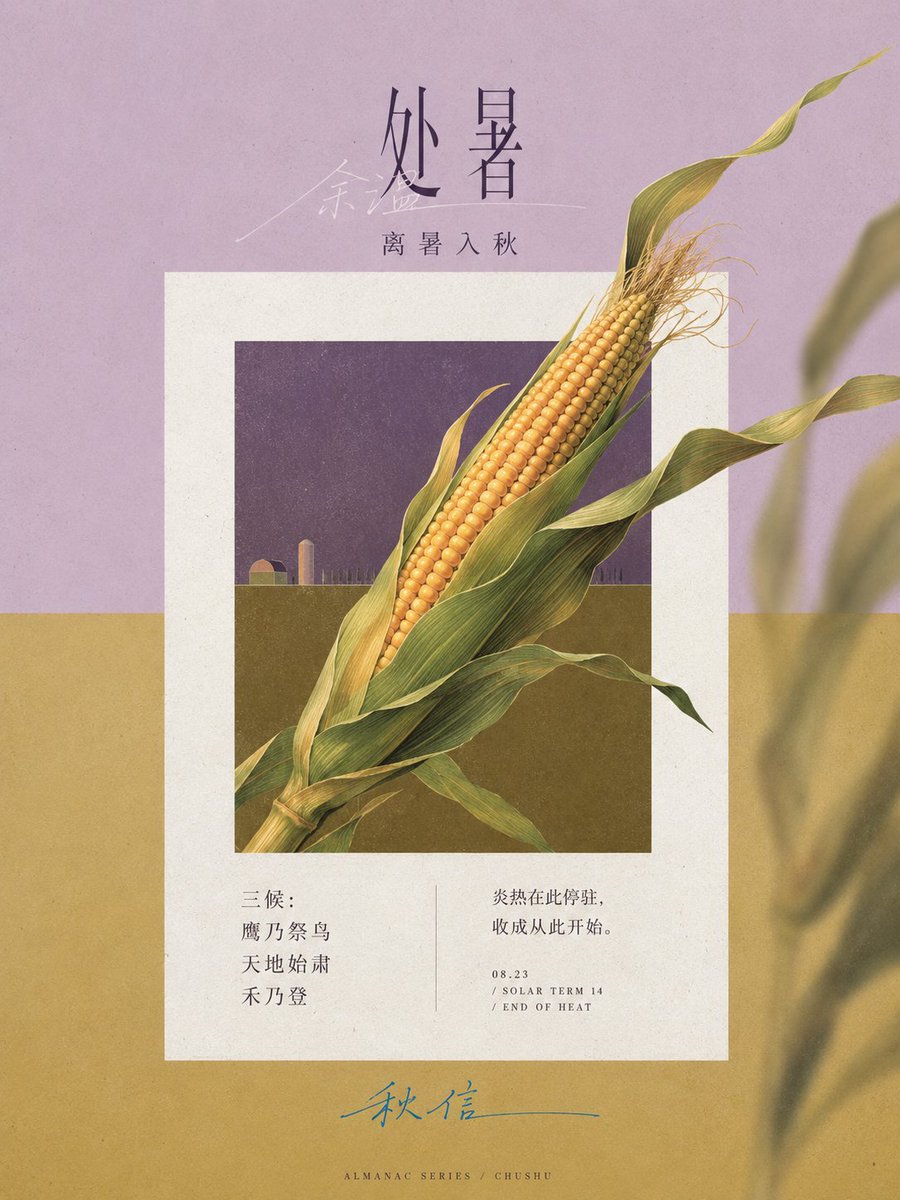
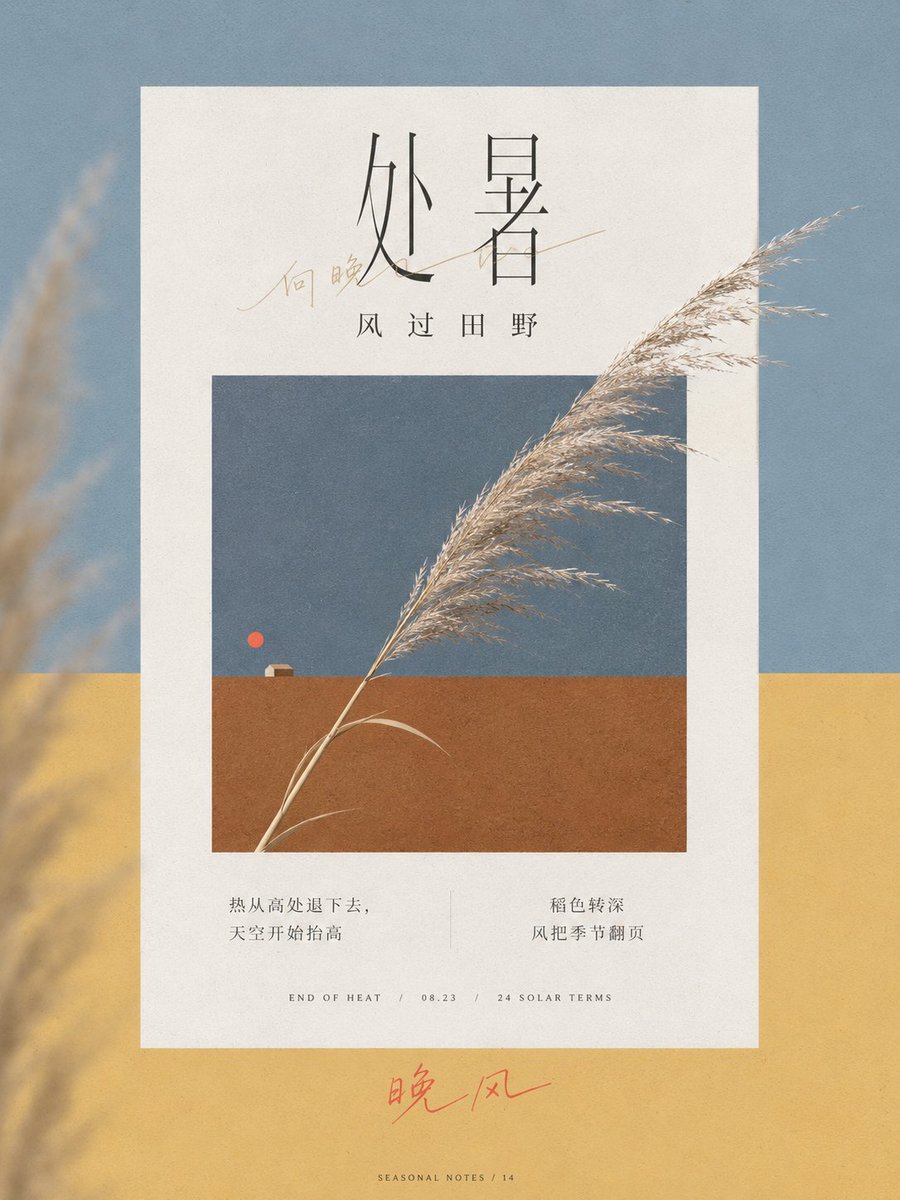
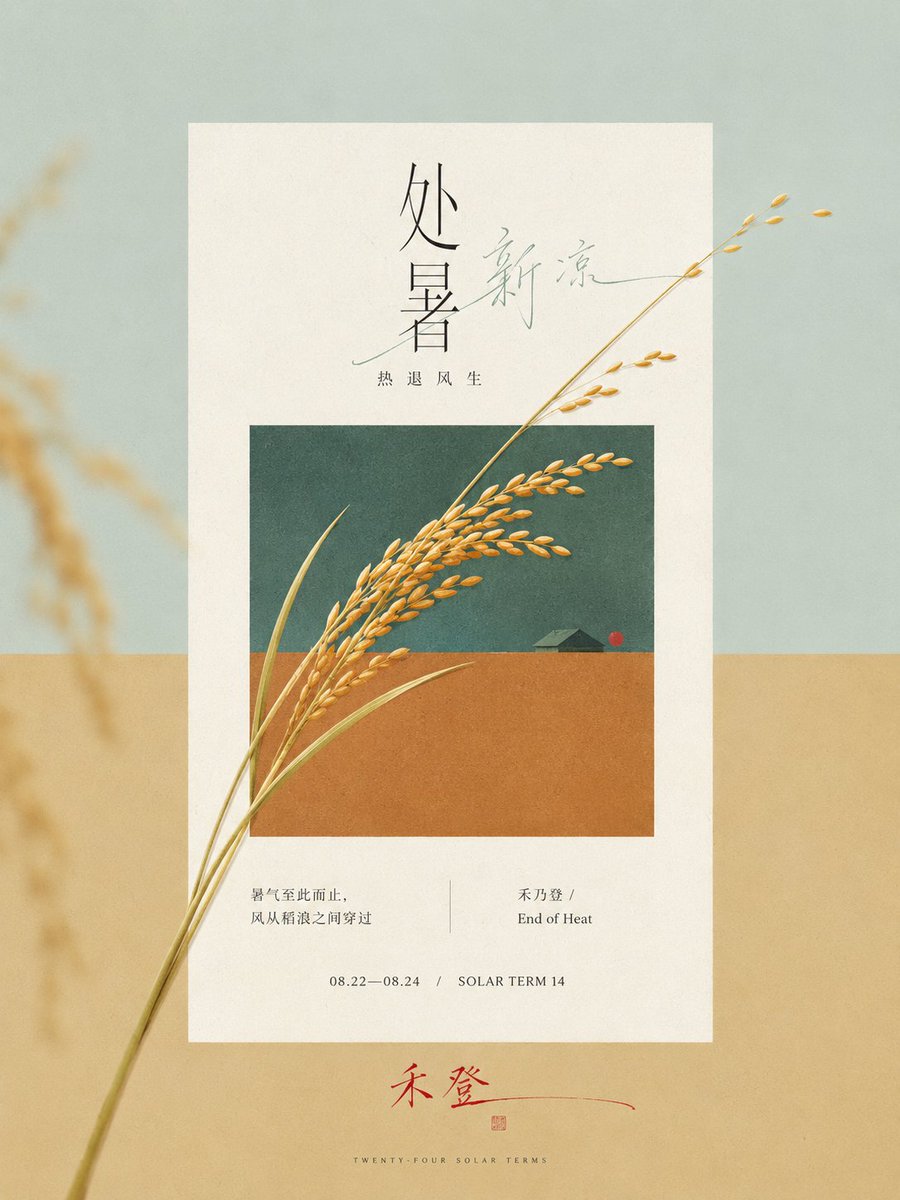
Generate a very narrow and long vertical editorial visual based on the {argument name="theme" default="End of Heat solar term"}. Let the external large color field, central warm white paper page, and the retracted theme window form three clear planar spaces. First, derive two structural colors from the state contrast and emotional temperature of the theme, covering the vast majority of the screen with a hard horizontal boundary. In the embedded window, repeat this set of divisions in the same direction and in a reduced proportion; the outer field is brighter and emptier, the inner window is deeper and denser, and paper white serves as the layer with the highest brightness of the whole painting. The weight of the screen is concentrated in the middle, the upper part retains a wide title area, and the lower part leaves a stretched emotional landing point. The edges of the paper are straight, no heavy floating shadows are used, and a wide annotation band is kept under the window.
Extract a continuous and recognizable core form from the direction, process, structural connection, and time change of the theme, organize it into a single oblique axis running through the middle, making it cross at least two boundaries from inside the window, pressing on the frame, entering the white space of the paper, and extending to the external color field. The cross-border form remains complete and continuous, the endpoints crossing the edge retain the clearest recognizable outline, and local details are moderately compressed; local forms go from dense to sparse along the oblique axis, and other auxiliary objects are reduced to quiet small geometric focal points, stably remaining inside the window and close to the color field boundary. Let the horizontal color boundary, vertical frame, rectangular paper, and inner window maintain a strict orthogonal order; only the core theme gets the right to break the rules, establishing space with accurate occlusion relationships rather than relying on perspective or dramatic projections.
Arrange a few homologous echoes on one edge of the theme's momentum: enlarge, crop, and reduce the transparency and contrast of the core form, strongly defocusing it until only soft color blocks remain, partially extending out of the canvas; the central subject remains clear, and the other side remains clean, giving the planar color field a shallow sense of air and memory. Color maintains a clear area order, with two structural colors together occupying about 80% of the screen. The theme's mediating color crosses two fields and stitches together cold/warm or state differences. A small-area emphasis color appears only twice at a long distance: at the visual focus inside the window and at the text gesture outside the paper. The specific hues change with the theme, but the brightness relationship remains stable with paper white being the highest, a few deep outlines pressing on the structure, and the emphasis color winning by saturation rather than area.
The text system continues the order and cross-border relationship of the image. The main title uses a slender, sharp, highly contrasting stroke, and exquisite editorial serif skeleton; Chinese adopts a thin and book-like typeface with relaxed spacing. Transform a keyword into a continuous free handwritten thin line, gently passing through or adjoining the printed title, forming a private handwriting that echoes the oblique axis of the theme. Explanatory information is indented at the bottom of the paper, listed in two groups of small fonts and date-type micro-words. The bottom edge outside the paper can use a set of handwritten text with long closing strokes to carry the second emphasis color, leaving only minimal metadata at the very bottom. Let titles, images, annotations, and footers decrease in density in sequence, not allowing text to press on the core recognition edges.
Process objects with non-directional soft daylight and low shadows, so the theme retains limited real material while still obeying planar color blocks. The entire image is covered with very light art paper fibers, fine printing dots, and low-contrast scanning particles; textures in the paper and window are slightly more obvious, and the outer pure color field is more restrained. The edges of objects allow for tiny printing softening and color bleeding, while key outlines and typeforms remain clean. The final image first presents a white paper window in a two-color long format and a theme form growing continuously from inside to outside the window, then reveals defocused edge shadows, exquisite headers, handwritten intervention, and micro-annotations, forming a modern paper-print visual where strict editorial order and a fresh sense of time coexist.
Theme: {argument name="theme" default="End of Heat solar term"}
Ratio 3:4
描述
A sophisticated layout prompt for GPT-image2 that creates narrow vertical editorial visuals with multi-layered planar spaces and cross-border core forms.
標籤
# YouMind
# gpt-image-2
# image prompt
熱門工具
探索最受歡迎的創意工具
Z-Image Edit
上傳圖片,一句話即可改變一切。
立即體驗
創意引擎
一句話讓 AI 為你提供無限提示詞創意
立即體驗
圖像解析
上傳圖片,立即讀取提示詞
立即體驗
Z-Image LoRA
結合多個 LoRA 模型,創作獨特的 AI 藝術品
立即體驗
Z-Video
Generate creative videos from text or images with AI.
立即體驗
AI 繪圖生成器
輸入文字,瞬間轉化為精美的 AI 繪圖作品。
立即體驗
樣式庫
探索精心挑選的藝術風格,為您的創作增色。
立即體驗
智能去背
一鍵移除圖片背景,實現專業級高精度去背。
立即體驗
畫質增強
將圖片無損放大至 4K/8K,恢復清晰細節。
立即體驗
圖片重構
使用 AI 外繪技術將圖片擴展至任意比例背景。
立即體驗
鏡頭控制
使用連續 3D 鏡頭控制生成自由視角。
立即體驗
圖片分層
將圖片拆分為可編輯透明圖層。
立即體驗
圖片視差
將一張圖片變成可互動的視差動畫。
立即體驗
圖片轉 ASCII
在瀏覽器本機將圖片轉換為可自訂的 ASCII 字元畫。
立即體驗
GIF 轉 ASCII
將動態 GIF 轉換成可下載的 ASCII 字元動畫。
立即體驗
影片轉 ASCII
將 MP4、WebM 或 MOV 轉換為可下載的 ASCII 影片。
立即體驗
影片轉深度圖
在瀏覽器本機生成私密的深度圖影片。
立即體驗