
プロンプトライブラリ / Infographic / Edu Visual - Solar Terms Editorial Visual
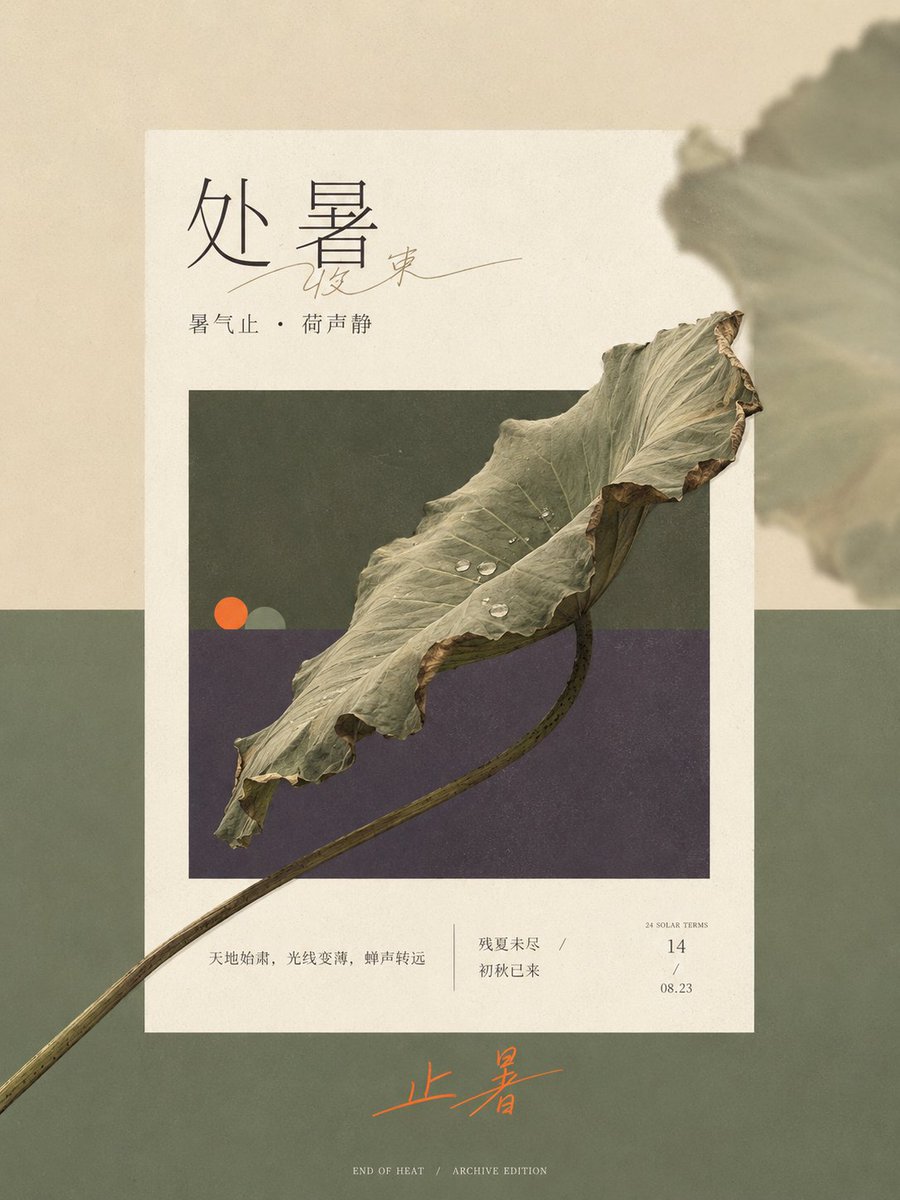
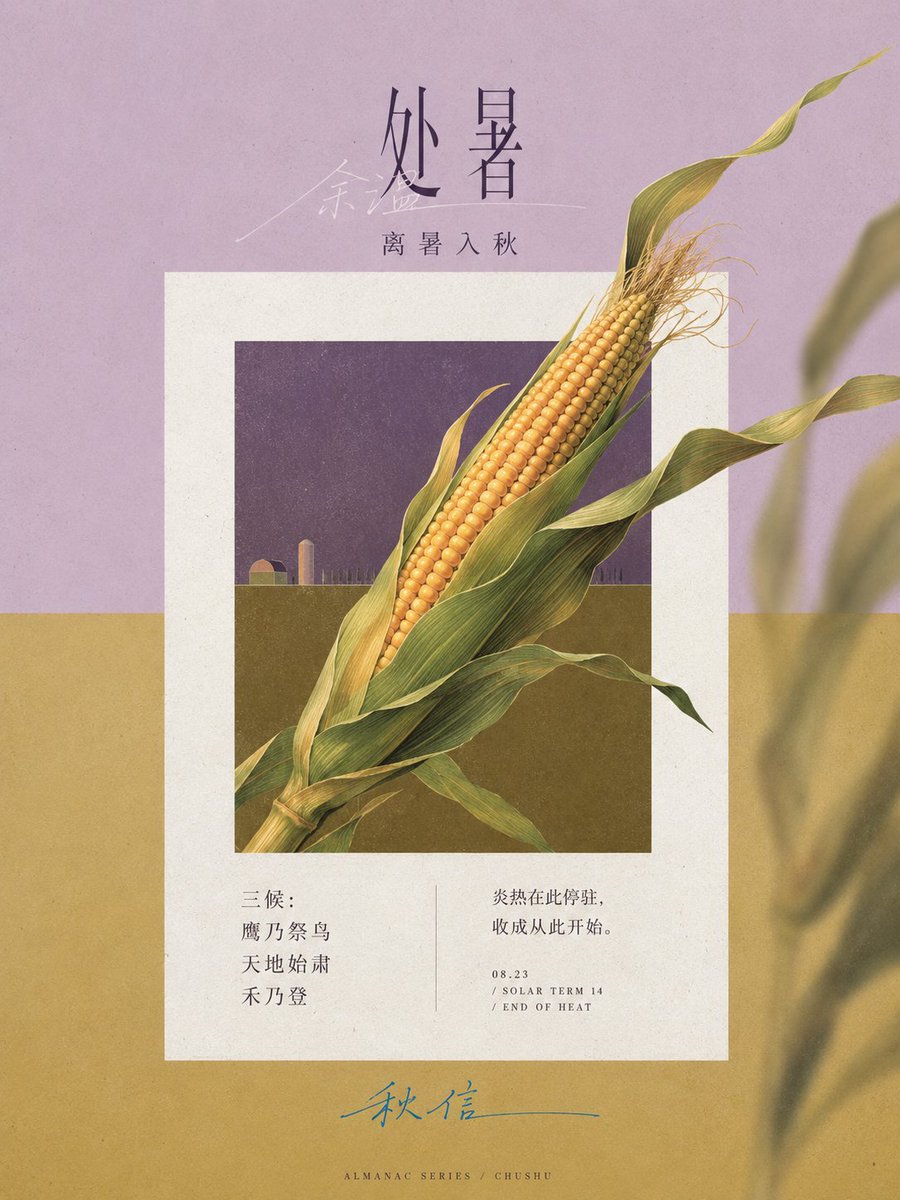
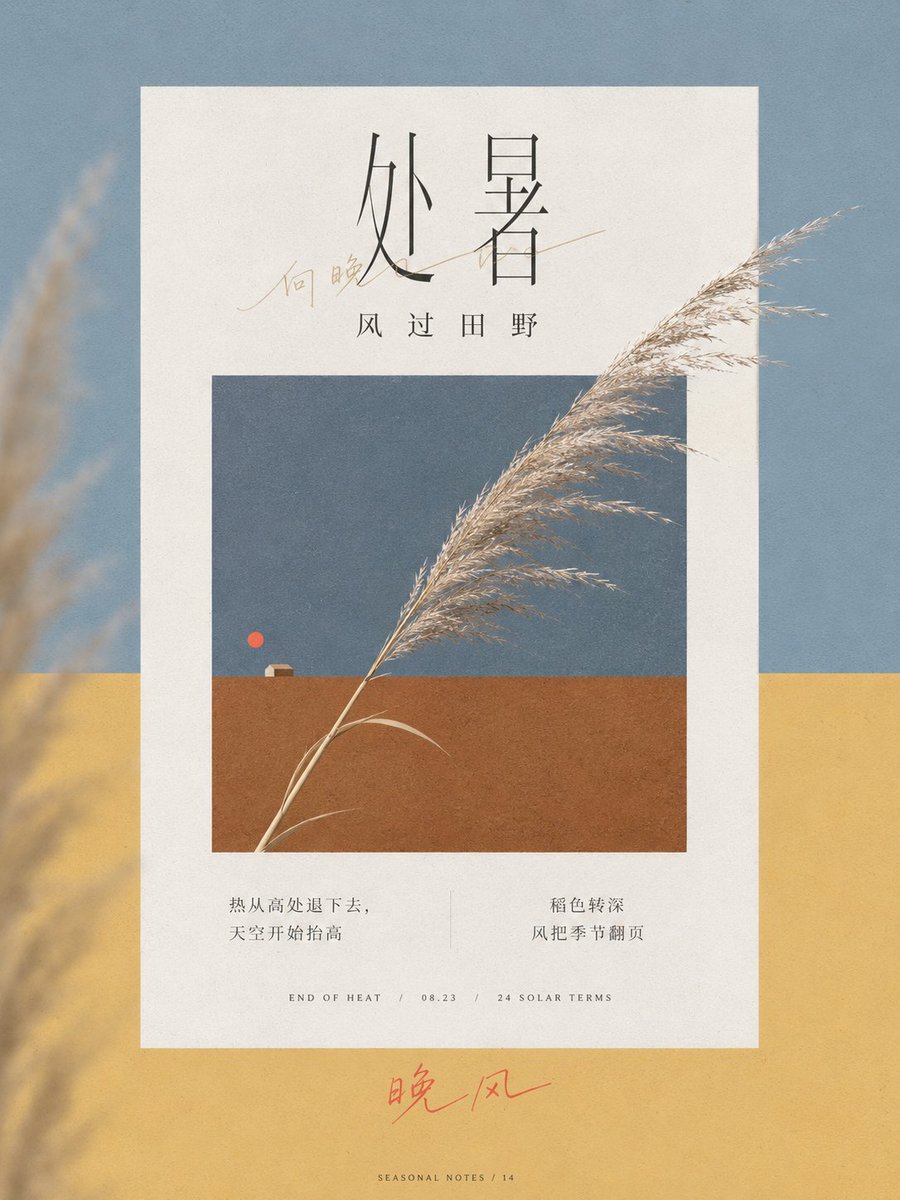
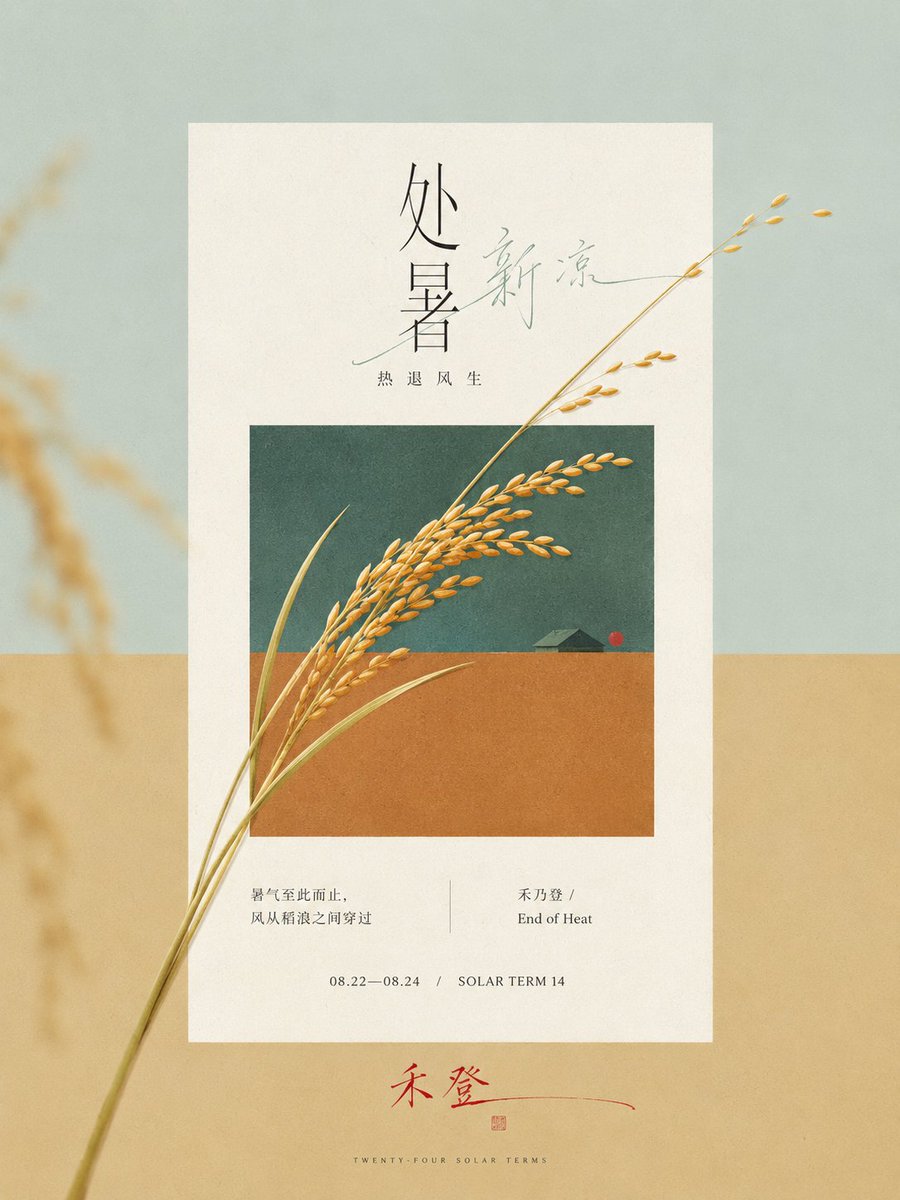
Infographic / Edu Visual - Solar Terms Editorial Visual
作者:小小东
000
テキストから画像へ
gpt-image-2
Generate a very narrow and long vertical editorial visual based on the {argument name="theme" default="End of Heat solar term"}. Let the external large color field, central warm white paper page, and the retracted theme window form three clear planar spaces. First, derive two structural colors from the state contrast and emotional temperature of the theme, covering the vast majority of the screen with a hard horizontal boundary. In the embedded window, repeat this set of divisions in the same direction and in a reduced proportion; the outer field is brighter and emptier, the inner window is deeper and denser, and paper white serves as the layer with the highest brightness of the whole painting. The weight of the screen is concentrated in the middle, the upper part retains a wide title area, and the lower part leaves a stretched emotional landing point. The edges of the paper are straight, no heavy floating shadows are used, and a wide annotation band is kept under the window.
Extract a continuous and recognizable core form from the direction, process, structural connection, and time change of the theme, organize it into a single oblique axis running through the middle, making it cross at least two boundaries from inside the window, pressing on the frame, entering the white space of the paper, and extending to the external color field. The cross-border form remains complete and continuous, the endpoints crossing the edge retain the clearest recognizable outline, and local details are moderately compressed; local forms go from dense to sparse along the oblique axis, and other auxiliary objects are reduced to quiet small geometric focal points, stably remaining inside the window and close to the color field boundary. Let the horizontal color boundary, vertical frame, rectangular paper, and inner window maintain a strict orthogonal order; only the core theme gets the right to break the rules, establishing space with accurate occlusion relationships rather than relying on perspective or dramatic projections.
Arrange a few homologous echoes on one edge of the theme's momentum: enlarge, crop, and reduce the transparency and contrast of the core form, strongly defocusing it until only soft color blocks remain, partially extending out of the canvas; the central subject remains clear, and the other side remains clean, giving the planar color field a shallow sense of air and memory. Color maintains a clear area order, with two structural colors together occupying about 80% of the screen. The theme's mediating color crosses two fields and stitches together cold/warm or state differences. A small-area emphasis color appears only twice at a long distance: at the visual focus inside the window and at the text gesture outside the paper. The specific hues change with the theme, but the brightness relationship remains stable with paper white being the highest, a few deep outlines pressing on the structure, and the emphasis color winning by saturation rather than area.
The text system continues the order and cross-border relationship of the image. The main title uses a slender, sharp, highly contrasting stroke, and exquisite editorial serif skeleton; Chinese adopts a thin and book-like typeface with relaxed spacing. Transform a keyword into a continuous free handwritten thin line, gently passing through or adjoining the printed title, forming a private handwriting that echoes the oblique axis of the theme. Explanatory information is indented at the bottom of the paper, listed in two groups of small fonts and date-type micro-words. The bottom edge outside the paper can use a set of handwritten text with long closing strokes to carry the second emphasis color, leaving only minimal metadata at the very bottom. Let titles, images, annotations, and footers decrease in density in sequence, not allowing text to press on the core recognition edges.
Process objects with non-directional soft daylight and low shadows, so the theme retains limited real material while still obeying planar color blocks. The entire image is covered with very light art paper fibers, fine printing dots, and low-contrast scanning particles; textures in the paper and window are slightly more obvious, and the outer pure color field is more restrained. The edges of objects allow for tiny printing softening and color bleeding, while key outlines and typeforms remain clean. The final image first presents a white paper window in a two-color long format and a theme form growing continuously from inside to outside the window, then reveals defocused edge shadows, exquisite headers, handwritten intervention, and micro-annotations, forming a modern paper-print visual where strict editorial order and a fresh sense of time coexist.
Theme: {argument name="theme" default="End of Heat solar term"}
Ratio 3:4
説明
A sophisticated layout prompt for GPT-image2 that creates narrow vertical editorial visuals with multi-layered planar spaces and cross-border core forms.
タグ
# YouMind
# gpt-image-2
# image prompt
人気ツール
最も人気のあるクリエイティブツールを探索
Z-Image 編集
画像をアップロードし、一文で変化させます。
今すぐ試す
クリエイティブエンジン
一言で、AIが無限のプロンプトの創造性を提供します。
今すぐ試す
画像解析
画像をアップロードして、すぐにプロンプトを取得。
今すぐ試す
Z-Image LoRA
複数のLoRAモデルを組み合わせて、独自のAIアートワークを作成します
今すぐ試す
Z-Video
Generate creative videos from text or images with AI.
今すぐ試す
AI画像生成
テキストを即座に素晴らしい画像に変換します。
今すぐ試す
スタイルライブラリ
あなたの作品のために厳選されたアーティスティックスタイルを探索しましょう。
今すぐ試す
背景削除
AIで背景を瞬時に削除し、高精度な切り抜きを実現。
今すぐ試す
画質向上
画像を4K/8Kにアップスケールし、細部を鮮明に復元。
今すぐ試す
リフレーム
AIアウトペインティングであらゆる比率に背景を拡張。
今すぐ試す
Camera Angle
Create a new view with continuous 3D camera control.
今すぐ試す
Image Layers
Split an image into editable transparent layers.
今すぐ試す
Image Parallax
Turn one image into interactive parallax animation.
今すぐ試す
画像をASCIIに変換
ブラウザー内で画像をカスタマイズ可能なASCIIアートに変換します。
今すぐ試す
GIFをASCIIに変換
アニメーションGIFをダウンロード可能なASCIIアニメに変換します。
今すぐ試す
動画を ASCII に
MP4、WebM、MOV 動画をダウンロード可能な ASCII 動画に変換します。
今すぐ試す
動画を深度マップに変換
ブラウザ内でプライベートな深度動画をローカル生成します。
今すぐ試す