

Two Giants Bow Out, New King Rises: How Nano Banana 2 Eliminates the "Speed vs. Quality" Dilemma in AI Image Generation
You’ve likely faced this dilemma: wanting an image ready to use, either waiting 8-10 seconds or tolerating blurry, pixelated visuals. Just last month, Google dropped a bombshell — Nano Banana 2. Its appearance finally answers a problem that has plagued creators for years: why is it that speed and quality have to be mutually exclusive?
Before it, Google's AI image generation system housed two brothers with "very different personalities": the Standard version is like an impatient quick worker, giving you a picture in two seconds, but the details fail under scrutiny; the Pro version is a craftsman pursuing perfection, with impeccable quality, just slow, and costs a lot. The two brothers stayed in their own lanes, and users could only pick a side between "Fast" and "Good".
And Nano Banana 2, this "Third Brother" that suddenly appeared, directly took all the advantages of its older brothers and brought a bunch of eye-catching new skills. Today, let's talk about the story of these three brothers and see why this new king can make everyone — from casual doodlers to designers who rely on their craft — say "It's amazing."
I. The Era of the Two Titans: Speed vs. Quality, It Was a Choice
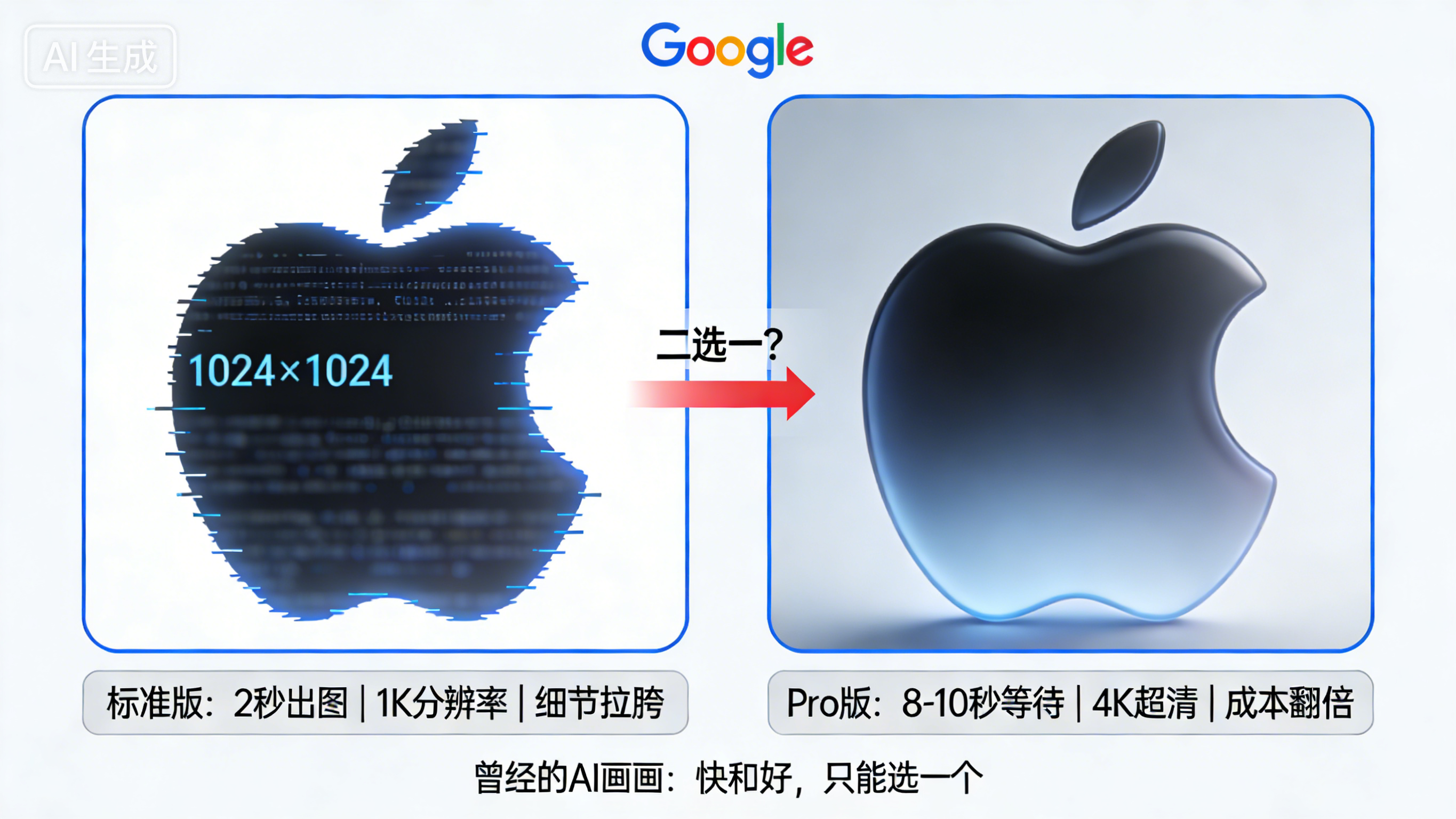
Before Gen 2 was born, Standard and Pro were like two extremes. The Standard version used a lightweight diffusion model with just the right amount of parameters, generating a 1024×1024 image in just 2 seconds — by the time you blinked, the image was out. But that was all it could do: max resolution of 1K, couldn't understand slightly more complex instructions, and if you asked it to add clear text to an image, nine times out of ten it would turn into a mess of garble.
Pro was different; it used a Mixture of Experts model with significantly more parameters, capable of outputting 4096×4096 ultra-clear large images, with lighting details precise to the pixel level, and text rendering finally looked decent — Chinese and English layouts were neat and tidy, as if designed by hand. But it had a fatal flaw: generating a 4K image took 8 to 10 seconds, and point consumption was 3 to 5 times that of Standard. Ordinary people couldn't afford it, and professionals couldn't wait.
Simply put, Standard was for "casual use," and Pro was for "must use well." The two brothers didn't interfere with each other, and users took what they needed, which was fine.
II. The Third Brother Arrives: How Did It Outshine Its Elders?
The power of Nano Banana 2 lies in the fact that it didn't take its brothers' old path. Google gave it a completely new "brain" — officially called the Gemini 3.1 Flash architecture, which in plain English means: this guy thinks first, then draws.
1. Its Drawing Logic: Think Before You Draw
Previous AI image generation was a bit like "guessing blindly by feeling": you give a prompt, and it frantically calculates how to arrange pixels, often resulting in logical errors — for example, drawing the solar system, planets might line up in a row, or size proportions might be completely wrong.
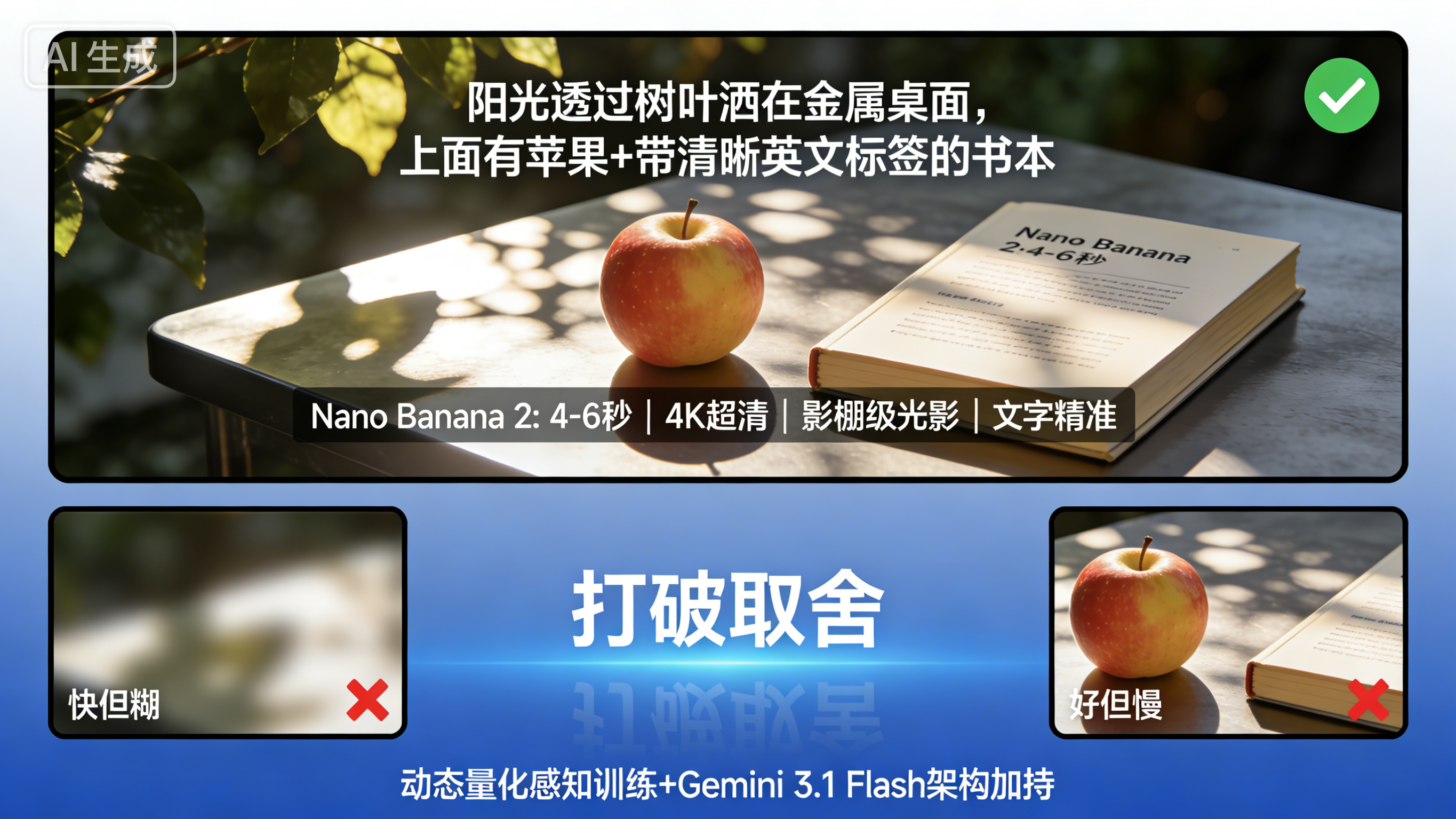
Gen 2 is different. It first "reads" your words: you say "an apple on a table, next to a book," it first builds the spatial relationships of this scene in its brain, deduces how light and shadow should be cast, how objects overlap, then draws a "sketch," and finally fills in details. This "semantic deconstruction — visual drafting — diffusion refinement" three-step process makes it 40% smarter than Standard and 35% more efficient than Pro.
Even more amazing is that although its core model only has 1.8 billion parameters, much smaller than Pro, relying on a black tech called "Dynamic Quantization-Aware Training," the quality of the generated images is completely comparable to open-source models three times its size, and can even run with 500ms latency on mid-range phones — something unimaginable before.
2. Speed and Quality, Finally No Need to Choose
The old Standard was "fast but blurry," and Pro was "good but slow." Gen 2 directly solves both pain points:
In terms of quality, it supports 4K ultra-clear output, with lighting effects achieving "studio-level" — you can see the dappled light of sunlight through leaves, and can see the delicate reflections on metal surfaces. Object fidelity has been upgraded from Pro's 8 to 14; if you ask it to draw a New Year's Eve dinner table, 14 dishes are all clearly distinguishable, with no awkward "what is this dish?" moments. Character consistency maintains the same look across scenes, jumping from 5 to now; drawing comics or making storyboards, you no longer have to worry about the protagonist "changing faces."
In terms of speed, a 4K image only takes 4 to 6 seconds — twice as fast as Pro, approaching Standard's speed. If you only want a small image, at 512px resolution, real-time generation of 30 fps is even possible, drawing while editing, like having an artist next to you listening to your commands.
3. New Skills, Which the Brothers Truly Don't Have
If the above is "collecting the strengths of both," then what follows are the unique signature skills of Gen 2.
You Speak Human, It Understands. Pro can understand complex instructions, but still uses some "jargon." Gen 2 is different; you can command it entirely in plain language: "Change the sunset in this image to dawn, make the light softer, add dew to the grass" — no need for masks, no professional terms, it can handle it all. Complex instructions like "draw a solar system made of fruit, apple as sun, strawberry as earth" are also accurately reproduced.
Text Layout, Finally Reliable. Pro solved the "text is clear" problem, but Gen 2 directly achieved "layout-level precision" — poster titles, chart labels, shop signs, with 94%+ text accuracy, fonts, lighting, and perspective all correct. More magically, it can directly translate text in the image: you throw a Chinese poster at it saying "translate to English," and it not only translates but also embeds the new text back into the original position, preserving the original font style and lighting effects, as if a designer tuned it by hand. For cross-border marketing, changing a set of materials used to take days, now it's done in seconds.
Fast or Slow, You Decide. Gen 2 has a feature called "Configurable Thinking Level" — you can let it "not think much" and generate images quickly (comparable to Standard), or let it "think deeply" to pursue ultimate quality (surpassing Pro), or let it automatically judge which mode to use. The same tool meets the needs of casual doodling and professional creation simultaneously.
Full Suite Support, Usable Anywhere. Gen 2 directly integrates the Google ecosystem: Gemini app, Google Search, Ads, Flow video tool, AI Studio... It became Google's default image engine, appearing seamlessly when you need an image for search or an illustration for a document. Plus real-time web search (e.g., asking it to draw "classic moments from the 2026 World Cup Final") and built-in SynthID watermark, ensuring both timeliness and copyright protection.
4. Wallet-Friendly: Pro-Level Experience, Civilian Prices
Previously using Pro, generating a 4K image cost 0.13 USD, and required a dedicated subscription. Gen 2 cut the cost to 0.067 USD — halved. Point consumption is moderate, a 1K image is about 12 points, free users can occasionally experience it (with limits), and paid users are unlimited. Also, the interface continues the Standard's simplicity, with no professional barriers, making it easy to pick up.
5. From "Usable" to "Useful," It Made AI Creation an Industrial Tool
Standard was just for playing, and Pro could do commercial but was too slow and expensive. Gen 2 connected these two paths:
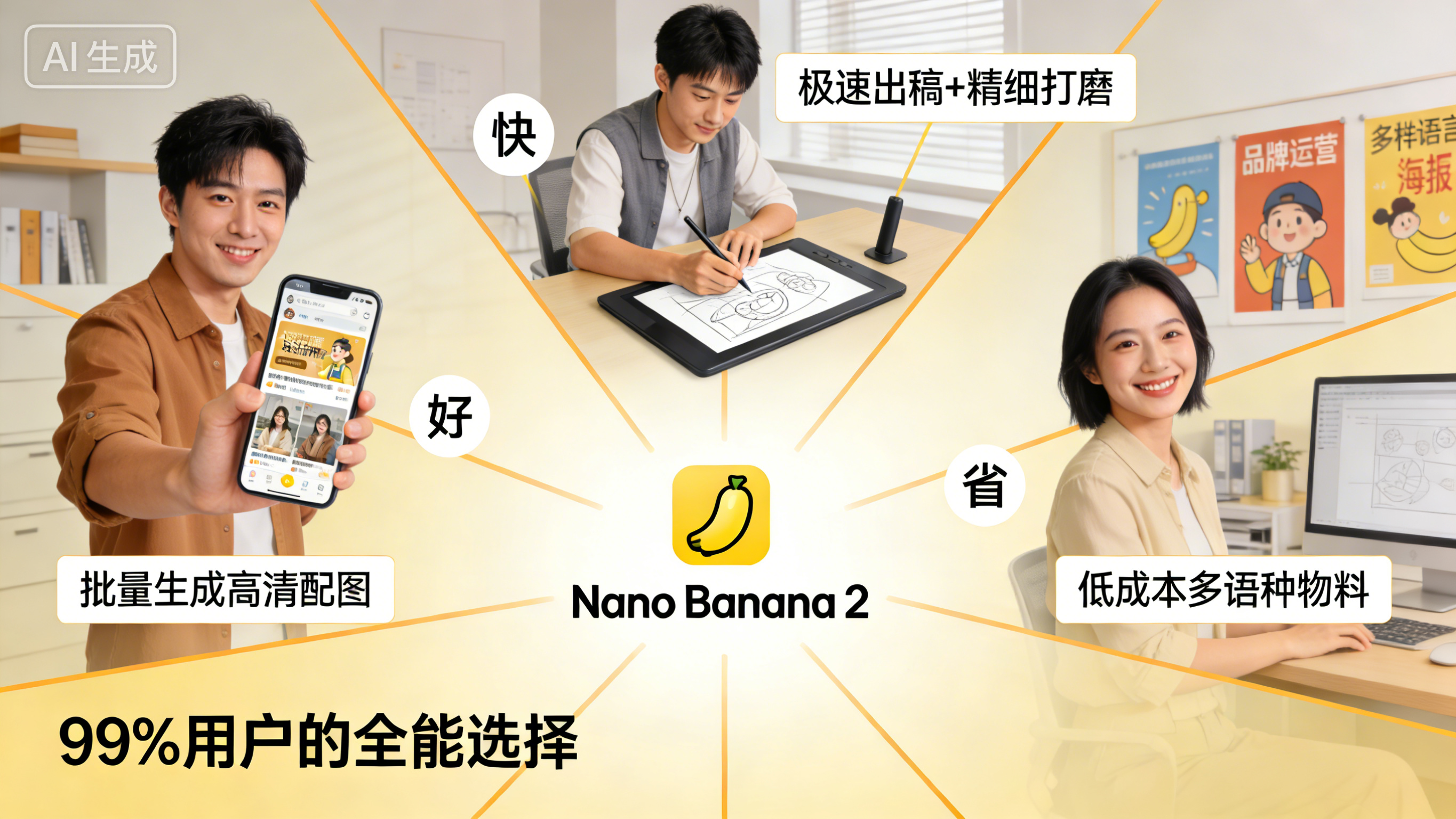
Content creators can batch generate HD illustrations, producing a day's worth of work in a single day; brands can do multi-language materials, with costs reduced to a fraction of the past; designers use fast mode for drafts, iterate quickly to confirm direction, then use fine mode to polish the final draft, with efficiency increased by 50%. Even real-time video redrawing and dynamic posters, previously unimaginable new playstyles, are now possible.
III. How to Choose? 99% of People Already Have the Answer
Looking back at these three brothers now, the choice is actually simple:
-
If you just want to post on Moments and need a small image that doesn't need zooming, and you pursue speed above all else — Standard is still a hassle-free choice, 2 seconds to generate, lowest points consumption.
-
If you are making movie storyboards, high-end concept art, need to manually adjust every parameter, and have extreme requirements for creative control — Pro's full-dimensional manual adjustment features still have irreplaceable value.
-
But if you are just an ordinary person like me — occasionally drawing, sometimes doing social media illustrations, helping the company rush a poster, or wanting to use AI to realize those weird ideas in your head — Nano Banana 2 is the most hassle-free and versatile choice. It has the Standard's speed, the Pro's quality, and new skills they don't have, plus it's affordable and easy to use.
Finally, I Want to Say: The Meaning of Technical Upgrades Is to Give Everyone the "Right" to Be "Professional"
From Standard's "fast but not refined," to Pro's "refined but not fast," to Gen 2's "fast, good, and cheap," this evolutionary process actually mirrors the essence of technological development: breaking trade-offs and letting good things benefit more people.
Standard lowered the threshold, letting ordinary people taste the sweetness of AI creation for the first time; Pro raised the ceiling, letting professionals see the infinite possibilities of technology; and Gen 2 filled the gap between the two — ordinary people can experience professional-level creation at civilian prices, and professionals can complete ultimate expression with industrial efficiency.
The release of Nano Banana 2 this time is not just a product iteration by Google, but a turning point for the entire AI image generation field: it proves that the "impossible triangle" of "speed, quality, and cost" is not unsolvable. From now on, creators don't have to pick a side between "fast" and "good," nor do they have to pay a high price for "professionalism."
Making the most professional work in the simplest way — this is where the true value of technology lies.