Prompt-Bibliothek / Visual Breakdown of Ancient Chinese Official Rank System
Visual Breakdown of Ancient Chinese Official Rank System

Visual Breakdown of Ancient Chinese Official Rank System

70000
Bild-zu-Bild
z-image-turbo
nano banana
nano banana pro
qwen image edit
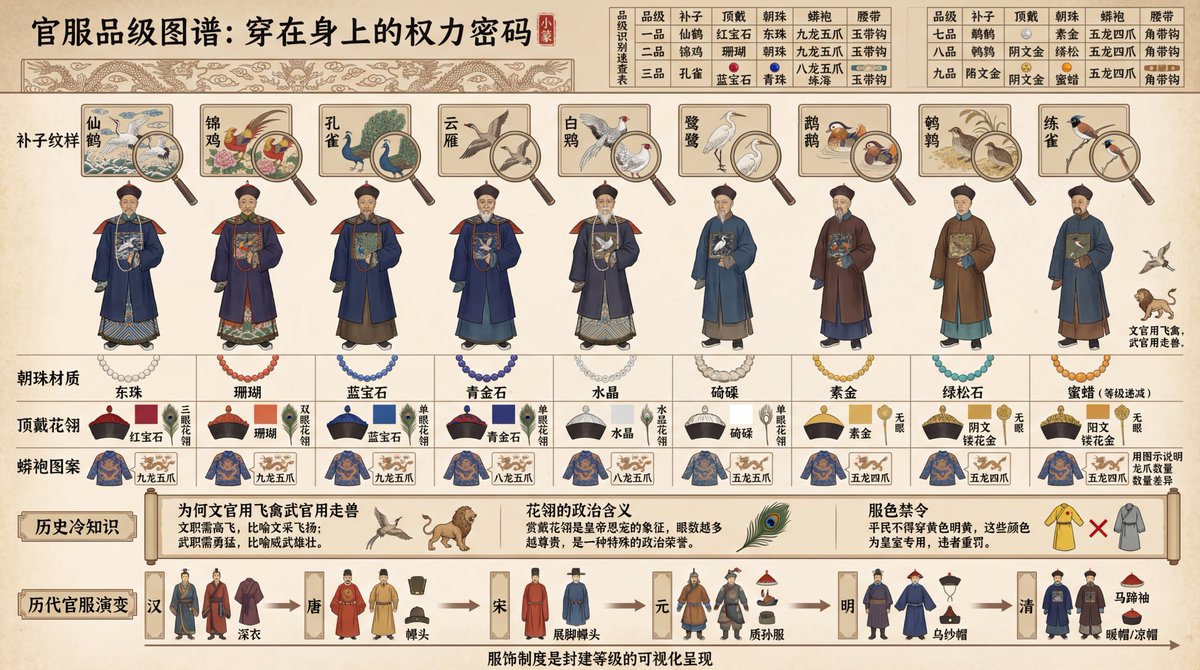
Create a "Visual Breakdown of Ancient Chinese Official Rank System" historical map style infographic, 16:9 horizontal composition. Adopt ancient regulations aesthetics, use ancient book illustration style. The scene displays Qing Dynasty nine-rank official uniform differences, arranged from left to right by rank: 9 standing figures from rank 1 to 9. Above each figure, use Gongbi (fine brushwork) to annotate "Rank Badge Patterns" (Rank 1: Crane, Rank 2: Phasianus, Rank 3: Peacock... Rank 9: Quail, Civil officials use birds, Military use beasts), use a magnifying glass close-up of the badge embroidery details. Below each figure, annotate "Material of Court Beads" (Rank 1: East Pearl, Rank 2: Coral, Rank 3: Sapphire... decreasing grade), "Top Hat and Peacock Feather" (Ruby/Coral/Sapphire/Crystal etc., distinguished by color blocks), "Dragon Robe Patterns" (Nine Dragons/5-claw/4-claw, illustrated to explain claw differences). Above the scene is a "Rank Identification Quick Reference Table": a table comparing the differences of the 9 ranks in 5 dimensions (Badge, Top Hat, Beads, Robe, Belt), each cell with small icons + text. Below the scene is "Historical Trivia": annotate "Why civil officials use birds and military use beasts" (Civil jobs require high flight, Military require bravery), "Political meaning of peacock feathers" (Awarding peacock feathers is imperial favor), "Color bans" (Commoners cannot wear yellow or bright yellow). At the bottom, use a timeline to show "Evolution of Official Uniforms": thumbnails of official uniform style changes from Han, Tang, Song, Yuan, Ming, Qing. All text in Chinese: Top use Small Seal script "Official Rank Map: Power Code Worn on the Body", bottom annotate "Clothing system is the visual presentation of feudal hierarchy". Color scheme uses traditional official colors. Overall presents historical system and clothing culture, suitable for history education and cultural research.

Beschreibung

z-image presents a visual breakdown of ancient Chinese official rank system, featuring Qing Dynasty officials' standing figures and rank badges, revealing the power code behind the attire.
Tags
# Traditional Culture
# Ancient China
# Official Robes
# Qing Dynasty
# Rank System
# Infographic

Verwandte Prompts

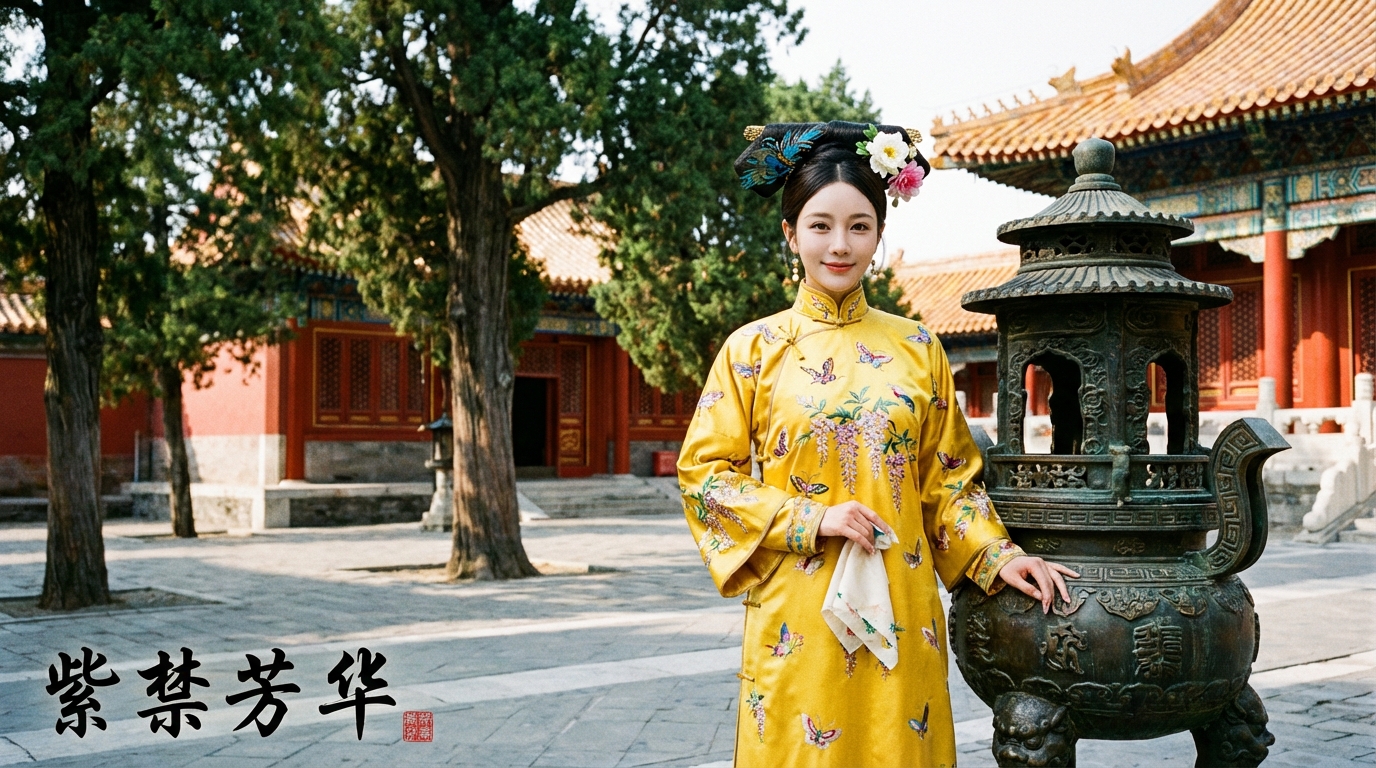
Qing Dynasty Manchu-Style Banner Dress Portrait

Qing Dynasty Manchu-Style Banner Dress Portrait

Create an Infographic Image of [LANDMARK]

Create an Infographic Image of [LANDMARK]

Convert Markdown Transcript to Infographic

Convert Markdown Transcript to Infographic

Create an Infographic Based on Input Content

Create an Infographic Based on Input Content

Event Illustrations from May to October 260 BC in 112°41'E to 113°09'E, 35°39'N to 35°59'N

Event Illustrations from May to October 260 BC in 112°41'E to 113°09'E, 35°39'N to 35°59'N

Create an Infographic Based on Input Content

Create an Infographic Based on Input Content

Beliebte Tools

Entdecken Sie unsere beliebtesten Kreativ-Tools

Z-Image Bearbeitung

Bild hochladen, mit einem Satz transformieren

Jetzt ausprobieren

Kreativ-Engine

Ein Satz, KI bietet unendliche Prompt-Kreativität.

Jetzt ausprobieren

Bild-Analyse

Bild hochladen, Prompt sofort erhalten.

Jetzt ausprobieren

Z-Image LoRA

Kombinieren Sie mehrere LoRA-Modelle, um einzigartige KI-Kunstwerke zu erstellen

Jetzt ausprobieren

Z-Video

Generate creative videos from text or images with AI.

Jetzt ausprobieren

KI-Bildgenerator

Verwandeln Sie Ihren Text sofort in atemberaubende Bilder.

Jetzt ausprobieren

Stil-Bibliothek

Entdecken Sie kuratierte Kunststile für Ihre Kreationen.

Jetzt ausprobieren

Hintergrund entfernen

Entfernen Sie Hintergründe sofort mit KI-Präzision.

Jetzt ausprobieren

Bild-Upscaler

Verbessern Sie die Bildauflösung auf bis zu 4K/8K.

Jetzt ausprobieren

Bild-Reframe

Erweitern Sie Bilder mit Outpainting auf jedes Seitenverhältnis.

Jetzt ausprobieren

Camera Angle

Create a new view with continuous 3D camera control.

Jetzt ausprobieren

Image Layers

Split an image into editable transparent layers.

Jetzt ausprobieren

Image Parallax

Turn one image into interactive parallax animation.

Jetzt ausprobieren

Bild zu ASCII

Wandeln Sie Bilder lokal im Browser in anpassbare ASCII-Kunst um.

Jetzt ausprobieren

GIF zu ASCII

Verwandeln Sie animierte GIFs in herunterladbare ASCII-Animationen.

Jetzt ausprobieren

Video zu ASCII

Konvertiere MP4-, WebM- oder MOV-Clips in herunterladbare ASCII-Videos.

Jetzt ausprobieren

Video zur Tiefenkarte

Erstellen Sie lokal im Browser ein privates Tiefenkarten-Video.

Jetzt ausprobieren