
프롬프트 라이브러리 / Product Marketing - Secretary Uniform Three-View Character Sheet
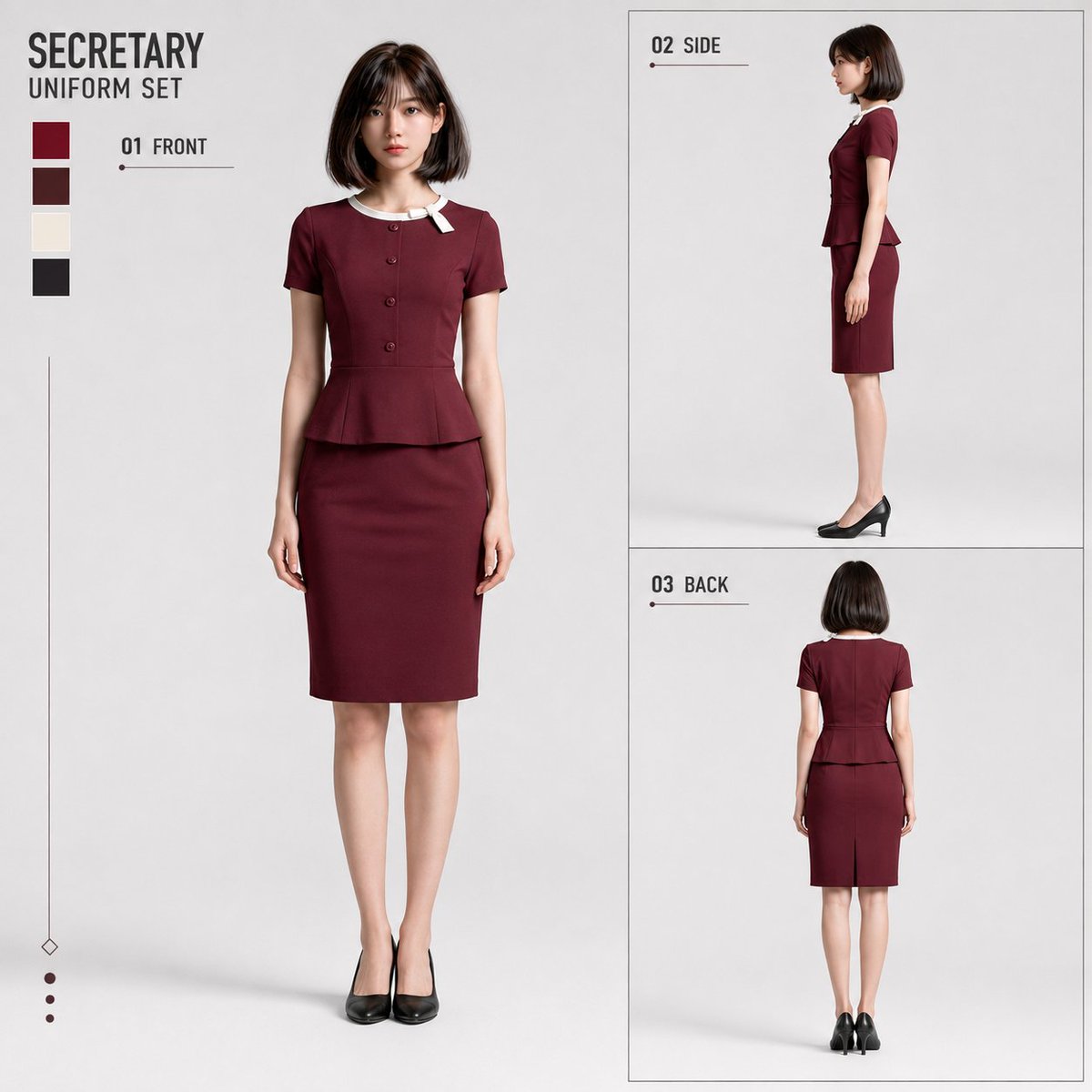
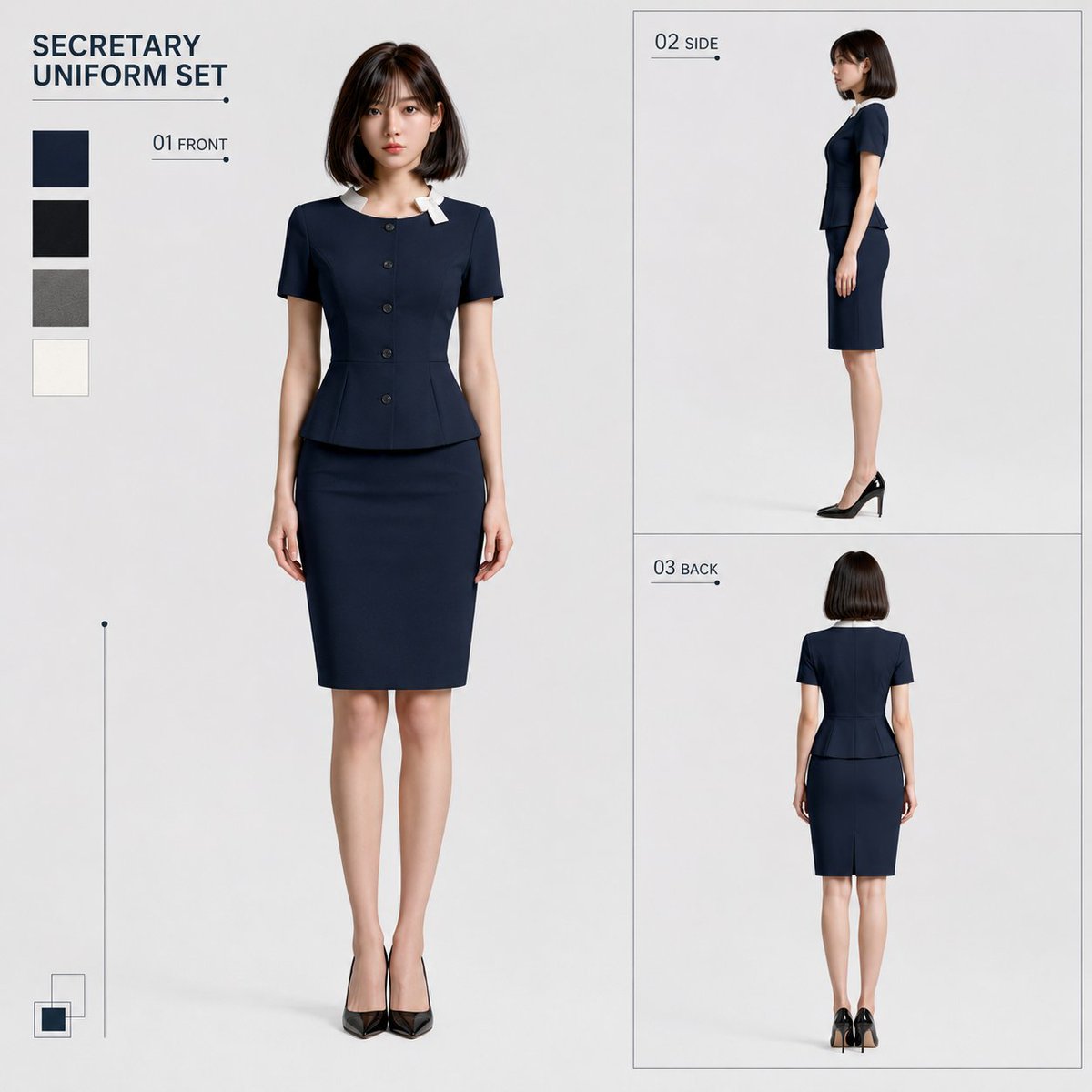
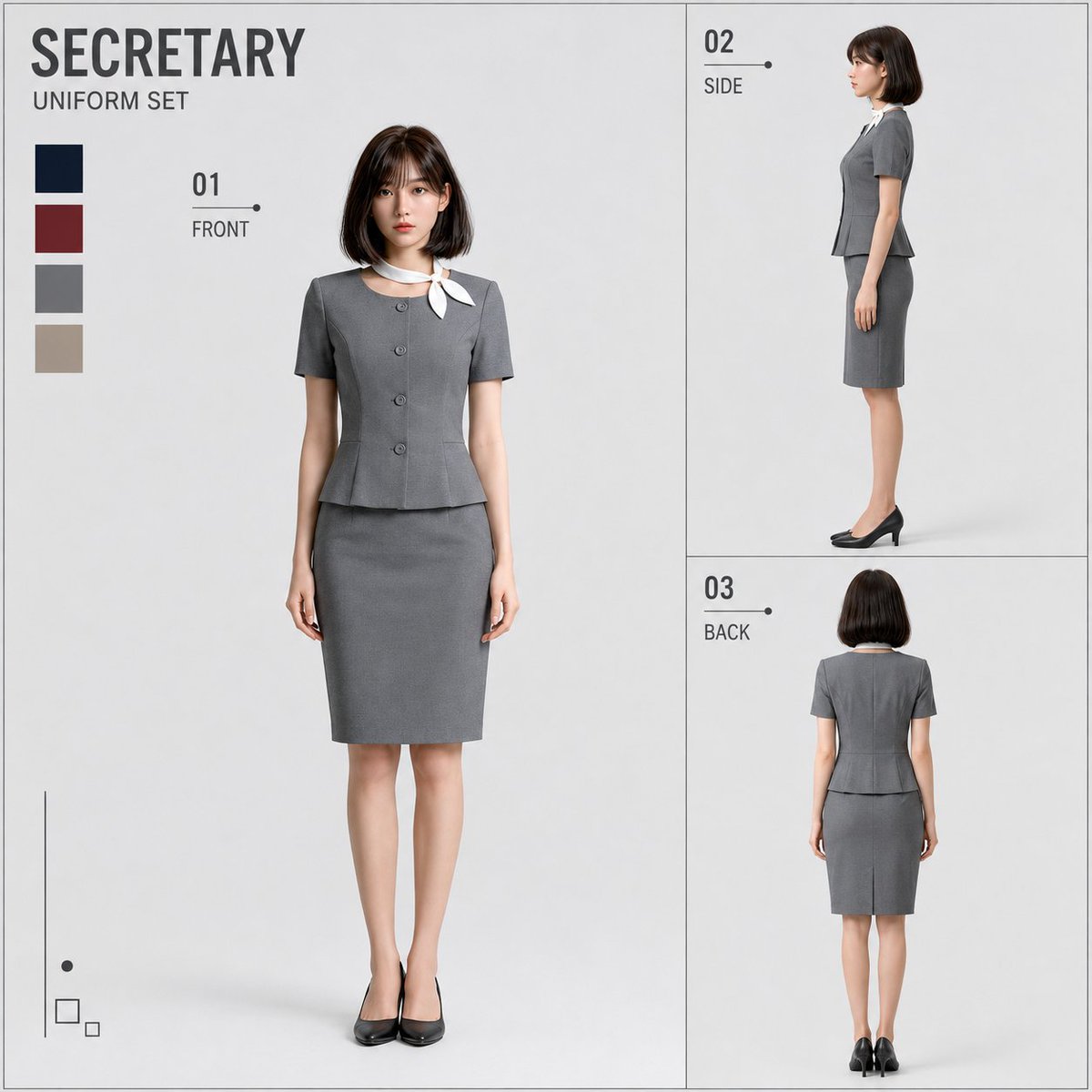
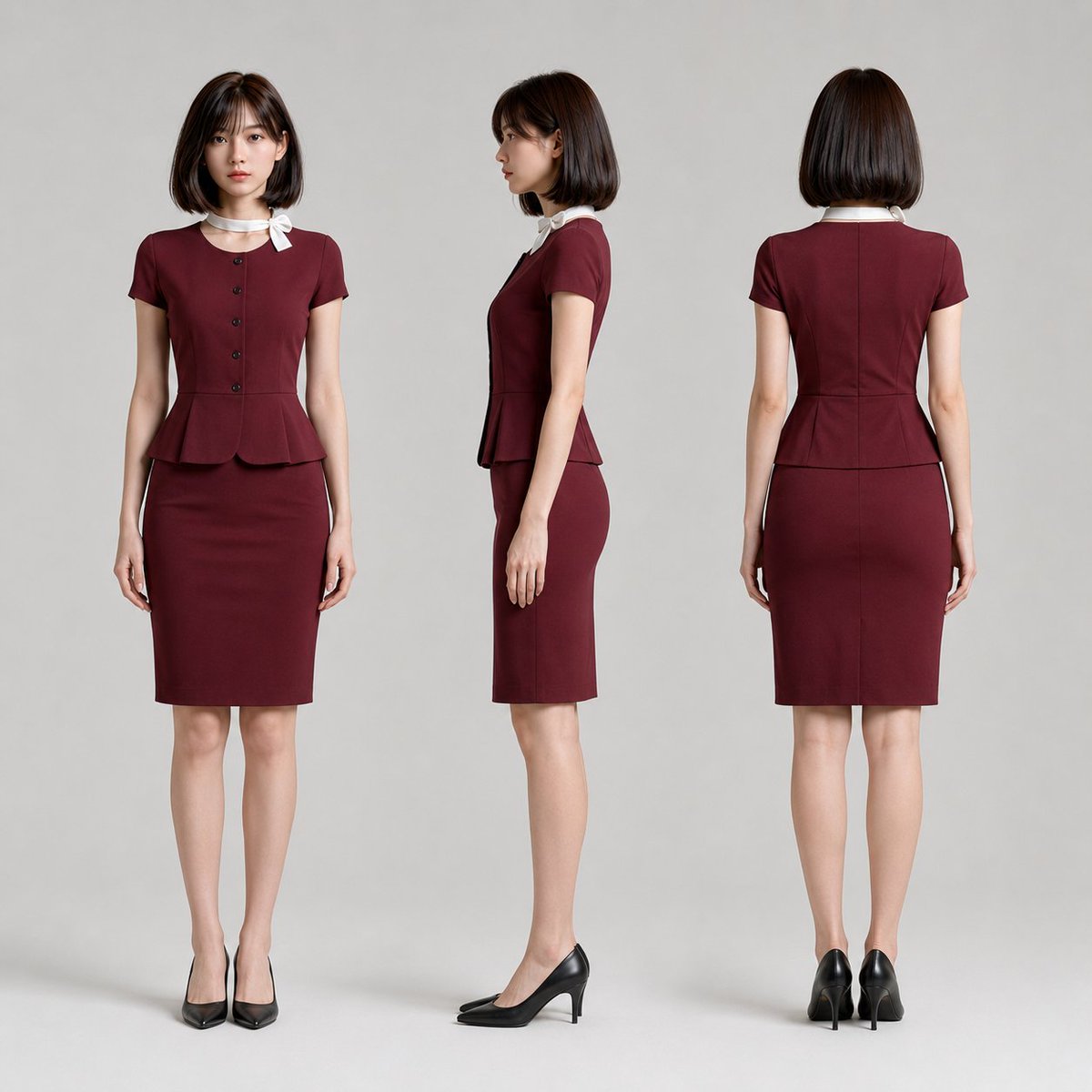
Product Marketing - Secretary Uniform Three-View Character Sheet
작성자:AIライフハック
000
텍스트-이미지
gpt-image-2
# Reference Sheet Generation Instructions [Input Items] Sheet Type: [Design-focused / Simple] Default is [Design-focused]. Uniform Color: [Navy / Bordeaux / Gray] Default is [Gray]. [Objective] Use the single attached full-body female image as the sole character reference to create a high-quality three-view sheet of the person changed into a fixed secretary uniform. Generate either the [Design-focused] or [Simple] sheet type only. Do not mix both in one image. [Character Reference] Use the attached full-body female image as the sole character reference. Maintain facial features, eyes, nose, mouth, contours, perceived age, skin tone, hairstyle, hair color, hair length, bangs, parting, height, shoulder width, waist position, torso-to-leg ratio, leg length, overall body proportions, physique, and head-to-body ratio. The FRONT/SIDE/BACK figures must all be the same person; do not redesign beyond the costume change. Prohibit turning them into a different person, excessive beautification, making the face smaller, making legs longer, thinning, or changing head-to-body ratios. Do not reconstruct the person's physique or proportions to fit the uniform silhouette; instead, use the original proportions (shoulders, waist, leg ratio, physique) as the standard and fit the uniform naturally to the person. **01 FRONT is the primary anchor for character shape. Maintain the silhouette, head-to-body ratio, and proportions of the reference image exactly. Do not correct, idealize, or redesign the body in 01 FRONT to make the uniform fit. Fit the uniform to the person, not the person to the uniform.** Prioritize character identity strongly. Maintain eye shape/size, eye position, eyebrows, nose bridge, nose tip, mouth shape, lip thickness, chin shape, contours, cheek impression, and face aspect ratio as much as possible; do not align with a generalized secretary model face. Maintain hairstyle, bangs, parting, length, and volume. Ensure it looks like the actual person from the reference image is wearing the uniform, rather than a different person. [Role] The role is a secretary. The uniform should convey a sense of luxury, cleanliness, intelligence, elegance, and trustworthiness. Ensure a sophisticated impression suitable for customer service, reception, or secretarial work, without being too flashy. [Fixed Outfit] An elegant and sophisticated female secretary uniform. A set consisting of a short-sleeved top and a knee-length tight skirt. The top is a compact fit naturally following the upper body, with 4-5 small round buttons arranged vertically in the center. Includes a waist seam with a short, modest peplum. The skirt is a knee-length tight silhouette, not excessively short. Shoes are simple plain pumps. No bags, paper cups, handheld items, or large accessories. [Neck Scarf] Most important. Attach a thin white neckband-style decoration to the collar, with the knot fixed on the wearer's left side. The shape should be a small, organized fixed bow with two short, flat wing-like parts extending from the left. Ensure the fabric does not hang down long or cover the chest area. Avoid large bowties or complex wraps. Prioritize stability across the three views, maintaining the same white neckband structure consistently. The color is fixed to white (a soft, clean white, avoiding yellowing or intense gloss). [Uniform Color] Follow the input for [Uniform Color]. Navy: Calm, deep navy body. Bordeaux: Elegant, deep bordeaux body. Gray: Sophisticated medium-brightness gray body. All cases should be solid colors; avoid excessive patterns, strong gloss, or flashy decorations. Shoes are black or a dark tone harmonizing with the body. [Three-view Costume Continuity] FRONT/SIDE/BACK must show the same uniform from different directions. The shape and color of the top, peplum, buttons, neck decoration, skirt, and shoes must be continuous. Prohibit states where the outfit looks different in each view. [Drawing Quality] Finish as a high-quality, clean photorealistic fashion sheet. Realistically depict skin, hair, fabric, sewing, wrinkles, and shading. Avoid illustration, anime, 3DCG, or figurine styles. Prioritize clarity of character, costume, and document information. Avoid rough sketches, sloppy setting drawings, or low-density reference styles. [Common Pose] Include the full body from head to toe for all three figures. Prohibit crossed arms, crossed legs, extreme model poses, or excessive action. [Sheet Type: Design-focused] Aspect ratio fixed at 1:1 square. Background is a light neutral gray near white. Divide the square into a main area on the left (approx. 60%) and a vertical sub-area on the right (approx. 40%). Place a large 01 FRONT on the left. Divide the right side into two vertical tiers: 02 SIDE on top and 03 BACK on bottom. The two right panels should have equal width/height, organized with thin border lines to appear as a single vertical block. SIDE and BACK should be close in scale with consistent margins. Do not remove the boxed 2-tier structure or place SIDE/BACK freely. [Design-focused Character Orientation] 01 FRONT is a natural upright posture facing forward. Maintain naturalness without being too stiff, but prioritize character identification and uniform shape. 02 SIDE is a "nearly profile" view, rotated very slightly from a full 90-degree side view toward the camera. Only show enough to slightly confirm the front chest, waist, and peplum; avoid a 3/4 view. Keep the side silhouette as primary; face and body should point in the same direction. 03 BACK is a full back view. No looking back. [Design-focused Fixed Graphics] Fix a two-line title in the upper left. Line 1: SECRETARY (large, bold sans-serif). Line 2: UNIFORM SET (smaller). Place a 4-color swatch vertically right below the title. Fix view numbers and names: "01 FRONT" on the top-left of the main area, "02 SIDE" on the top-left of the top-right panel, "03 BACK" on the top-left of the bottom-right panel. Do not move these to the bottom. Use consistent numbers, letters, horizontal lines, and dots as shared design elements. Place a thin vertical line and small geometric accent in the bottom left. Keep text to SECRETARY/UNIFORM/THREE VIEW; no long descriptions or slogans. [Sheet Type: Simple] Aspect ratio fixed at 1:1 square. Background is a uniform light neutral gray near white. Composition: 3 views arranged horizontally; Left=FRONT, Center=SIDE, Right=BACK. Align head height, foot position, scale, and proportions. FRONT is full front, SIDE is full profile, BACK is full back. Maintain sufficient margins. Prioritize readability for reference/confirmation. [Simple Prohibited Elements] No titles, numbers, labels, swatches, borders, icons, additional graphics, face close-ups, or 4th figures. Only the 3 figures and background. [General Prohibitions] Prohibit ratios other than 1:1, mixing Design-focused and Simple layouts, removing the 2-tier right box in Design-focused, arbitrary placement of SIDE/BACK, adding extra decorations in Simple, changing character identity, changing uniform design, irregular scarf shapes, long hanging scarves, excessive exposure, or flashy patterns. [Completion Criteria] In Design-focused, the structure of Large FRONT + 2-tier Right SIDE/BACK must be immediately clear, with all graphic elements unified in the same design language. In Simple, the 3 views must be clearly aligned at the same scale without clutter. The costume must be accurate, and character identity must be preserved so the subject looks like the person in the reference image.
설명
A highly technical system prompt for creating a professional three-view (front, side, back) design sheet for a secretary uniform, maintaining character consistency.
태그
# YouMind
# gpt-image-2
# image prompt
인기 도구
가장 인기 있는 크리에이티브 도구 살펴보기
Z-Image 편집
이미지를 업로드하고 한 문장으로 변화를 주세요.
지금 시도하기
크리에이티브 엔진
한 문장으로 AI가 무한한 프롬프트 창의성을 제공합니다.
지금 시도하기
이미지 파싱
이미지를 업로드하고 즉시 프롬프트를 받으세요.
지금 시도하기
Z-Image LoRA
여러 LoRA 모델을 결합하여 고유한 AI 예술 작품을 만듭니다
지금 시도하기
Z-Video
Generate creative videos from text or images with AI.
지금 시도하기
AI 이미지 생성기
텍스트를 즉시 멋진 이미지로 변환하세요.
지금 시도하기
스타일 라이브러리
창작물을 위해 엄선된 예술적 스타일을 탐색하세요.
지금 시도하기
배경 제거
AI를 사용하여 배경을 즉시 제거하고 정밀한 누끼 작업을 수행합니다.
지금 시도하기
화질 개선
이미지를 4K/8K로 업스케일링하여 선명한 디테일을 복원합니다.
지금 시도하기
리프레임
AI 아웃페인팅 기술을 사용하여 이미지를 모든 비율로 확장합니다.
지금 시도하기
Camera Angle
Create a new view with continuous 3D camera control.
지금 시도하기
Image Layers
Split an image into editable transparent layers.
지금 시도하기
Image Parallax
Turn one image into interactive parallax animation.
지금 시도하기
이미지 ASCII 변환
브라우저에서 이미지를 사용자 지정 ASCII 아트로 변환하세요.
지금 시도하기
GIF ASCII 변환
움직이는 GIF를 다운로드 가능한 ASCII 애니메이션으로 변환하세요.
지금 시도하기
비디오를 ASCII로
MP4, WebM 또는 MOV 영상을 다운로드 가능한 ASCII 비디오로 변환합니다.
지금 시도하기
비디오 깊이 맵 변환
브라우저에서 비공개 깊이 맵 비디오를 로컬로 만드세요.
지금 시도하기