
프롬프트 라이브러리 / Infographic / Edu Visual - GeoPT Physics Simulation Overview Slide
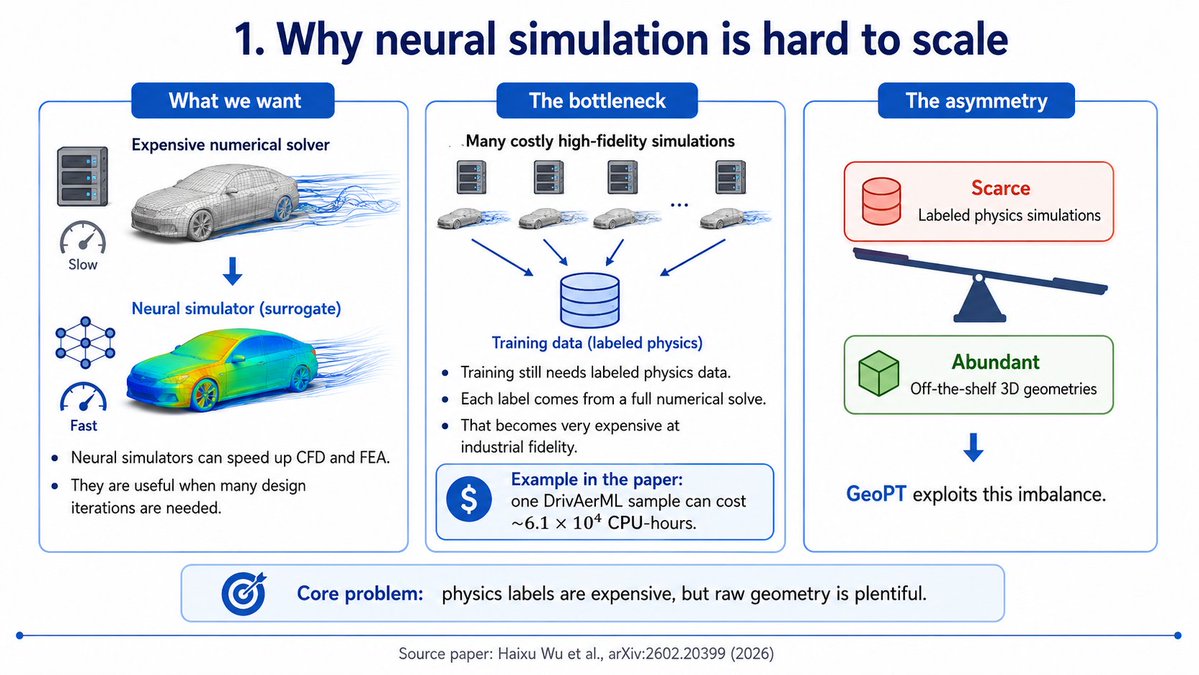
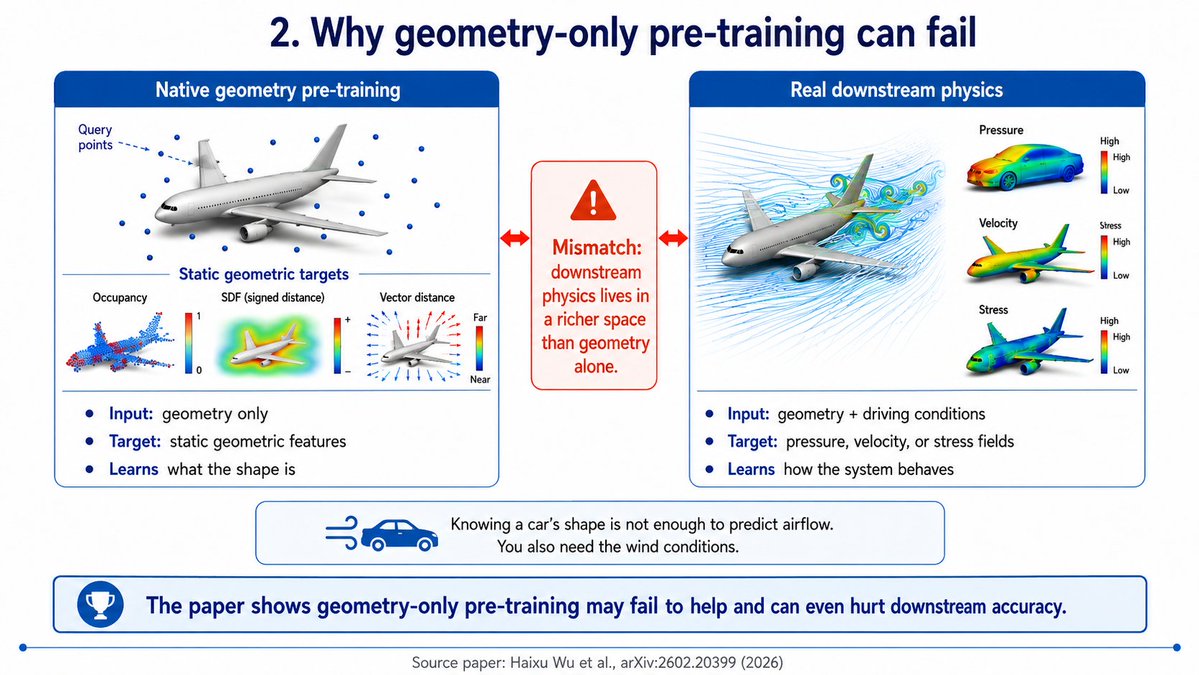
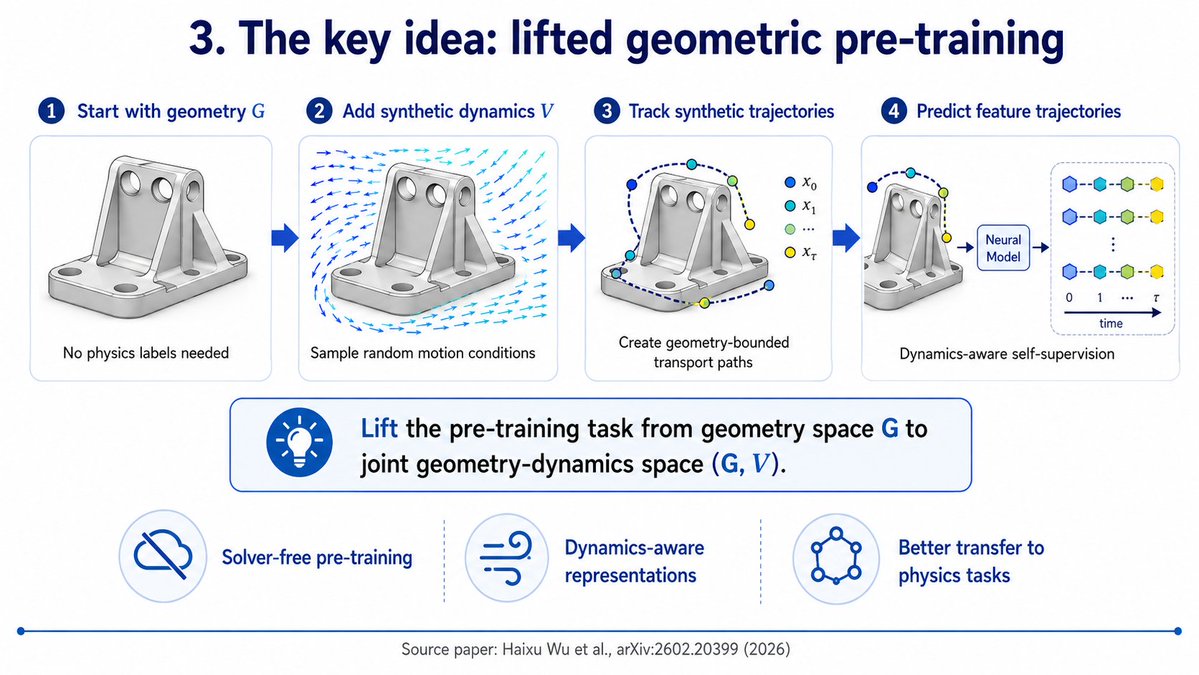
Infographic / Edu Visual - GeoPT Physics Simulation Overview Slide
작성자:Yared W. Bekele
000
텍스트-이미지
gpt-image-2
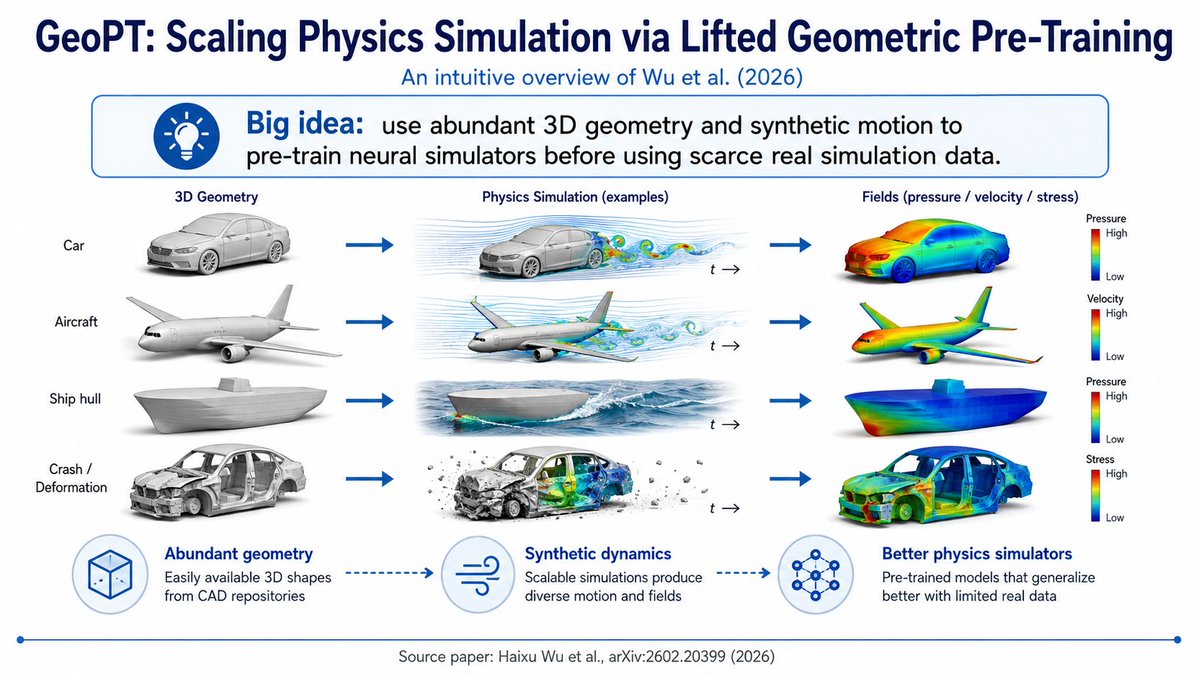
Goal: Create a clean 16:9 academic overview slide explaining {argument name="paper concept" default="GeoPT: Scaling Physics Simulation via Lifted Geometric Pre-Training"}, styled like a polished conference-deck infographic.
Canvas: Widescreen white slide, navy-blue typography and accents, minimal shadows, high-resolution scientific illustration style. Use a thin blue footer line with small circular endpoints.
Header: Large bold dark-navy title at the top: {argument name="headline text" default="GeoPT: Scaling Physics Simulation via Lifted Geometric Pre-Training"}. Directly underneath, smaller blue subtitle: {argument name="subtitle text" default="An intuitive overview of Wu et al. (2026)"}.
Big idea banner: Under the subtitle, place a rounded rectangle callout with a blue outline and very pale blue fill. On the left is a blue circular lightbulb icon. Text reads: “Big idea:” in bold blue, followed by “use abundant 3D geometry and synthetic motion to pre-train neural simulators before using scarce real simulation data.”
Main layout: A three-column pipeline with exactly 4 rows, connected left-to-right by thick blue arrows. Column headings are: “3D Geometry”, “Physics Simulation (examples)”, and “Fields (pressure / velocity / stress)”. The left side also has 4 row labels: 1) Car, 2) Aircraft, 3) Ship hull, 4) Crash / Deformation.
Row details: Row 1 shows a gray 3D car model, then a car in airflow simulation with blue streamlines and colorful vortices plus a small “t →” time marker, then a car colored with a rainbow heatmap field and a vertical color legend labeled “Pressure” with High at top and Low at bottom. Row 2 shows a gray aircraft model, then an airplane with airflow streamlines and colored wakes plus “t →”, then a rainbow heatmap aircraft with a legend labeled “Velocity” High/Low. Row 3 shows a gray ship hull model, then a ship hull moving through ocean waves with simulated water flow plus “t →”, then a rainbow heatmap ship hull with a legend labeled “Pressure” High/Low. Row 4 shows a damaged gray car body for crash/deformation, then a crash simulation with debris, deformation, and internal colored stress/field visualization plus “t →”, then a rainbow heatmap deformed car body with a legend labeled “Stress” High/Low.
Bottom explanation strip: Include exactly 3 circular icon-and-caption blocks connected by dotted blue arrows. Block 1 icon is a wireframe cube and title “Abundant geometry”, caption “Easily available 3D shapes from CAD repositories”. Block 2 icon is wind/flow lines and title “Synthetic dynamics”, caption “Scalable simulations produce diverse motion and fields”. Block 3 icon is a neural network graph and title “Better physics simulators”, caption “Pre-trained models that generalize better with limited real data”.
Footer: Centered small gray citation text: {argument name="source citation" default="Source paper: Haixu Wu et al., arXiv:2602.20399 (2026)"}.
Visual style: Crisp vector-slide composition mixed with realistic 3D renders, blue academic palette, white background, precise alignment, no clutter, no watermark, no extra rows or icons beyond the specified counts.
설명
A structured prompt for generating a polished scientific slide that explains GeoPT pre-training for physics simulation with a three-column visual pipeline.
태그
# YouMind
# gpt-image-2
# image prompt
인기 도구
가장 인기 있는 크리에이티브 도구 살펴보기
Z-Image 편집
이미지를 업로드하고 한 문장으로 변화를 주세요.
지금 시도하기
크리에이티브 엔진
한 문장으로 AI가 무한한 프롬프트 창의성을 제공합니다.
지금 시도하기
이미지 파싱
이미지를 업로드하고 즉시 프롬프트를 받으세요.
지금 시도하기
Z-Image LoRA
여러 LoRA 모델을 결합하여 고유한 AI 예술 작품을 만듭니다
지금 시도하기
Z-Video
Generate creative videos from text or images with AI.
지금 시도하기
AI 이미지 생성기
텍스트를 즉시 멋진 이미지로 변환하세요.
지금 시도하기
스타일 라이브러리
창작물을 위해 엄선된 예술적 스타일을 탐색하세요.
지금 시도하기
배경 제거
AI를 사용하여 배경을 즉시 제거하고 정밀한 누끼 작업을 수행합니다.
지금 시도하기
화질 개선
이미지를 4K/8K로 업스케일링하여 선명한 디테일을 복원합니다.
지금 시도하기
리프레임
AI 아웃페인팅 기술을 사용하여 이미지를 모든 비율로 확장합니다.
지금 시도하기
Camera Angle
Create a new view with continuous 3D camera control.
지금 시도하기
Image Layers
Split an image into editable transparent layers.
지금 시도하기
Image Parallax
Turn one image into interactive parallax animation.
지금 시도하기
이미지 ASCII 변환
브라우저에서 이미지를 사용자 지정 ASCII 아트로 변환하세요.
지금 시도하기
GIF ASCII 변환
움직이는 GIF를 다운로드 가능한 ASCII 애니메이션으로 변환하세요.
지금 시도하기
비디오를 ASCII로
MP4, WebM 또는 MOV 영상을 다운로드 가능한 ASCII 비디오로 변환합니다.
지금 시도하기
비디오 깊이 맵 변환
브라우저에서 비공개 깊이 맵 비디오를 로컬로 만드세요.
지금 시도하기