
プロンプトライブラリ / Infographic / Edu Visual - Steamed Rice Low High Comparison
Infographic / Edu Visual - Steamed Rice Low High Comparison
000
テキストから画像へ
gpt-image-2
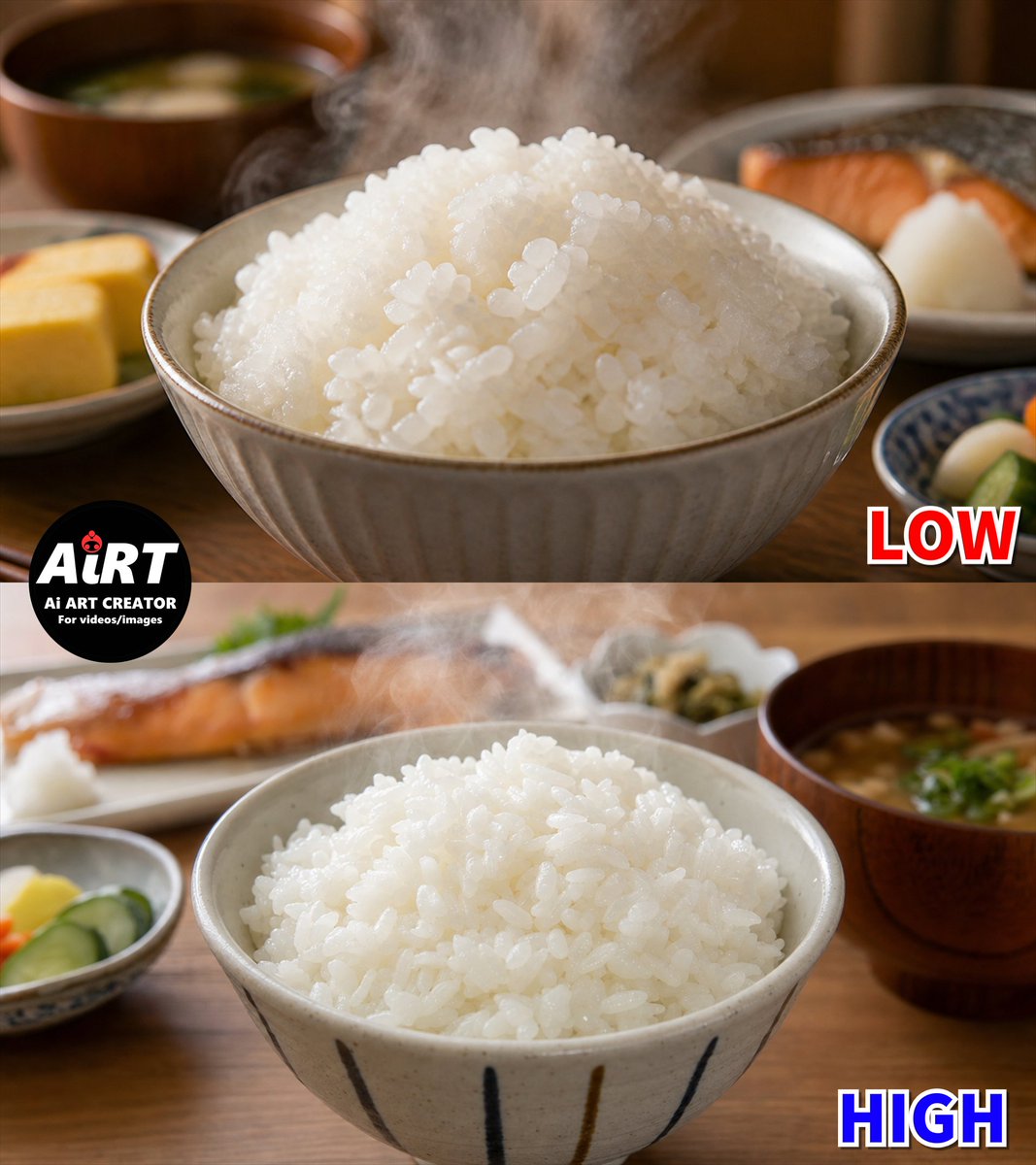
Goal: Create a square side-by-side quality comparison image of realistic Japanese steamed white rice, divided into two horizontal panels: top labeled {argument name="top label" default="LOW"} and bottom labeled {argument name="bottom label" default="HIGH"}. The subject is a freshly cooked mound of glossy white rice in a ceramic bowl on a warm wooden dining table, with steam rising visibly from the rice in both panels.
Canvas: 1:1 square image, photorealistic food photography, warm indoor breakfast lighting, shallow depth of field, natural brown and cream tones. Use a clean horizontal split exactly halfway across the image, creating 2 stacked panels.
Top panel: Close-up of a beige ribbed ceramic bowl filled high with steaming white rice. The rice should look slightly too uniform and overly shiny, with many similar rounded grains clustered together, subtly artificial but still appetizing. Background is softly blurred and includes exactly 4 supporting food elements: 1 wooden miso soup bowl at back left, 1 small plate with yellow tamagoyaki at lower left, 1 plate with grilled salmon and a white garnish at back right, and 1 small blue patterned dish with pickles at lower right. Add the label {argument name="top label" default="LOW"} in the lower right of this panel, bold red block letters with white outline and dark drop shadow.
Bottom panel: Similar Japanese breakfast scene with another ceramic rice bowl centered slightly lower, filled with steaming white rice. Make the rice grains more irregular in size, shape, angle, and spacing, with a softer, less plastic shine and a more natural cooked texture. Background is softly blurred and includes exactly 5 supporting food elements: 1 grilled salmon plate at back left, 1 small dish of yellow pickles and cucumber slices at lower left, 1 small pale dish of greens at back center, 1 wooden miso soup bowl with green onions at right, and 1 partial tabletop area in warm wood. Add the label {argument name="bottom label" default="HIGH"} in the lower right, bold blue block letters with white outline and dark drop shadow.
Logo/text overlay: Place a black circular logo overlapping the left side of the horizontal split. Inside it, large white text reads {argument name="logo main text" default="AiRT"}, with a small red ladybug-like icon near the letters. Below it add two lines of small white text: {argument name="logo subtitle" default="Ai ART CREATOR"} and {argument name="logo tagline" default="For videos/images"}.
Constraints: Keep the image photographic rather than illustrated. Emphasize the comparison between artificial-looking rice texture in the top panel and more natural irregular rice texture in the bottom panel. Use realistic steam wisps, soft bokeh backgrounds, no extra labels, no additional panels, and no people.
説明
Creates a photorealistic two-panel Japanese rice quality comparison image for demonstrating low versus high generation quality.
タグ
# YouMind
# gpt-image-2
# image prompt
人気ツール
最も人気のあるクリエイティブツールを探索
Z-Image 編集
画像をアップロードし、一文で変化させます。
今すぐ試す
クリエイティブエンジン
一言で、AIが無限のプロンプトの創造性を提供します。
今すぐ試す
画像解析
画像をアップロードして、すぐにプロンプトを取得。
今すぐ試す
Z-Image LoRA
複数のLoRAモデルを組み合わせて、独自のAIアートワークを作成します
今すぐ試す
Z-Video
Generate creative videos from text or images with AI.
今すぐ試す
AI画像生成
テキストを即座に素晴らしい画像に変換します。
今すぐ試す
スタイルライブラリ
あなたの作品のために厳選されたアーティスティックスタイルを探索しましょう。
今すぐ試す
背景削除
AIで背景を瞬時に削除し、高精度な切り抜きを実現。
今すぐ試す
画質向上
画像を4K/8Kにアップスケールし、細部を鮮明に復元。
今すぐ試す
リフレーム
AIアウトペインティングであらゆる比率に背景を拡張。
今すぐ試す
Camera Angle
Create a new view with continuous 3D camera control.
今すぐ試す
Image Layers
Split an image into editable transparent layers.
今すぐ試す
Image Parallax
Turn one image into interactive parallax animation.
今すぐ試す
画像をASCIIに変換
ブラウザー内で画像をカスタマイズ可能なASCIIアートに変換します。
今すぐ試す
GIFをASCIIに変換
アニメーションGIFをダウンロード可能なASCIIアニメに変換します。
今すぐ試す
動画を ASCII に
MP4、WebM、MOV 動画をダウンロード可能な ASCII 動画に変換します。
今すぐ試す
動画を深度マップに変換
ブラウザ内でプライベートな深度動画をローカル生成します。
今すぐ試す