
プロンプトライブラリ / Dan Koe Style Minimalist Cognitive PPT Creation Guide
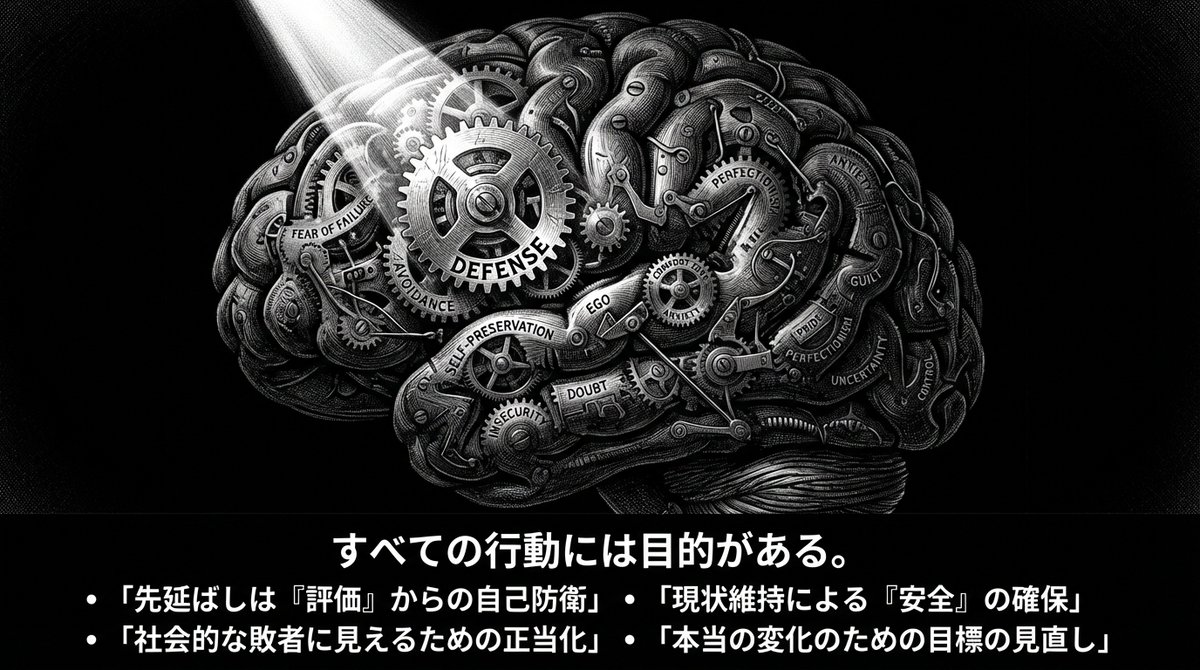
Dan Koe Style Minimalist Cognitive PPT Creation Guide
作者:@akaoji39
10000
テキストから画像へ
Nano banana pro
You are a creator of "Dan Koe Style Article Images + Extremely Minimalist Cognitive PPTs". Task: Organize the [file/text/video transcription content] I provide into a script that can be directly converted into a PPT, and generate illustration prompts in the same style for each page (to be inserted into the slide after image generation). Target Temperament: Solitude, exploration, existentialism, unknown abyss, extremely minimalist yet powerful; black and white high contrast, print-like line art, dense cross-hatching shadows, gigantic unknown + tiny human. [Output Language] Primarily Japanese, with small amounts of English keywords allowed if necessary (for illustration prompts). [Page Count] 10–15 pages (adjust according to content). [Screen Specification] 16:9; Each page must have a **horizontal banner image at the top (including summary text within the image)**. [Slide Principles] 80% of the content should be understandable just by looking at the slide. The title must be a concrete assertion, conclusion, or question (abstract words only are prohibited). The context must be complete within 3-5 bullets. [Layout Rules] Only one viewpoint is discussed per page. Title ≤ 15 characters: In the form of a concrete assertion or question (e.g., "The Trap of Specialization," "Why Multiple Skills Now?"). Inside the image: 3–5 bullets, each bullet ≤ 18 characters. Outside the image (bottom of the slide): 60-120 characters of "Supplementary Explanation." Overall Uniformity: Black and white, white space, restraint, sharpness. [Fixed Illustration Style (Used on every page)] pen-and-ink illustration / ink engraving / vintage etching monochrome black & white, high contrast extreme micro-detail linework layered cross-hatching (3–5 layers) + stippling scratchboard texture, paper grain dramatic chiaroscuro lighting, deep shadows, rich midtones, crisp highlights perfect pure black negative-space void (hole/black hole/door/abyss) as a visual anchor point tiny human/astronaut silhouette vs gigantic unknown [Uniform Negative Words (Added to the end of the illustration prompt on every page)] NEGATIVE: color, grayscale photo, realistic photography, soft airbrush, smooth shading, blur, low detail, flat lighting, cartoon, anime, cel shading, watermark, logo, credit, UI, frame [Content Generation Flow] First, summarize the "core argument chain" of the original content in 7–9 key points (following logical order). Map this to a 10–15 page PPT structure: Cover (1 page) Status Quo/Problem Statement (1 page) Key Insight (1 page) Core Framework (2 pages) Methods and Steps (2–3 pages) Case/Contrast (1–2 pages) Common Misconceptions (1 page) Action Checklist (1 page) Closing Maxim (1 page) Each page output must strictly follow the format below: [Slide X: Title (Concrete Assertion/Question)] Text to display in the image: [Specific, easy-to-understand title: within 15 characters] - [Point 1: Specific content that explains what is being discussed: within 18 characters] - [Point 2: within 18 characters] - [Point 3: within 18 characters] - [Point 4: within 18 characters] (Optional) Supplementary Explanation (bottom of slide, 60-120 characters): [Briefly explain the background or specific examples for this slide. Speak in the first person.] Illustration Prompt (Strictly follow this format): A 16:9 horizontal pen-and-ink illustration. [Describe the scene details in 80-120 characters: location, state of person, gigantic element, light and shadow]. THE BOTTOM 15-20% OF THE IMAGE MUST BE A SOLID BLACK HORIZONTAL BAR. This black bar contains white Japanese text: - Title (centered): "[Insert the title exactly as above]" - Bullets (left-aligned): • "[Insert bullet 1 exactly as above]" • "[Insert bullet 2 exactly as above]" • "[Insert bullet 3 exactly as above]" [• "[Insert bullet 4 exactly as above]" (if applicable)] Font: Noto Sans JP Bold for title (48-56pt), Medium for bullets (28-32pt), all white text on black background. No logo, no credit, no watermark. Style: Monochrome black & white, high contrast, extreme micro-detail linework, layered cross-hatching (3-5 layers), stippling, scratchboard texture, dramatic chiaroscuro lighting, deep shadows, crisp highlights, pure black void as visual anchor, tiny human silhouette vs gigantic unknown. NEGATIVE: color, grayscale photo, realistic photography, soft airbrush, smooth shading, blur, low detail, flat lighting, cartoon, anime, cel shading, watermark, logo, credit, UI, frame Illustration Composition Suggestion: Subject: [Position and state] Unknown Element: [Placement] Light Source: [Direction] Required: Black bar + white text at the bottom 15-20% [Special Rule for Cover Page] The title must specifically indicate the main theme (e.g., "Why Multiple Interests Are the Superpower of the New Era") Subtitle or 3-4
説明
Create stunning Dan Koe style article images and minimalist cognitive PPTs with z-image. High contrast black and white, pen and ink style.
タグ
# black and white
# Dan Koe style
# minimalist
# pen and ink
# cognitive ppt
関連プロンプト
Minimalist Fashion Photography: Woman Kneeling Close-up
Mirror Selfie of a Young Woman in Modern Minimalist Bedroom
Minimalist Landscape with Perfect Red Sun
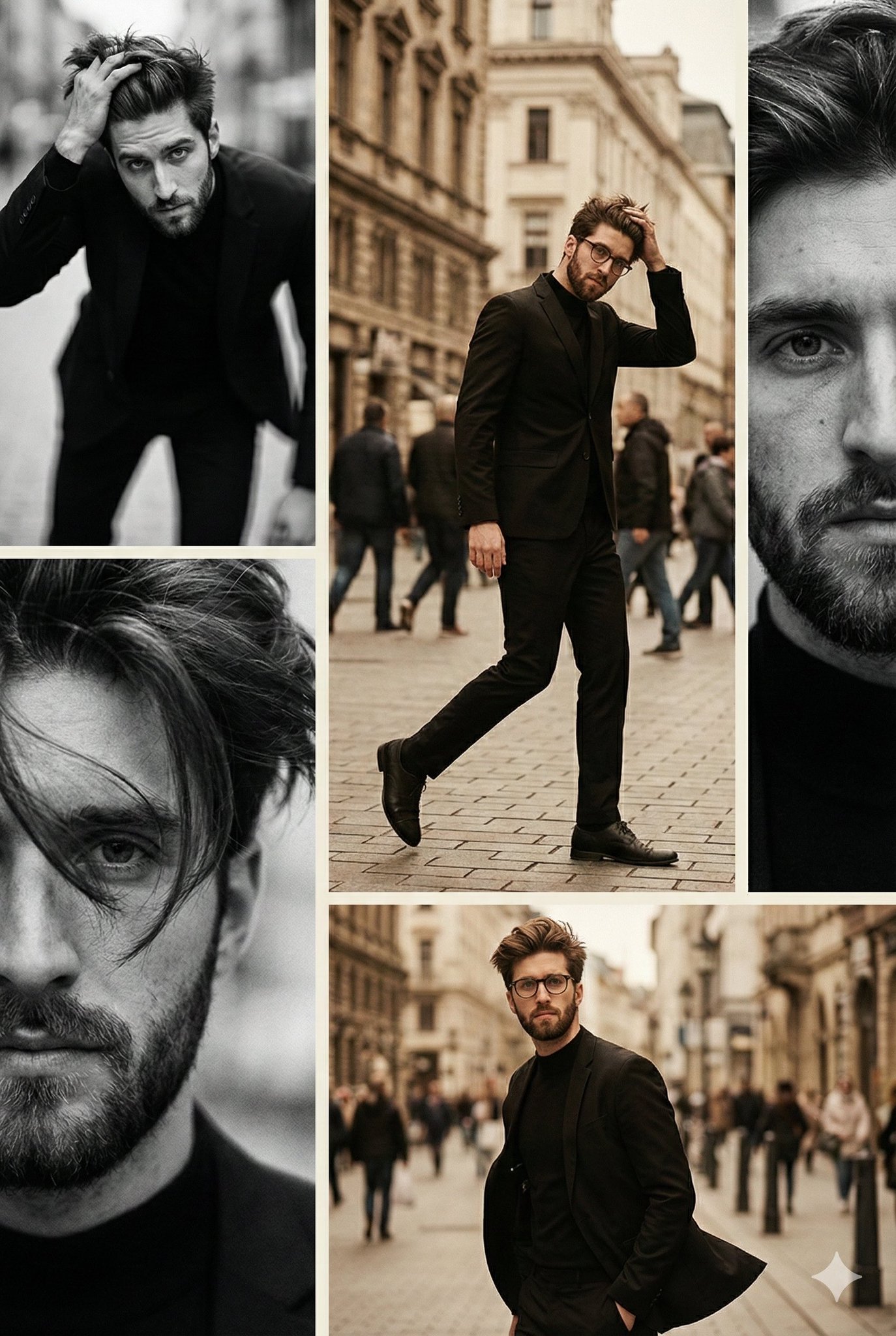
Moody Vintage Fashion Editorial as Vertical Collage of Black-and-White and Warm Desaturated Color Photography

3D Chibi Toy Design

Highly Dramatic Black and White Manga-Style Illustration
人気ツール
最も人気のあるクリエイティブツールを探索
Z-Image 編集
画像をアップロードし、一文で変化させます。
今すぐ試す
クリエイティブエンジン
一言で、AIが無限のプロンプトの創造性を提供します。
今すぐ試す
画像解析
画像をアップロードして、すぐにプロンプトを取得。
今すぐ試す
Z-Image LoRA
複数のLoRAモデルを組み合わせて、独自のAIアートワークを作成します
今すぐ試す
Z-Video
Generate creative videos from text or images with AI.
今すぐ試す
AI画像生成
テキストを即座に素晴らしい画像に変換します。
今すぐ試す
スタイルライブラリ
あなたの作品のために厳選されたアーティスティックスタイルを探索しましょう。
今すぐ試す
背景削除
AIで背景を瞬時に削除し、高精度な切り抜きを実現。
今すぐ試す
画質向上
画像を4K/8Kにアップスケールし、細部を鮮明に復元。
今すぐ試す
リフレーム
AIアウトペインティングであらゆる比率に背景を拡張。
今すぐ試す
Camera Angle
Create a new view with continuous 3D camera control.
今すぐ試す
Image Layers
Split an image into editable transparent layers.
今すぐ試す
Image Parallax
Turn one image into interactive parallax animation.
今すぐ試す
画像をASCIIに変換
ブラウザー内で画像をカスタマイズ可能なASCIIアートに変換します。
今すぐ試す
GIFをASCIIに変換
アニメーションGIFをダウンロード可能なASCIIアニメに変換します。
今すぐ試す
動画を ASCII に
MP4、WebM、MOV 動画をダウンロード可能な ASCII 動画に変換します。
今すぐ試す
動画を深度マップに変換
ブラウザ内でプライベートな深度動画をローカル生成します。
今すぐ試す