
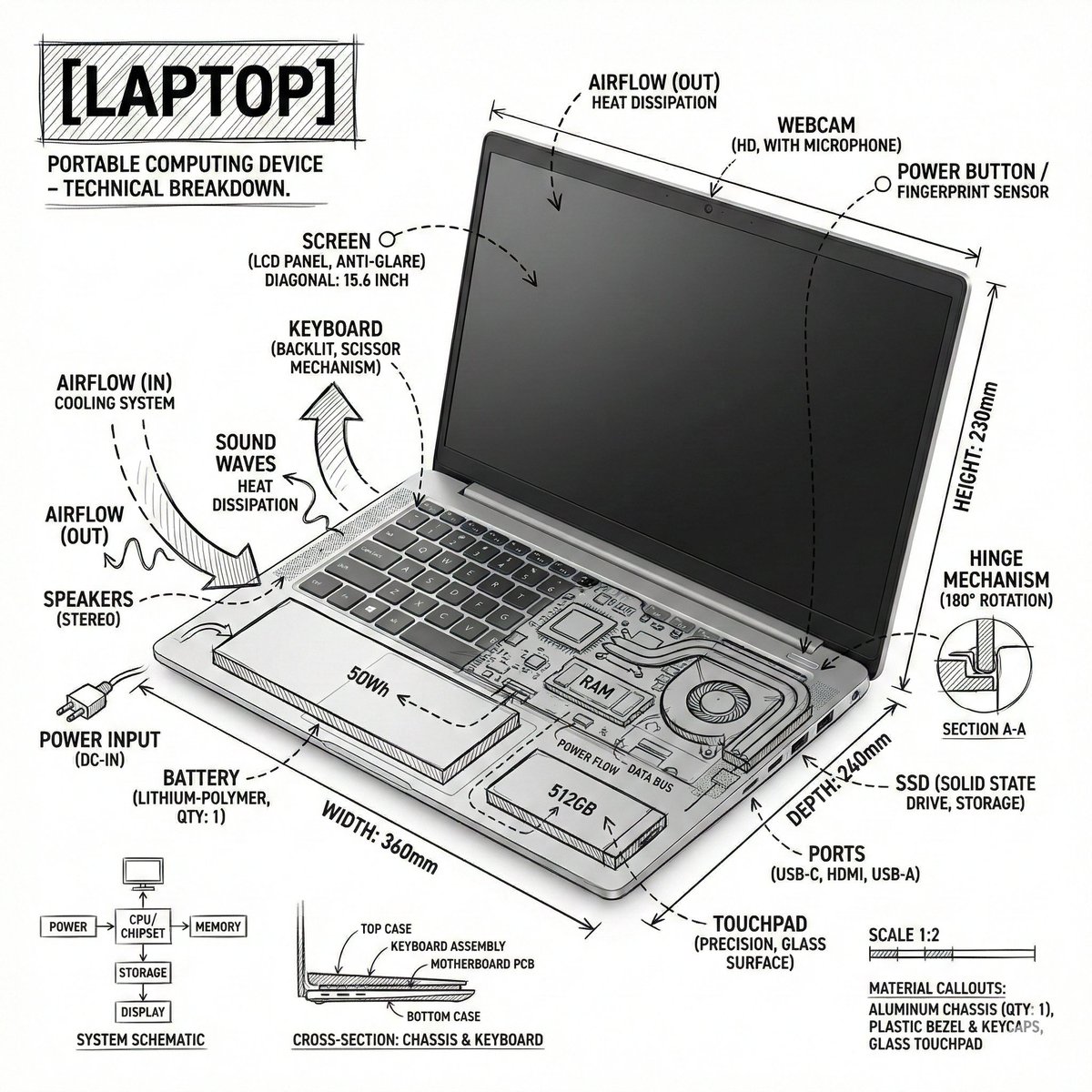
प्रॉम्प्ट लाइब्रेरी / Laptop Technical Annotation Sketch
Laptop Technical Annotation Sketch

Laptop Technical Annotation Sketch

लेखक:@Strength04_X
000
टेक्स्ट-टू-इमेज
Nano banana pro
Create an infographic image of laptop ,combining a realistic photograph or photoreal render of the object with technical annotation overlays placed directly on top. Use black ink–style line drawings and text (technical pen / architectural sketch look) on a pure white studio background, including: •Key component labels •Internal cutaway or exploded-view outlines •Measurements, dimensions, and scale markers •Material callouts and quantities •Arrows indicating function, force, or flow (air, sound, power, pressure) •Simple schematic or sectional diagrams where relevant Place the title [OBJECT] inside a hand-drawn technical annotation box in one corner. Style & layout rules: •The real object remains clearly visible beneath the annotations •Annotations feel sketched, technical, and architectural •Clean composition with balanced negative space •Educational, museum-exhibit / engineering-manual vibe Visual style: Minimal technical illustration aesthetic, black linework over realistic imagery, precise but slightly hand-drawn feel. Color palette: White background, black annotation lines and text only. No colors. Output: 1080×1080, ultra-crisp, social-feed optimized, no watermark.”

विवरण

Generate a laptop technical infographic with z-image. This style combines realistic photos with black ink sketches for an engineering look.
टैग
# engineering
# laptop
# technical drawing
# infographic
# black and white

लोकप्रिय उपकरण

हमारे सबसे लोकप्रिय रचनात्मक उपकरणों का अन्वेषण करें

Z-Image एडिट

छवि अपलोड करें, एक वाक्य के साथ बदलें

अभी आज़माएं

क्रिएटिव इंजन

एक वाक्य, एआई ने अनंत प्रॉम्प्ट रचनात्मकता को सशक्त बनाया।

अभी आज़माएं

छवि पार्सिंग

छवि अपलोड करें, तुरंत प्रॉम्प्ट प्राप्त करें।

अभी आज़माएं

Z-Image LoRA

अद्वितीय AI कलाकृतियां बनाने के लिए कई LoRA मॉडलों को मिलाएं

अभी आज़माएं

Z-Video

Generate creative videos from text or images with AI.

अभी आज़माएं

AI इमेज जेनरेटर

अपने टेक्स्ट को तुरंत शानदार छवियों में बदलें।

अभी आज़माएं

शैली लाइब्रेरी

अपनी रचनाओं के लिए क्यूरेटेड कलात्मक शैलियों का अन्वेषण करें।

अभी आज़माएं

बैकग्राउंड हटाएं

AI सटीकता के साथ छवियों से बैकग्राउंड को तुरंत हटाएं।

अभी आज़माएं

इमेज अपस्केलर

छवि रिज़ॉल्यूशन को 4K/8K तक बढ़ाएं।

अभी आज़माएं

इमेज रीफ़्रेम

आउटपेंटिंग के साथ छवियों को किसी भी पक्ष अनुपात में विस्तारित करें।

अभी आज़माएं

Camera Angle

Create a new view with continuous 3D camera control.

अभी आज़माएं

Image Layers

Split an image into editable transparent layers.

अभी आज़माएं

Image Parallax

Turn one image into interactive parallax animation.

अभी आज़माएं

इमेज से ASCII

ब्राउज़र में इमेज को मनचाहे ASCII आर्ट में बदलें।

अभी आज़माएं

GIF से ASCII

एनिमेटेड GIF को डाउनलोड योग्य ASCII एनीमेशन में बदलें।

अभी आज़माएं

वीडियो से ASCII

MP4, WebM या MOV क्लिप को डाउनलोड योग्य ASCII वीडियो में बदलें।

अभी आज़माएं

वीडियो से डेप्थ मैप

ब्राउज़र में स्थानीय रूप से निजी डेप्थ-मैप वीडियो बनाएं।

अभी आज़माएं