

Humans of Z-Image: Testing Its Celebrity Recognition Limits on 6GB VRAM
Humans of Z-Image: Testing Its Celebrity Recognition Limits on 6GB VRAM
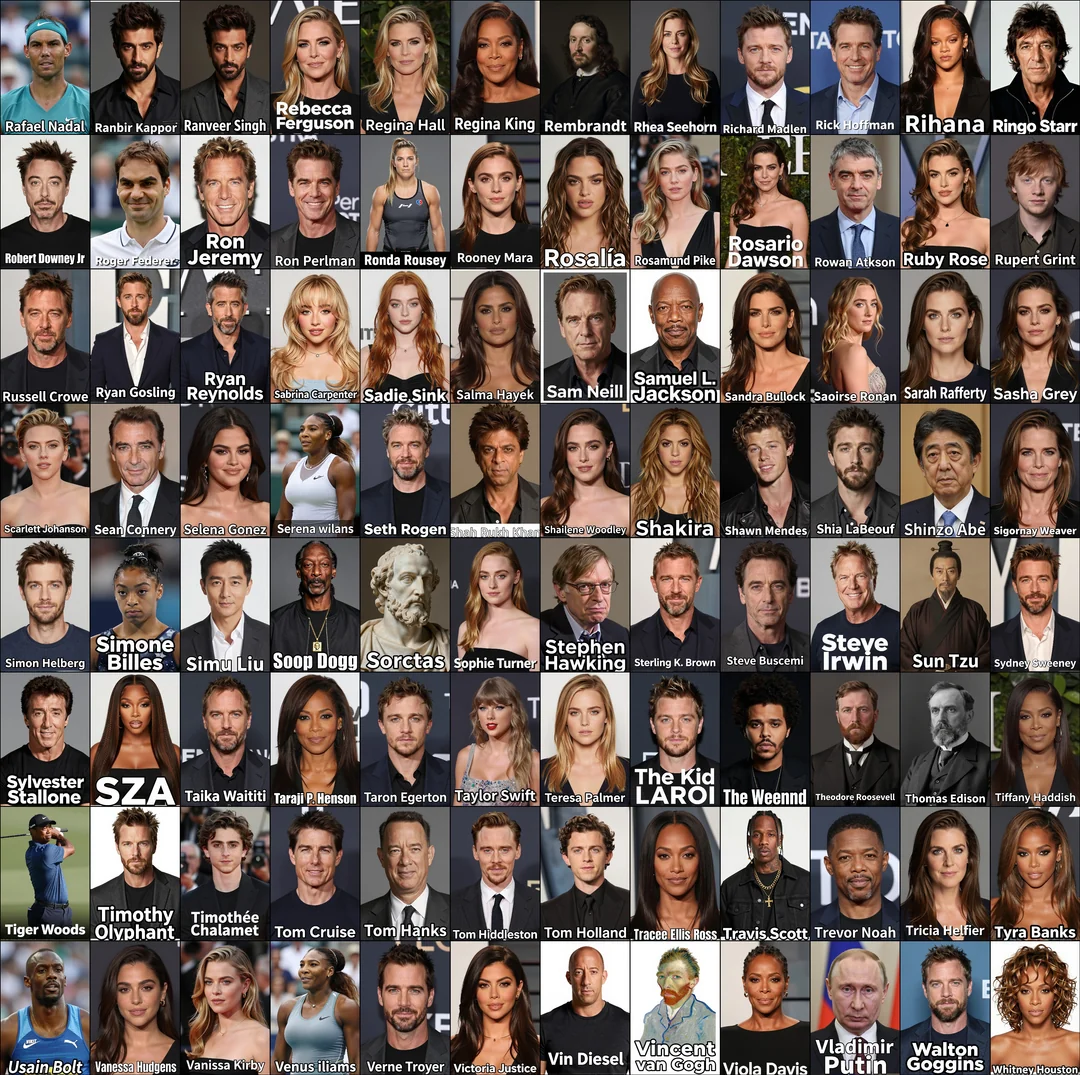
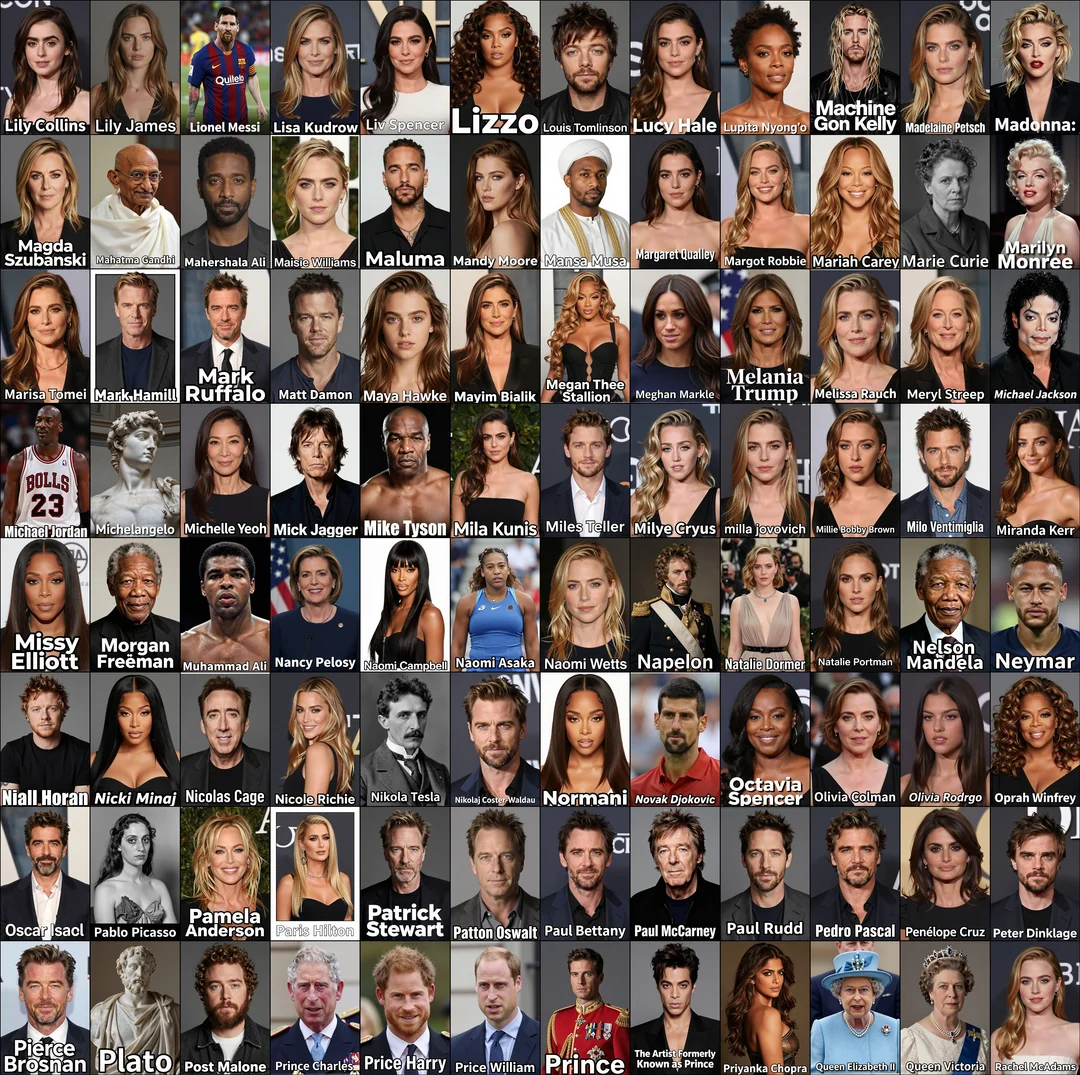
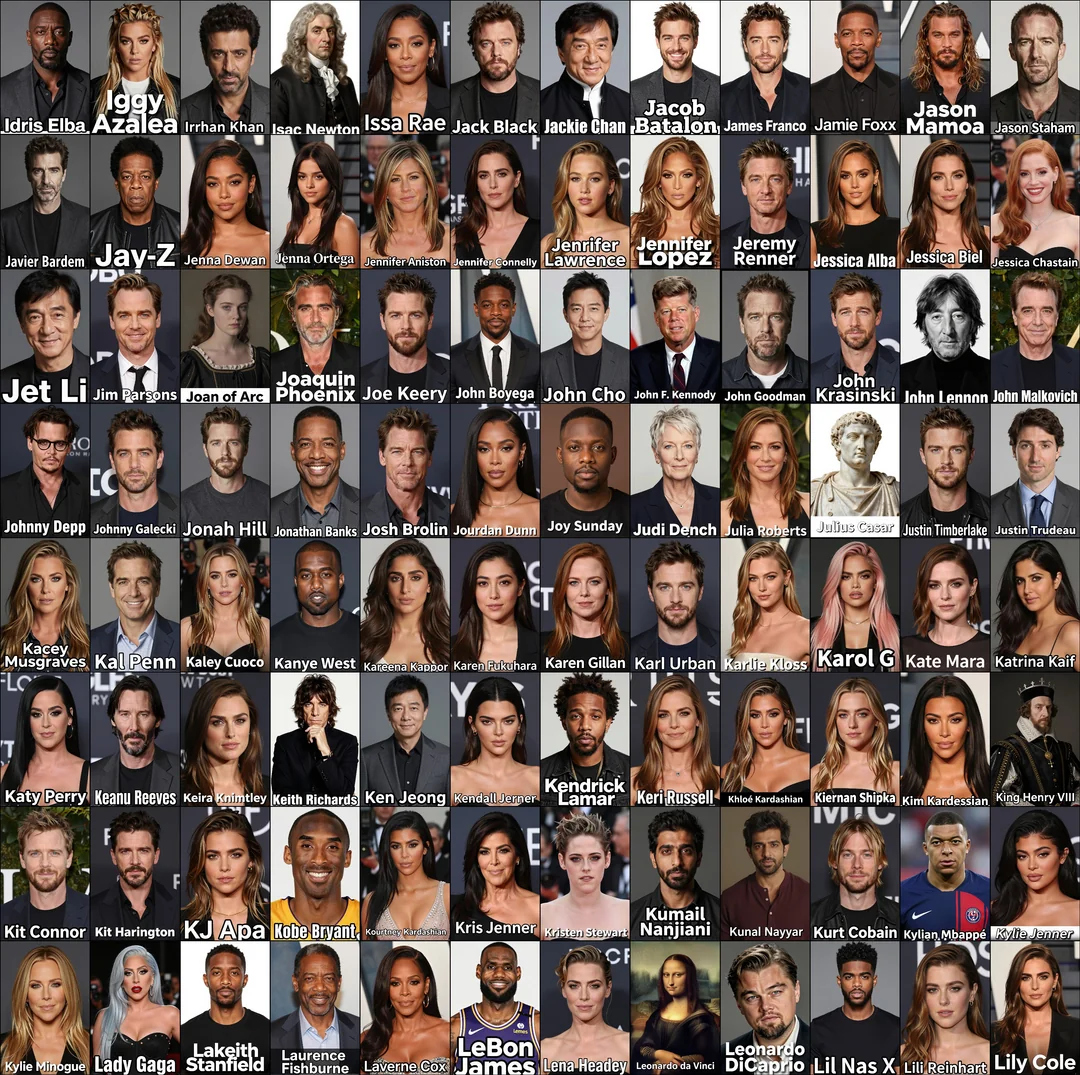
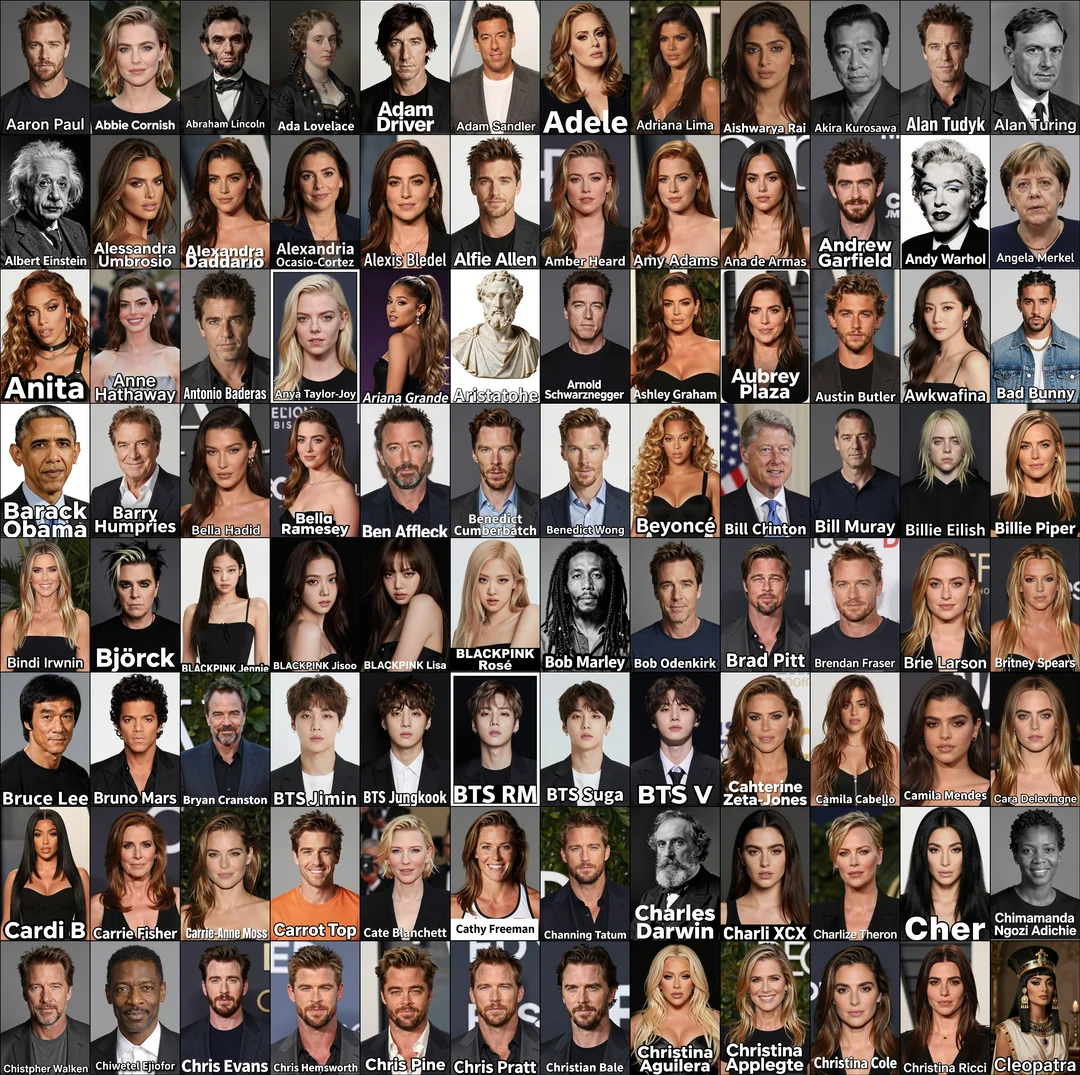
I’ve been curious about just how extensive Z-Image’s celebrity knowledge really is, so I decided to put it to the test with a few hundred celebrity names. No extra context—no clothing hints, background descriptions, or hairstyle notes. It was all up to the model to fill in those blanks, and the results ended up being surprisingly revealing.

1. The Test Setup: Simplicity Is Key
I kept the test design super straightforward to focus purely on Z-Image’s recognition capabilities. Here’s exactly what I did:
-
Prompt Template: I used the same base prompt for every celebrity—“portrait photo of @@” (with @@ replaced by each name). I also added a consistent design request: the celebrity’s name should appear at the bottom of the image in white text with a black outline.
-
Technical Settings: All images were generated with the Z-Image-Turbo_bf16 model and Qwen-3-4B-Q8_0 CLIP encoder. For speed, I set the resolution to 592x888 per image. After generating, I stitched them into a grid and downsized the final collage to keep the file size manageable.
-
Test Scope: I fed the model hundreds of celebrity names, ranging from A-list movie stars to niche public figures. My main goal was to track how consistently it could capture each person’s distinct features.
2. The Results: Hits, Misses, and Clear Patterns
The outputs followed some pretty clear rules, and they taught me a lot about where Z-Image excels (and where it needs a little help):
-
Home Runs for Iconic Celebs: When a celebrity has a well-defined public image—think signature hairstyles, distinctive features, or a recognizable vibe—Z-Image nailed it. The portraits were instantly recognizable, like it had pulled reference photos from its database and reimagined them perfectly.
-
Close Calls and Confusions: For some names, the face would look roughly right, but everything else was off. The model got the facial structure down, but the outfit, background, or hairstyle had no connection to the celebrity’s real-life look. If an image didn’t resemble the person at all? That was a dead giveaway the model had no data on them.
-
Easy Fix with Tiny Hints: I found that adding just a few descriptive words (e.g., “in a suit,” “vintage hairstyle”) next to the name drastically improved results. But even without those cues, its baseline performance with just a name was impressive—way better than I expected.
3. Why Z-Image Works: The Tech Behind the Results
1. Robust Knowledge Base + Sharp Semantic Understanding
Z-Image isn’t just a image generator—it’s got a solid grasp of world knowledge, including public figures. When it sees a name like “Audrey Hepburn,” it doesn’t just process the text; it pulls up associated traits: her classic pixie cut, elegant posture, and timeless style. This ability to connect names to cultural context is what makes its “name-only” portraits so convincing.
2. Lightweight 6B Parameter Architecture: Power Without the VRAM Drain
The biggest surprise for me? I ran this entire test on a 6GB VRAM card (a standard RTX 3060). That’s unheard of for batch-generating hundreds of high-quality portraits—most models would crash or crawl to a halt. Z-Image’s S³-DiT single-stream architecture is the secret:
-
At just 6 billion parameters (1/3 the size of many flagship models), it delivers comparable performance while cutting VRAM usage by over 60%.
-
Its 8-step Turbo inference technology keeps things fast too. Even churning through hundreds of images, my 6GB card stayed stable—no crashes, no lag, just consistent results.
3. Z-Image-Turbo: Built for Photorealistic Portraits
The Z-Image-Turbo model is optimized for photo-realism, which makes all the difference for portraits. It nails lighting, skin texture, and facial proportions without extra prompts. Even when it guessed wrong on outfits, the core portrait always looked like a natural, professional photo—no weird distortions or cartoonish flaws.
4. Try It Yourself: Test Z-Image on Your Favorite Celebs
Want to put Z-Image’s celebrity recognition to the test? You don’t need fancy hardware or complex setups—just head to z-image.me and dive in:
-
No login required: Just open the site, go to the “Text to Image” tab, and plug in prompts like “portrait photo of [Celebrity Name]” (or add your own twists).
-
Level up your results: Throw in a quick descriptor—“portrait photo of Taylor Swift in a red dress” or “portrait photo of Dwayne Johnson with a beard”—and watch the model refine its output to match your vision.
5. Final Thought: Z-Image’s Sweet Spot—Power Meets Accessibility
Z-Image breaks the mold of “good AI = expensive hardware.” It combines a deep knowledge base with a lightweight design, letting anyone with a 6GB VRAM card (or just a browser) generate celebrity portraits that actually look right. Whether you’re making a fun collage, testing its limits, or creating content, it’s the rare tool that’s both powerful and approachable.
引用参考:Reddit帖子《Humans of Z-Image: How many celebrities can you fit into 6GB?》(链接:https://www.reddit.com/r/StableDiffusion/comments/1p9m78k/humans_of_zimage_how_many_celebrities_can_you_fit/)